Lana Image Optimizer
Antivirus scan
Powered by ClamAV
✅ Verified clean
This product file has passed our security filters.
Want to run a fresh ClamAV scan right now? Takes a few seconds and shows scanner version, signature DB and live result.
This can take 5 to 30 seconds.
Clean file Threat detected
No threats detected in this file.
- File
- Size
- Scanned
- ClamAV
- Signature database
⚡ Powered by ClamAV
Scan could not be completed
Report product
If you detected an issue (broken file, malware, inappropriate content, etc.) let us know and we'll review it ASAP.
Sign in to reportNewer version out, or a problem?
About Lana Image Optimizer
Unoptimized uploaded photos that make a WordPress site slow
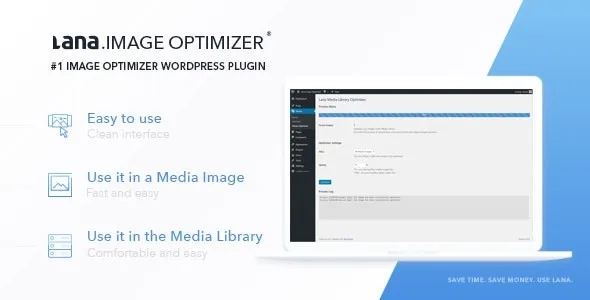
When every photo reaches WordPress at its original size, the page takes longer to load and the visitor notices before reading a single line. Lana Image Optimizer handles the images you upload and converts them into smaller JPG files.
Blogs, shops and teams that upload photos every day
Blog or publication with many illustrations
If you publish articles with several images each week, every upload can make the page heavier than it needs to be. The plugin converts those images into smaller JPGs.
Shop with many product photos
A catalog with many product photos adds weight quickly. The images you upload are converted into smaller JPGs.
Administrator who works from the terminal
The plugin includes a command for WP-CLI, the WordPress command line tool, so you can also use it from the terminal.
Imagick and Gmagick among the processing libraries it supports
Besides converting to JPG, the plugin adds support for Imagick and Gmagick, two image processing libraries for PHP. If your server already has one of them available, it is a detail worth keeping in mind.
Optimized images come out in JPG format
The output format is JPG, and that is the result you will get after conversion. If your images need a different output format, check the result in the demo before you decide.
Frequently asked questions about Lana Image Optimizer
What format do the images have once optimized?
They are converted to smaller JPG files.
Can I use it from the command line?
Yes. It includes a command for WP-CLI.
Which processing libraries does it support?
Imagick and Gmagick.
Can I see the plugin in action before installing it?
Yes, there is a demo of the admin panel and online documentation. In the demo, check whether the conversion result fits your images.
The demo and online documentation for Lana Image Optimizer
The developer publishes a demo of the plugin's admin panel and online documentation dedicated to it, useful for getting a sense of the panel before you decide.
Topics
Version history
-
v
1.1.0 Current 17 May 2024
Customer reviews
Sign in to leave a review. Only people who have the product can review it.
No reviews for this product yet.
Frequently asked questions
-
GPL (General Public License) is the license under which WordPress and most premium plugins/themes are distributed. It grants you the right to use, modify and redistribute the software in as many projects as you want, with no domain restrictions.
-
Yes. With membership you get automatic updates via our GPLClub Updater plugin (installed on your WP, detects new versions and applies them). With individual purchase, you get one year of manual updates from your account.
-
Depends on the plan. Monthly: 3 domains. Semi-annual: 7. Annual and Lifetime: 15. Individual purchase: 1 domain.
-
GPLClub offers its own support for installation, configuration and compatibility. For direct support from the original author (feature requests, product-specific bugs), a license purchased from the author is required.