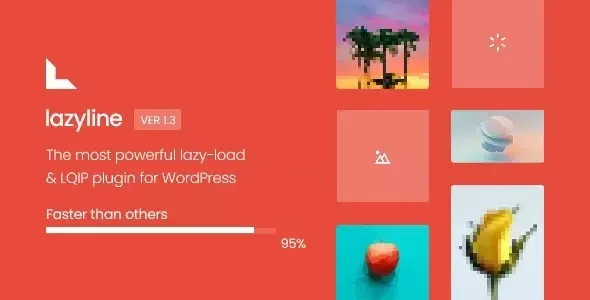
Lazyline – Innovative Lazy-Load & LQIP WordPress Plugin
Antivirus scan
Powered by ClamAV
✅ Verified clean
This product file has passed our security filters.
Want to run a fresh ClamAV scan right now? Takes a few seconds and shows scanner version, signature DB and live result.
This can take 5 to 30 seconds.
Clean file Threat detected
No threats detected in this file.
- File
- Size
- Scanned
- ClamAV
- Signature database
⚡ Powered by ClamAV
Scan could not be completed
Report product
If you detected an issue (broken file, malware, inappropriate content, etc.) let us know and we'll review it ASAP.
Sign in to reportNewer version out, or a problem?
About Lazyline – Innovative Lazy-Load & LQIP WordPress Plugin
Lazy loading with previews instead of blank gaps
On a site with many photos, every image that takes time to arrive leaves an empty gap or a spinner. Lazyline delays loading what is off screen and shows a lightweight preview in its place that resembles the final image.
It is not limited to images. It can defer:
- Images (img)
- CSS backgrounds, including HiDPI and Retina backgrounds and multiple backgrounds
- Videos and their posters, and source elements inside picture and video
- YouTube iframes, maps and other embeds
- AJAX content, which it detects automatically
Each type is switched on separately. Loading is triggered with IntersectionObserver at the viewport distance you set, and if you prefer, it can use the browser's native lazy loading for greater compatibility. You can exclude specific elements by HTML ID or CSS class and choose which content types are covered: pages, posts or custom post types.
Four LQIP methods and how to choose among them based on your library
The previews are generated from your own images, and you can switch methods without regenerating the data.
- Thumbnail: a reduced version and, if you want, a blurred one. JPEG quality, blur intensity and antialiasing are configurable. It is the fastest method and the one that weighs least.
- Color palette: extracts the dominant colors and shows them as a solid color, column strips or a gradient. The colors are stored as metadata and drawn with pure CSS, with no extra files.
- Pixelart: a mosaic of colored blocks that approximates the image. It supports block size, grayscale mode and a custom palette.
- Primitives (SVG): a shape-fitting algorithm approximates each image with triangles, rectangles and ellipses in a tiny SVG that scales to any resolution. A background with the image's average color sits behind the shapes so everything blends together.
Thumbnail and palette are generated on the server, designed for large libraries with low resource usage. Pixelart and primitives give a more distinctive visual identity.
If your site depends on portfolios or large media libraries, Lazyline fits
It is a good option for portfolios, creative sites and sites with large media libraries. The panel processes the library in batches: first Analyze scans all image attachments and builds a queue, then Generate creates the previews one by one, with a progress bar and status per file. You can cancel at any time and resume later.
If you change the quality, the regenerate button rebuilds the previews with one click. In addition, Lazyline applies each image's aspect ratio to its container based on the original dimensions, so the space is reserved before loading and the LQIP fills it, which prevents layout jumps while the page loads.
It needs WordPress to work, because its panel operates on the site's own media library.
Frequently asked questions about Lazyline
What happens if an image fails to load?
You can set a fallback image by URL for broken sources, plus a background color and an animated preloader, or a custom SVG, while the image loads.
Can I see what visitors will see while images load?
Yes. With preview mode enabled, when you visit the site as an administrator you will see the real images replaced by their LQIP placeholders, with a small badge in the corner. Visitors who are not administrators are not affected.
Can I leave parts of the page out?
Yes, by HTML ID or CSS class, and you can also decide the scope by content type.
What about the images I already have in the library?
They are processed from the panel with batch analysis and generation. You can stop the process and continue it later.
Does it also cover videos and embedded maps?
Yes. Videos, their posters and YouTube or map iframes are included in lazy loading, and each type is switched on separately.
Topics
Version history
-
v
1.4 Current 8 Apr 2024
Customer reviews
Sign in to leave a review. Only people who have the product can review it.
No reviews for this product yet.
Frequently asked questions
-
GPL (General Public License) is the license under which WordPress and most premium plugins/themes are distributed. It grants you the right to use, modify and redistribute the software in as many projects as you want, with no domain restrictions.
-
Yes. With membership you get automatic updates via our GPLClub Updater plugin (installed on your WP, detects new versions and applies them). With individual purchase, you get one year of manual updates from your account.
-
Depends on the plan. Monthly: 3 domains. Semi-annual: 7. Annual and Lifetime: 15. Individual purchase: 1 domain.
-
GPLClub offers its own support for installation, configuration and compatibility. For direct support from the original author (feature requests, product-specific bugs), a license purchased from the author is required.