LearnPress Certificates Add-on
Antivirus scan
Powered by ClamAV
✅ Verified clean
This product file has passed our security filters.
Want to run a fresh ClamAV scan right now? Takes a few seconds and shows scanner version, signature DB and live result.
This can take 5 to 30 seconds.
Clean file Threat detected
No threats detected in this file.
- File
- Size
- Scanned
- ClamAV
- Signature database
⚡ Powered by ClamAV
Scan could not be completed
Report product
If you detected an issue (broken file, malware, inappropriate content, etc.) let us know and we'll review it ASAP.
Sign in to report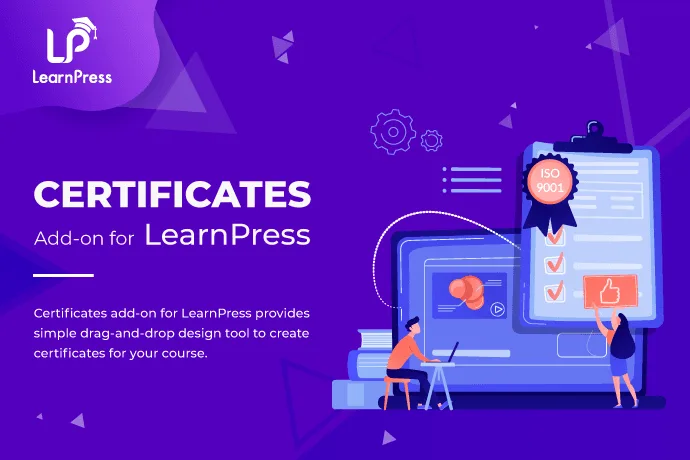
About LearnPress Certificates Add-on
Built for academies whose diplomas need to be verifiable by a third party
People who finish an online course usually want more than a "completed" label on screen: they want a document they can show their boss or add to a professional profile. And the people issuing them face two problems: making diplomas by hand for every student, or watching someone edit a PDF. LearnPress Certificates Add-on solves both if your academy already runs on LearnPress.
It suits you if you have courses in LearnPress and want to issue certificates automatically, with your branding and with verification. It is not for you if you use another LMS: it is a LearnPress add-on and does not work on its own. Nor is it the right fit if you need accreditations with official validity: the plugin generates the diploma and allows it to be verified, but the academic or legal value comes from your institution, not from the plugin.
From the last module to the certificate without lifting a finger
When the student completes the course, the certificate is generated automatically with their details. There is nothing to prepare by hand and no need to remember to send it. For an academy with many enrollments, that is the real saving: each diploma stops being a pending task.
Students can download it as a PDF or as an image and share it online. If you show it on their profile, the list loads in batches when there are many certificates.
The drag-and-drop editor in LearnPress Certificates Add-on
The design is made with a visual builder, no code needed. You can place elements such as:
- the student's name,
- the course title,
- the completion date,
- your logo,
- your own background image.
In addition, each course can have its own design. This is useful if you offer very different training (a short workshop and a long program should not look like the same sheet of paper) and want to reinforce the brand of each product line. There is also a screen to assign the certificate from the course editing page.
Verification: what holds back forgeries
Certificates include built-in verification to make forgery harder. This matters if your diplomas are reviewed by companies that want to check they are not a fabrication. It helps build credibility, but it is not a guarantee that nobody will try to copy them.
Selling the certificate as an extra
You can set a price on a course's certificate, so the student completes the content and pays afterwards for verifiable recognition. It works well in training where many people just want to learn and a share of them need the paper.
- If you charge for the certificate, test the whole purchase flow before opening it to real students.
- Also check how it behaves with the payment gateway you use, whether LearnPress or WooCommerce.
Frequently asked questions
Does it work without LearnPress?
No. It is a LearnPress add-on and needs LearnPress installed.
Can I use a different design for each course?
Yes, you can adapt the design per course.
Can students download the certificate?
Yes, as a PDF or an image, and they can also share it online.
Can I charge for the certificate?
Yes, you can set a price so the student buys it after finishing the course.
Do I need to know how to code?
No: the design is done by dragging and dropping the elements.
Topics
Version history
-
v
4.2.9 Current 28 Oct 2026
-
v
4.2.8 5 Sep 2026
-
v
4.2.7 31 Jul 2026
-
v
4.2.1 7 Apr 2026
Customer reviews
Sign in to leave a review. Only people who have the product can review it.
No reviews for this product yet.
Frequently asked questions
-
GPL (General Public License) is the license under which WordPress and most premium plugins/themes are distributed. It grants you the right to use, modify and redistribute the software in as many projects as you want, with no domain restrictions.
-
Yes. With membership you get automatic updates via our GPLClub Updater plugin (installed on your WP, detects new versions and applies them). With individual purchase, you get one year of manual updates from your account.
-
Depends on the plan. Monthly: 3 domains. Semi-annual: 7. Annual and Lifetime: 15. Individual purchase: 1 domain.
-
GPLClub offers its own support for installation, configuration and compatibility. For direct support from the original author (feature requests, product-specific bugs), a license purchased from the author is required.