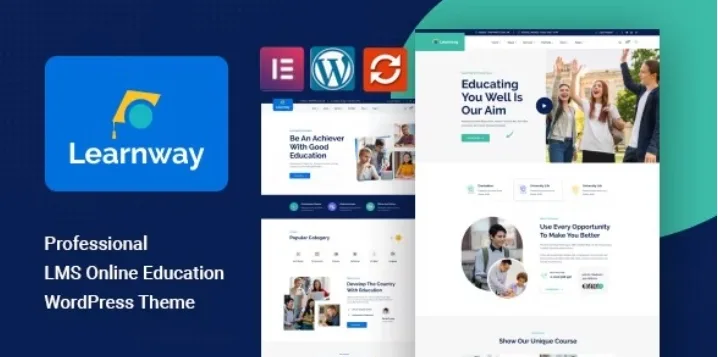
Learnway – Professional LMS Online Education Course WordPress Theme
Antivirus scan
Powered by ClamAV
✅ Verified clean
This product file has passed our security filters.
Want to run a fresh ClamAV scan right now? Takes a few seconds and shows scanner version, signature DB and live result.
This can take 5 to 30 seconds.
Clean file Threat detected
No threats detected in this file.
- File
- Size
- Scanned
- ClamAV
- Signature database
⚡ Powered by ClamAV
Scan could not be completed
Report product
If you detected an issue (broken file, malware, inappropriate content, etc.) let us know and we'll review it ASAP.
Sign in to reportNewer version out, or a problem?
About Learnway – Professional LMS Online Education Course WordPress Theme
Learnway for an academy starting from scratch
Many academies lose students before the first class because their website doesn't convey order: courses are hidden, the home page doesn't explain what gets learned, and on mobile everything falls out of place. Whoever is looking for a center for their children or a language course decides almost without thinking whether to trust it, and the website is the first thing they check.
Learnway is a WordPress theme designed for schools, academies, tutoring centers, language schools, eLearning and any other online learning platform. It is optimized to give visitors the best experience in terms of UX/UI, and it aims to make the online learning experience better for both students and teachers.
Step 1: import the demo and change what is yours
Picture a language academy starting from zero. The first step is to import the demo with the one-click importer, which sets up the complete site. Then comes what changes from one center to another: the email logo, the business name, the phone number and the rest of the contact details, and then replacing the demo content with yours.
Step 2: design the pages with Elementor
The pages are built with Elementor, a drag-and-drop builder that works on both the frontend and the backend. Each page adapts to mobile, desktop and retina screens, and you can choose fonts from the Google Fonts library and define your own color scheme with no limit on combinations.
For the header there is a sticky header option that stays visible when scrolling, and also a parallax effect. If you know some CSS you can also add your own styles; if not, you don't need programming skills.
Step 3: create courses with Tutor LMS
Course management is done with Tutor LMS, a complete, feature-packed and robust LMS plugin for creating and selling courses online. Tutor LMS is a WordPress plugin, so it is installed separately from the theme.
Step 4: translate the academy into other languages
If your center teaches in several languages or has students from abroad, the theme is ready for WPML, one of the most popular multilingual plugins, and lets you translate the website into any language.
Step 5: add a shop and receive inquiries
The theme is WooCommerce ready, so you can add a shop. For inquiries there is a contact form and a Mailchimp integration.
Learnway frequently asked questions
Do I need to know how to code to set up the site?
No. The theme is designed to be set up without coding knowledge: you import the demo, change your details and edit with Elementor. If you want more control, you can use custom CSS and the theme is ready for a child theme.
Can I have the website in several languages?
Yes, the theme is compatible with WPML, which lets you translate the site into any language.
Does it look right on mobile?
Yes, the layout is responsive and adapts to mobile, desktop and retina screens.
Can I create courses and sell them from the website?
Yes, course management is done with Tutor LMS, and to sell products the theme is ready for WooCommerce.
Can I change colors and fonts?
Yes, you can choose any Google font and define color schemes with no limit from the theme options panel.
Topics
Version history
-
v
1.0.2 Current 7 Nov 2026
-
v
1.0.0 15 Jun 2024
Customer reviews
Sign in to leave a review. Only people who have the product can review it.
No reviews for this product yet.
Frequently asked questions
-
GPL (General Public License) is the license under which WordPress and most premium plugins/themes are distributed. It grants you the right to use, modify and redistribute the software in as many projects as you want, with no domain restrictions.
-
Yes. With membership you get automatic updates via our GPLClub Updater plugin (installed on your WP, detects new versions and applies them). With individual purchase, you get one year of manual updates from your account.
-
Depends on the plan. Monthly: 3 domains. Semi-annual: 7. Annual and Lifetime: 15. Individual purchase: 1 domain.
-
GPLClub offers its own support for installation, configuration and compatibility. For direct support from the original author (feature requests, product-specific bugs), a license purchased from the author is required.