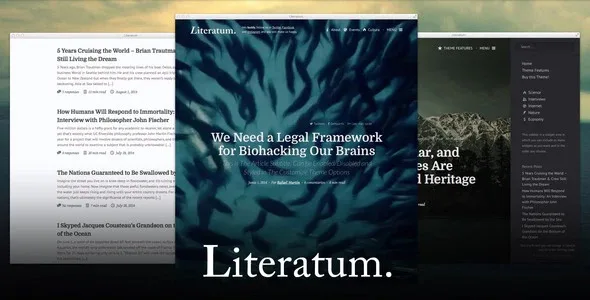
Literatum – Just Write
Antivirus scan
Powered by ClamAV
✅ Verified clean
This product file has passed our security filters.
Want to run a fresh ClamAV scan right now? Takes a few seconds and shows scanner version, signature DB and live result.
This can take 5 to 30 seconds.
Clean file Threat detected
No threats detected in this file.
- File
- Size
- Scanned
- ClamAV
- Signature database
⚡ Powered by ClamAV
Scan could not be completed
Report product
If you detected an issue (broken file, malware, inappropriate content, etc.) let us know and we'll review it ASAP.
Sign in to reportNewer version out, or a problem?
About Literatum – Just Write
Writers and online magazines that want readers to stay on the text
A writer's blog or a digital magazine usually loses readers for the same reason: the design competes with the words, the article looks longer than it is, and nothing tells the reader how long it will take to read. Literatum is made for anyone who publishes texts and wants a clean, modern look, with easy navigation that keeps attention on the content. It works just as well for people new to WordPress as for advanced users, because all its options are built into WordPress itself instead of third-party panels.
There are three things worth knowing before you choose it. The integration with Aesop Story Engine has been marked as obsolete since the last major rewrite of the theme, so it's best not to count on that feature. Video covers uploaded as an mp4 file look better in Google Chrome and don't work on mobile. And if you're coming from an earlier version, some options can be lost when you update, so save a backup first.
How an article reads with Literatum
Each article can display its word count automatically, and Literatum uses that count to estimate how long the reader will need. That tells people whether they have time before they start.
Titles and subtitles accept format tags, so you can emphasize a word. Each post can have a featured image, and a post cover can also be a video uploaded to the article itself or a YouTube URL, which integrates with WordPress video support.
- A featured image for each category, shown at the top of that category page.
- Video covers from your own file or a YouTube link.
- Authors with their own avatar and contact details shown on their profile.
Templates for each category and each post
You decide how the articles in each category are displayed. Literatum includes two category templates, a simple list of articles and a three-column layout, and more can be added in future updates. You can also assign a template to each post, and templates can be swapped between posts, pages and users.
Each template has its own options, adjusted in the Customize section under Preferences. That way a section for long features can look different from an opinion section.
Authors, typography and colors you set up from WordPress
Literatum supports several authors per post, so a piece written by several people can credit everyone who signed it. Each author can upload an avatar from the admin area and add their Twitter and Facebook usernames, which appear on their profile and are also used when someone shares one of their articles.
Typography is simple to set: you choose the typefaces and sizes for basic elements, and the rest of the page keeps a compact style. There is a custom CSS field to change the style of any element, and an internal color system that will make color templates easier in the future. The theme includes over 400 icons you can use in menus and content as if they were text, and it can be translated into any language, with English and Spanish already included.
Sharing and comments on the networks your readers use
Each article carries the metadata needed to share it on major social networks, with support for Twitter Cards. You can turn the share buttons for X, Facebook, Pocket, WhatsApp and Telegram on or off separately, plus a native share button for mobile.
If you prefer third-party comments, Literatum integrates Disqus and Facebook Comments. There is also AJAX navigation, which can be activated with one click and offers a series of transition effects between pages.
Frequently asked questions about Literatum
Can I list several authors on the same article?
Yes. Literatum lets you credit more than one author on each post.
Can I change the style of a specific element?
Yes. There is a custom CSS field in the admin area where you can enter the code to override the style you want.
What should I do before updating?
Save a backup, because some options can be lost in the update.
Can I give a single article a different layout?
Yes. You can assign a specific template to each post.
Is it available in other languages?
It can be translated into any language and already includes English and Spanish.
Topics
Version history
-
v
2.2.3 Current 18 Jun 2024
Customer reviews
Sign in to leave a review. Only people who have the product can review it.
No reviews for this product yet.
Frequently asked questions
-
GPL (General Public License) is the license under which WordPress and most premium plugins/themes are distributed. It grants you the right to use, modify and redistribute the software in as many projects as you want, with no domain restrictions.
-
Yes. With membership you get automatic updates via our GPLClub Updater plugin (installed on your WP, detects new versions and applies them). With individual purchase, you get one year of manual updates from your account.
-
Depends on the plan. Monthly: 3 domains. Semi-annual: 7. Annual and Lifetime: 15. Individual purchase: 1 domain.
-
GPLClub offers its own support for installation, configuration and compatibility. For direct support from the original author (feature requests, product-specific bugs), a license purchased from the author is required.