LiveCanvas
Antivirus scan
Powered by ClamAV
✅ Verified clean
This product file has passed our security filters.
Want to run a fresh ClamAV scan right now? Takes a few seconds and shows scanner version, signature DB and live result.
This can take 5 to 30 seconds.
Clean file Threat detected
No threats detected in this file.
- File
- Size
- Scanned
- ClamAV
- Signature database
⚡ Powered by ClamAV
Scan could not be completed
Report product
If you detected an issue (broken file, malware, inappropriate content, etc.) let us know and we'll review it ASAP.
Sign in to reportNewer version out, or a problem?
About LiveCanvas
Designing WordPress pages without losing control of the HTML
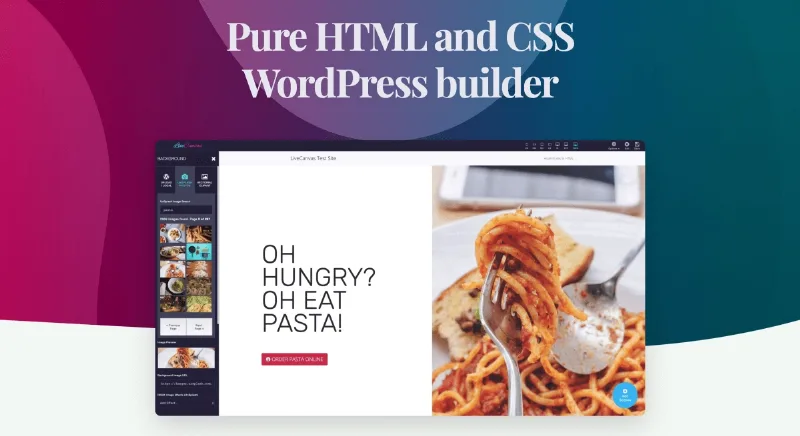
Many WordPress themes and page builders force you to reason strictly along their own logic. LiveCanvas is a visual builder combined with an HTML editor, made for those who want to build websites without straying too far from the code and without losing control of the markup.
Direct editing on the page itself, with the HTML at hand
Editing happens on the frontend: you click on texts, images, icons or embeds and change them live. For what a click can't handle, there is the code editor, which lets you work on the page's HTML directly.
The text toolbar, the built-in responsive preview and the free Unsplash image search save you time. Everything happens inside the editor, so you keep control of the final markup.
What LiveCanvas handles on its own and what improves with the Picostrap theme
LiveCanvas works on any WordPress theme. What changes with the theme is performance and room for customization:
- With any theme: the editor, live editing and the code editor work without adding other plugins to build pages, and the product adds no extra JavaScript or CSS to your site.
- With Picostrap: for the best performance and the greatest customization, use Picostrap5, an ultra-lightweight base theme based on Bootstrap 5.
Dynamic data and templates for your website and your store
Loops and Logic inside the HTML
To display WordPress data, LiveCanvas uses the Loops and Logic syntax directly in the code editor, with tags such as Loop, Field and If. It includes starter examples and a visual panel for building queries, which makes working with dynamic data easier.
Templates for single pages, archives and custom post types
You can design templates for single pages, archives and custom post types, with support for custom fields in the style of ACF, and decide the layout in considerable detail.
WooCommerce templates
You can design the product page, the category page, the shop, the cart and the checkout, to customize the store for your audience.
Starter sites with Websites in a Box and an AI assistant
If you don't want to start from scratch, the initial setup lets you choose a Picostrap child theme with sample content. Each theme comes with an interface kit of HTML sections that combine with each other, and the LiveCanvas snippet library helps you expand that collection. There are themes for a one-page company, a restaurant or cafe, and a dark-mode portfolio.
AI assistant with your own key
The AI assistant helps you create or refine content and adjust the HTML, and it acts only where you choose. To use it, you enter your OpenAI or OpenRouter key.
Header, footer, animations and static HTML export
You can design the header and footer inside LiveCanvas instead of relying on traditional WordPress widgets. AOS animations can be added to any element on the page, and they are an optional add-on that you turn on yourself.
Pages can be exported as standalone static .html files. If you deliver websites to clients, you can also remove the editor branding, so the client doesn't need to know which tool you used.
Frequently asked questions about LiveCanvas
Do I need a specific theme to use LiveCanvas?
No. It works on any WordPress theme, although to get more out of it, Picostrap5 is recommended, the base theme that the starter child themes are built on.
Do I need to install other plugins to build pages?
No. Pages are built with LiveCanvas itself.
Does it work for WooCommerce stores?
Yes. You can create templates for the product page, the category, the shop, the cart and the checkout.
Do I need an AI key for the assistant?
Yes. The assistant works with your OpenAI or OpenRouter key, which you enter yourself.
Version history
-
v
4.3.2 Current 16 Mar 2025
Customer reviews
Sign in to leave a review. Only people who have the product can review it.
No reviews for this product yet.
Frequently asked questions
-
GPL (General Public License) is the license under which WordPress and most premium plugins/themes are distributed. It grants you the right to use, modify and redistribute the software in as many projects as you want, with no domain restrictions.
-
Yes. With membership you get automatic updates via our GPLClub Updater plugin (installed on your WP, detects new versions and applies them). With individual purchase, you get one year of manual updates from your account.
-
Depends on the plan. Monthly: 3 domains. Semi-annual: 7. Annual and Lifetime: 15. Individual purchase: 1 domain.
-
GPLClub offers its own support for installation, configuration and compatibility. For direct support from the original author (feature requests, product-specific bugs), a license purchased from the author is required.