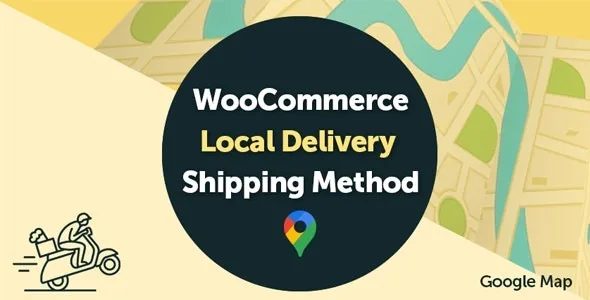
Local Delivery Shipping (Woocommerce)
Antivirus scan
Powered by ClamAV
✅ Verified clean
This product file has passed our security filters.
Want to run a fresh ClamAV scan right now? Takes a few seconds and shows scanner version, signature DB and live result.
This can take 5 to 30 seconds.
Clean file Threat detected
No threats detected in this file.
- File
- Size
- Scanned
- ClamAV
- Signature database
⚡ Powered by ClamAV
Scan could not be completed
Report product
If you detected an issue (broken file, malware, inappropriate content, etc.) let us know and we'll review it ASAP.
Sign in to reportNewer version out, or a problem?
About Local Delivery Shipping (Woocommerce)
WooCommerce stores that charge shipping according to the customer's zone
Some stores don't ship nationwide at a single rate: they deliver across a neighbourhood, a region or several zones with different costs. There, shipping is often calculated by hand, using addresses that don't match any zone. Local Delivery Shipping makes the price depend on the exact point where the customer is.
It's for you if your store already sells with WooCommerce and you want to charge each zone its own price. You need WooCommerce installed and active, because this plugin relies on it. If your shipping is calculated in a different way, check in the demo whether the system fits your case before you decide.
Delivery zones drawn in Google Earth with their own rate in each one
Zones are created by drawing polygons in Google Earth and exporting them as a KML file. You can have separate zones, zones inside other zones or a mix of both, with no limit on how many. Each zone has its own shipping price and the plugin offers:
- A different shipping price for each WooCommerce zone
- Free shipping in specific zones when the cart goes over an amount
- Compatibility with other shipping methods, so you can combine them with the ones you already use
- An option to hide the map when the customer chooses another shipping method
The customer marks their point at checkout, by geolocation or by address
At checkout the customer can locate themselves with the HTML5 geolocation of their browser, or type their address and let it be geocoded. If the marker doesn't land where it should, they can drag it by hand to correct it. The shipping price changes according to the point that is marked.
For rural areas where there is no full address, the point on the map takes the place of the address. You can also choose the map position at checkout and deactivate the billing and shipping fields if you don't need them.
What the administrator sees on each order
The order details show the shipping and billing addresses on a map, so you know where to send the package without decoding the address. The map is also attached to the new order email, and that email includes a link to Google Maps with the point marked.
Coordinates are saved in the order and in the user's account as a separate piece of data from the address. The administrator can set or correct a customer's location from the Users menu, and the customer can change it in the address tab of My Account.
A map tailored to you, at checkout and on standalone pages
You customise the map from the plugin's settings. With the delivery map shortcodes you can also place it on specific pages, not only at checkout. Some of the options are:
- Map zoom level
- Border colour of each zone
- Other map customisation options
The map adapts to mobile devices and the plugin is ready for translation.
Frequently asked questions about Local Delivery Shipping
Can I charge a different price in each zone?
Yes. Each WooCommerce zone has its own shipping price, and you can leave some zones with free shipping when the cart goes over an amount.
What happens if the customer isn't sure where they are?
They can use their browser's location, or type the address and then drag the marker to the exact point. That position is the one saved in the order.
How do I draw the zones?
You draw them in Google Earth as polygons and export the KML file. You can combine separate zones, zones inside other zones, or both.
Does it work if I already have other shipping methods?
Yes, the plugin is compatible with other WooCommerce shipping methods, and you can hide the map when the customer chooses one of them.
Topics
Version history
-
v
3.0.1 Current 17 May 2024
Customer reviews
Sign in to leave a review. Only people who have the product can review it.
No reviews for this product yet.
Frequently asked questions
-
GPL (General Public License) is the license under which WordPress and most premium plugins/themes are distributed. It grants you the right to use, modify and redistribute the software in as many projects as you want, with no domain restrictions.
-
Yes. With membership you get automatic updates via our GPLClub Updater plugin (installed on your WP, detects new versions and applies them). With individual purchase, you get one year of manual updates from your account.
-
Depends on the plan. Monthly: 3 domains. Semi-annual: 7. Annual and Lifetime: 15. Individual purchase: 1 domain.
-
GPLClub offers its own support for installation, configuration and compatibility. For direct support from the original author (feature requests, product-specific bugs), a license purchased from the author is required.