LoftLoader Pro - Preloader Plugin for WordPress
Antivirus scan
Powered by ClamAV
✅ Verified clean
This product file has passed our security filters.
Want to run a fresh ClamAV scan right now? Takes a few seconds and shows scanner version, signature DB and live result.
This can take 5 to 30 seconds.
Clean file Threat detected
No threats detected in this file.
- File
- Size
- Scanned
- ClamAV
- Signature database
⚡ Powered by ClamAV
Scan could not be completed
Report product
If you detected an issue (broken file, malware, inappropriate content, etc.) let us know and we'll review it ASAP.
Sign in to report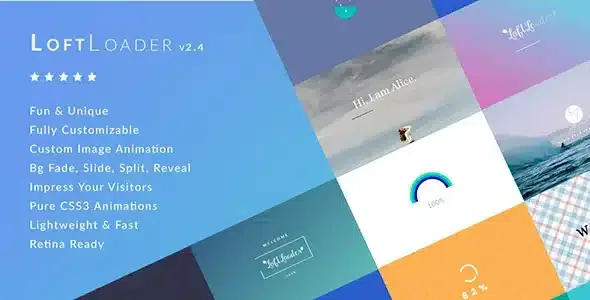
About LoftLoader Pro - Preloader Plugin for WordPress
Built for portfolio and visually heavy sites, not for fixing a slow website
Visitors get impatient when the screen stays blank while content loads, and sites with photography, portfolios or product catalogs often have exactly that problem. LoftLoader Pro covers that wait with an animated loading screen that matches your brand.
It helps to be clear about what it is: a preloader hides the wait, it does not shorten it. If your site already loads fast, an animation in front can make it feel slower. If it is slow because of unoptimized images or hosting, the plugin will not fix that. It fits when you know the first load is heavy and you want the wait to look polished.
- It suits you if you are a photographer, studio, agency or store with a lot of visual material and you want an entrance with its own identity.
- It does not suit you if what you want is to improve the real speed of the site.
19 animations in LoftLoader Pro, with your own brand inside
There are 19 loader animations and 6 of them accept custom images, such as your logo, which can load, rotate, bounce or roll. You can use any color, keep the animation looping forever or have it end once the page has loaded, and even use your own HTML as the loader. The animations are built with pure CSS3.
Background and exit effect
The background can be solid or transparent, with a gradient, with opacity control so the page shows through behind it, with a repeating pattern or with a full image. If you use an image, you can upload a different one for mobile devices. When loading ends, there are 13 exit effects: fade, horizontal or vertical split, sliding in any direction, shrink and fade, or diagonal split.
Bar, percentage or both, and a message that changes on every load
The progress indicator can be a bar, a counting percentage or both at once. You place it at the top, in the middle, at the bottom or below the loader, choose its color and adjust the width and height of the bar. For the percentage you can pick a Google font, its size, weight and letter spacing, and even put it behind the animation for a distinct design.
You can also show a welcome message with your own typography and color, or a random message that changes every time the page loads. It is a good spot for a short brand line, as long as it stays short.
Minimum and maximum time, mobile and close button: keeping the loader out of the way
This is what decides whether the preloader helps or gets in the way:
- Minimum time: stops the screen from disappearing so fast that the animation is never seen.
- Maximum time: forces the loader to leave after a few seconds, even if the page has not finished.
- Close button: visitors can leave the loading screen if they do not want to wait. You decide when it appears and with what text.
You can also show it on all devices, hide it on mobile or show it on mobile only.
A different loader per page and smooth transitions when browsing with LoftLoader Pro
You can turn it on for the whole site, for all pages, for the homepage only or once per session. You can also hide it or show it only for certain content types, such as products or portfolios, and pick by hand the pages or posts where it does or does not appear. With the any-page extension you export loader shortcodes to place a different one on each page, and posts and custom post types accept their own loader.
The smooth transition makes the loading screen background appear when leaving a page, and it can be limited to when an internal link is clicked. The plugin also detects the loading of images, videos or both. Watch out with videos: it only recognizes those from YouTube, Vimeo and the Media Library. Videos from other platforms are not detected. Styles can be saved inline in the head or in an external CSS file.
Frequently asked questions before installing LoftLoader Pro
Does it make my site faster?
No. It only changes what the visitor sees while waiting. If loading is slow, you need to optimize images or hosting separately.
Can I show it on the homepage only?
Yes. You can also show it once per session or only on the pages you choose.
Can I use my animated logo?
Yes, but only 6 of the 19 animations accept custom images.
Does it detect any embedded video?
No, only those from YouTube, Vimeo and the Media Library.
Version history
-
v
2.5 Current 8 Jan 2025
Customer reviews
Sign in to leave a review. Only people who have the product can review it.
No reviews for this product yet.
Frequently asked questions
-
GPL (General Public License) is the license under which WordPress and most premium plugins/themes are distributed. It grants you the right to use, modify and redistribute the software in as many projects as you want, with no domain restrictions.
-
Yes. With membership you get automatic updates via our GPLClub Updater plugin (installed on your WP, detects new versions and applies them). With individual purchase, you get one year of manual updates from your account.
-
Depends on the plan. Monthly: 3 domains. Semi-annual: 7. Annual and Lifetime: 15. Individual purchase: 1 domain.
-
GPLClub offers its own support for installation, configuration and compatibility. For direct support from the original author (feature requests, product-specific bugs), a license purchased from the author is required.