LoginPress Pro Limit Login Attempts Addon
Antivirus scan
Powered by ClamAV
✅ Verified clean
This product file has passed our security filters.
Want to run a fresh ClamAV scan right now? Takes a few seconds and shows scanner version, signature DB and live result.
This can take 5 to 30 seconds.
Clean file Threat detected
No threats detected in this file.
- File
- Size
- Scanned
- ClamAV
- Signature database
⚡ Powered by ClamAV
Scan could not be completed
Report product
If you detected an issue (broken file, malware, inappropriate content, etc.) let us know and we'll review it ASAP.
Sign in to report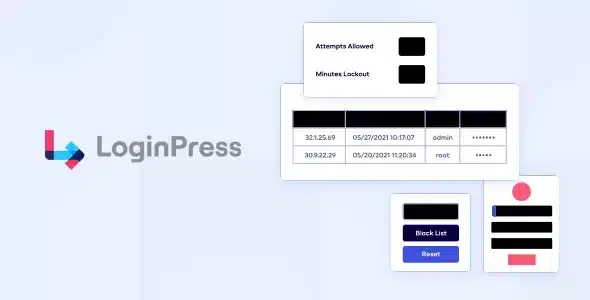
About LoginPress Pro Limit Login Attempts Addon
Nobody watches your login screen at three in the morning
Every WordPress site has a door that everyone knows about, and bots try it around the clock with lists of usernames and passwords. They don't get tired, they don't sleep and they don't need to guess right the first time: persistence is enough. You only notice when something has already gone wrong. This addon puts a brake right there, on the login form.
How LoginPress Pro Limit Login Attempts Addon slows down whoever keeps pushing
The idea is simple: add a waiting time between one failed attempt and the next, so that trying thousands of combinations stops being worthwhile. To do that, it lets you adjust three things:
- How many failures are allowed before access is blocked.
- How long the lockout lasts, that is, the waiting time before trying again.
- What message the blocked person sees, which you can customize so they aren't left staring at a screen with no explanation.
It works as an add-on to the LoginPress Pro plugin.
Three sites, three different settings
The real risk of limiting attempts isn't the bots, but locking out your own people. That's why the right setting depends on who logs in to your site.
Blog or company site with a single administrator
Here you can be strict. If you're the only one logging in, a low failure threshold and a long lockout will hardly bother you, and bots will hit a wall from the start.
Store, membership or courses with many users
Some customers forget their password and type it five times in a row. If the limit is too low, your support inbox will fill up with people who think their account has vanished. Raise the threshold and write a clear lockout message that says how long they have to wait.
Agency delivering sites to clients
Your clients don't know what a brute force attack is, but they do get annoyed when they can't log in. A lockout message in your own tone, with a short explanation, avoids unnecessary calls the day someone makes several mistakes.
What if I'm the one who gets it wrong?
What happens when someone goes over the limit? They are blocked for the time you have configured and see the message you have written. Once that time has passed, they can try again.
Can I change the lockout text? Yes, the lockout messages are customizable.
Does it also stop bots that log in with the right username? It stops anyone who piles up failed logins. If an attacker guesses the password on the first try, no attempt limit will stop them, which is why passwords should be long and unique.
Can I combine it with other LoginPress protections? LoginPress offers other add-ons and features, such as changing the address of the login page or adding a CAPTCHA. They complement each other: each one covers a different angle of the same problem.
It needs LoginPress Pro and is not a complete security solution
This addon doesn't work on its own: it is an add-on to the LoginPress Pro plugin. And it only deals with login attempts: it is not an antivirus, it doesn't scan files and it doesn't replace backups or strong passwords. Use it as one more layer, not as the only one.
Topics
Version history
-
v
4.0.0 Current 8 Jan 2025
Customer reviews
Sign in to leave a review. Only people who have the product can review it.
No reviews for this product yet.
Frequently asked questions
-
GPL (General Public License) is the license under which WordPress and most premium plugins/themes are distributed. It grants you the right to use, modify and redistribute the software in as many projects as you want, with no domain restrictions.
-
Yes. With membership you get automatic updates via our GPLClub Updater plugin (installed on your WP, detects new versions and applies them). With individual purchase, you get one year of manual updates from your account.
-
Depends on the plan. Monthly: 3 domains. Semi-annual: 7. Annual and Lifetime: 15. Individual purchase: 1 domain.
-
GPLClub offers its own support for installation, configuration and compatibility. For direct support from the original author (feature requests, product-specific bugs), a license purchased from the author is required.