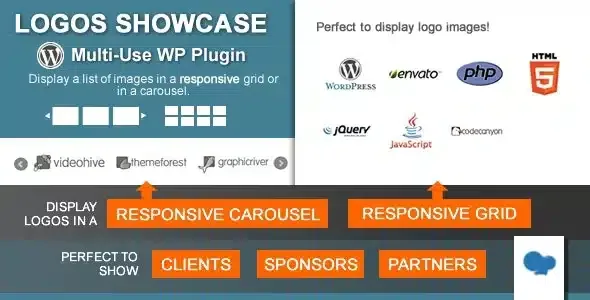
Logos Showcase - Multi-Use Responsive WP Plugin
Antivirus scan
Powered by ClamAV
✅ Verified clean
This product file has passed our security filters.
Want to run a fresh ClamAV scan right now? Takes a few seconds and shows scanner version, signature DB and live result.
This can take 5 to 30 seconds.
Clean file Threat detected
No threats detected in this file.
- File
- Size
- Scanned
- ClamAV
- Signature database
⚡ Powered by ClamAV
Scan could not be completed
Report product
If you detected an issue (broken file, malware, inappropriate content, etc.) let us know and we'll review it ASAP.
Sign in to reportNewer version out, or a problem?
About Logos Showcase - Multi-Use Responsive WP Plugin
Client and partner logos that don't fall apart on mobile
A list of clients or sponsors often ends up as a pile of images in different sizes, or as text nobody reads, and on mobile the whole thing falls out of line. Logos Showcase displays a set of images as a grid or a carousel, adapted to different screen sizes, and works for a partners page as well as any other image gallery with links.
It is designed to show client, sponsor or partner logos, although you can also use it for any list of images that carries a link.
Three ways to show the logos: normal grid, responsive grid and carousel
You choose the layout depending on how many logos you have and how much space you want to give them:
- Normal grid: the logos have a fixed size, but they adapt to the available space and to different screen sizes.
- Responsive grid: you set the number of columns and the images resize to fit them. On small screens, if you ask for more columns than fit, fewer are shown.
- Horizontal carousel: the logos slide from side to side, it works well on touch screens, and you can set how many show at once, the transition speed and whether it scrolls automatically.
If you want every logo visible at once, the grid is the way to go.
Styles, tooltips and links for each logo in Logos Showcase
You can give the logos a more subdued look with the grayscale style, which shows them with some transparency and lets you decide whether they recover their original colors on hover. The hover highlight style is simpler and shows a highlight over the image. Tooltips, which display a text on hover, can be turned on or off as you prefer.
Limit: out of the box it only includes these two logo styles.
Each logo can have a URL that opens on the same page or on a new one. If you enable tracking in the settings, you will know how many times each one has been clicked.
If you group the logos by categories, you can show just one, for example the clients or the sponsors, or all of them at once. In the grids you can also add a live filter so visitors can choose which logos to see, either with a visible filter or a hidden one.
Widget, shortcode or PHP function: how to place the logos
You can put a grid or a carousel in any widget area, like any other widget, using the widget included with the plugin. A component for WPBakery is planned, and the widget works on Layers WP. For pages and posts, the shortcode generator gives you the code ready with the settings you choose; if you want to place it in your theme files, the generator also gives you the PHP function.
You can change the name the plugin gives to the logos if you prefer another one, set a default size so uploaded images are resized automatically, and upload many logos at once from the Media Library with a bulk action.
Frequently asked questions about Logos Showcase
Can I show the logos on a page and in a widget?
Yes. For pages and posts you use the shortcode the plugin generates, and for a widget area, the included widget. If you want to place the gallery in the theme files, use the PHP function it also generates.
Can the logos be linked?
Yes. Each logo can have its own URL, which opens on the same page or on a new one, and you can enable click counting from the settings.
How do I upload many logos at once?
Select them in the Media Library and apply the bulk action to add them all as Logos Showcase entries.
Is it useful for anything beyond client logos?
Yes. Although it is designed for clients, sponsors or partners, it also works for any list of images with links.
Where Logos Showcase fits and what to have ready
It fits a WordPress site that has a list of images to show, whether a partners page or a sidebar with sponsors. It helps to have the logos prepared as image files and to decide beforehand whether you want a grid or a carousel; if you set a default size, the plugin resizes the images on upload. For projects with many logos you can upload them in bulk and filter them by category.
Topics
Version history
-
v
2.2.5 Current 8 Jan 2025
Customer reviews
Sign in to leave a review. Only people who have the product can review it.
No reviews for this product yet.
Frequently asked questions
-
GPL (General Public License) is the license under which WordPress and most premium plugins/themes are distributed. It grants you the right to use, modify and redistribute the software in as many projects as you want, with no domain restrictions.
-
Yes. With membership you get automatic updates via our GPLClub Updater plugin (installed on your WP, detects new versions and applies them). With individual purchase, you get one year of manual updates from your account.
-
Depends on the plan. Monthly: 3 domains. Semi-annual: 7. Annual and Lifetime: 15. Individual purchase: 1 domain.
-
GPLClub offers its own support for installation, configuration and compatibility. For direct support from the original author (feature requests, product-specific bugs), a license purchased from the author is required.