Lono - Responsive HTML5 Audio Player With Playlist
Antivirus scan
Powered by ClamAV
✅ Verified clean
This product file has passed our security filters.
Want to run a fresh ClamAV scan right now? Takes a few seconds and shows scanner version, signature DB and live result.
This can take 5 to 30 seconds.
Clean file Threat detected
No threats detected in this file.
- File
- Size
- Scanned
- ClamAV
- Signature database
⚡ Powered by ClamAV
Scan could not be completed
Report product
If you detected an issue (broken file, malware, inappropriate content, etc.) let us know and we'll review it ASAP.
Sign in to reportNewer version out, or a problem?
About Lono - Responsive HTML5 Audio Player With Playlist
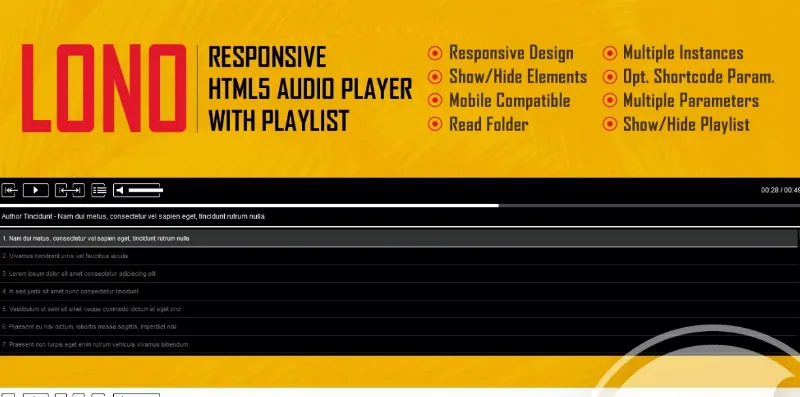
An HTML5 player with playlist for your site
Lono puts an HTML5 player with playlist on the pages where you insert it, and you adjust it to fit your design.
With a playlist or as a single audio track
You can use the player with its full playlist or without a playlist. Without a playlist, you set the MP3 file path, the song title and the author directly in the shortcode parameters. There is also a button to show or hide the playlist, and an option to load the player without it.
A player that adapts to any screen
The player adjusts to the width of any device, screen and orientation. You can leave it full width or centered, and it is compatible with iOS and Android.
To fit your design, the main controls (play, next track and similar) come in black or white versions, and the rest of the elements are set with parameters to choose their color scheme. You can also show or hide any element of the player according to what your page needs.
Playlists from a folder and several players on the same page
If you have many files, you can generate the playlist automatically from a folder containing the MP3 files, instead of adding each track by hand. You can also insert several players on the same site or on the same page.
Over 30 options to adjust each player
With the player parameters you control the behavior and look of each instance. Among the options are:
- Autoplay and loop.
- Initial volume.
- Show or hide the playlist, including on page load.
- Color settings for the player elements.
With parameters you can also create minimal versions of the player, depending on the page.
Frequently asked questions about Lono
Can I use Lono without a playlist?
Yes. You can load the player without a playlist and define the MP3 file, title and author directly in the shortcode parameters.
Does it work on mobile?
Yes. It is compatible with iOS and Android, and the player adapts to the screen width.
Can I put several players on the same page?
Yes, you can insert several players on the same site or on the same page.
How do I create the list if I have many files?
With the read folder option, the playlist is generated automatically from the MP3 files in a folder.
Can I change the colors?
The main controls can be chosen in black or white, and with the parameters you set the color scheme of the rest of the elements.
Where Lono fits: single tracks, playlists and several players on one page
It works both for a single track without a playlist and for several playlists on the same page, because it supports multiple instances.
As a WordPress plugin, it is installed on your site and used through shortcodes and its options. Before deciding, think about how many audio files you will publish and whether you prefer the list to fill itself from a folder or each track to have its own player without a playlist.
Topics
Version history
-
v
1.3.1 Current 15 May 2024
Customer reviews
Sign in to leave a review. Only people who have the product can review it.
No reviews for this product yet.
Frequently asked questions
-
GPL (General Public License) is the license under which WordPress and most premium plugins/themes are distributed. It grants you the right to use, modify and redistribute the software in as many projects as you want, with no domain restrictions.
-
Yes. With membership you get automatic updates via our GPLClub Updater plugin (installed on your WP, detects new versions and applies them). With individual purchase, you get one year of manual updates from your account.
-
Depends on the plan. Monthly: 3 domains. Semi-annual: 7. Annual and Lifetime: 15. Individual purchase: 1 domain.
-
GPLClub offers its own support for installation, configuration and compatibility. For direct support from the original author (feature requests, product-specific bugs), a license purchased from the author is required.