Lottier – Lottie Animated Images for Divi Builder
Antivirus scan
Powered by ClamAV
✅ Verified clean
This product file has passed our security filters.
Want to run a fresh ClamAV scan right now? Takes a few seconds and shows scanner version, signature DB and live result.
This can take 5 to 30 seconds.
Clean file Threat detected
No threats detected in this file.
- File
- Size
- Scanned
- ClamAV
- Signature database
⚡ Powered by ClamAV
Scan could not be completed
Report product
If you detected an issue (broken file, malware, inappropriate content, etc.) let us know and we'll review it ASAP.
Sign in to report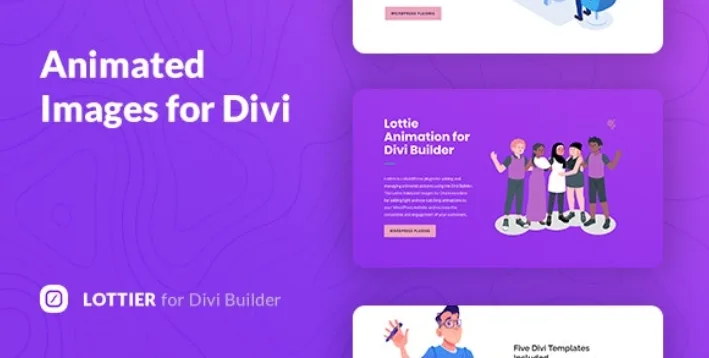
About Lottier – Lottie Animated Images for Divi Builder
For people who already build with Divi and want motion without heavy videos
Lottier fills that gap for anyone already building with Divi: it adds Lottie-format animations from within the builder itself.
It is not for you if you don't work with Divi, because the plugin is designed for that builder. Nor is it for you if you want a studio to create animations from scratch: Lottier plays JSON animations, and you can upload your own, but designing one is a separate job. Also keep in mind that the LottieFiles library has both free and paid animations, so the one you like most may cost extra.
Why a Lottie animation weighs less than a GIF
Lottier relies on the JSON animation library from lottiefiles.com, with more than a thousand free animations made by designers around the world. Because it is based on JSON and SVG code, the animation is drawn with paths and shapes instead of frames, so it takes up considerably less space than a GIF or a video and does not look blurry or pixelated when scaled.
The result looks the same in the usual browsers (Chrome, Firefox, Opera, Safari and Edge) and on different devices.
What you adjust from Divi without touching code
- Size and position of the animation within the section.
- Speed, loop and playback mode, to decide whether it repeats endlessly or runs once.
- Fonts, colors, borders, backgrounds and gradients of the block, which is organized into three components.
- Responsive settings to adapt the result to each screen.
- Five ready-made templates as a starting point and as inspiration.
If you want to change the layer colors of a specific animation, that is done in the animation library's own online editor, not inside Lottier. It also includes a translation file and works with right-to-left languages.
An animation has to point at something
People who install Lottier usually have a blog, a portfolio, an agency site, a store or a restaurant menu, and almost all of them make the same mistake: adding motion just because it is available. The visitor ends up watching the animation and not the button you wanted them to press.
Use it next to the headline or the call to action, not beside text that needs to be read carefully. An endless loop gets tiring as soon as it sits next to a paragraph; a single playback usually leaves the message in better shape. And before publishing, check in the demo how it behaves on mobile, where there is room for fewer things.
Frequently asked questions about Lottier
Do I need Divi to use it?
Yes. Lottier adds the animations inside the Divi builder and is designed for sites and themes built with it.
Can I use my own animations?
Yes, you can upload your own animation in addition to those in the library.
Are the library animations free?
Many are free, but there are also paid animations.
Can I change an animation's colors?
Yes, with the library's online animation editor. Inside Divi you control size, position, speed, loop and playback, plus the block's styling.
Topics
Version history
-
v
1.0.1 Current 24 Feb 2025
Customer reviews
Sign in to leave a review. Only people who have the product can review it.
No reviews for this product yet.
Frequently asked questions
-
GPL (General Public License) is the license under which WordPress and most premium plugins/themes are distributed. It grants you the right to use, modify and redistribute the software in as many projects as you want, with no domain restrictions.
-
Yes. With membership you get automatic updates via our GPLClub Updater plugin (installed on your WP, detects new versions and applies them). With individual purchase, you get one year of manual updates from your account.
-
Depends on the plan. Monthly: 3 domains. Semi-annual: 7. Annual and Lifetime: 15. Individual purchase: 1 domain.
-
GPLClub offers its own support for installation, configuration and compatibility. For direct support from the original author (feature requests, product-specific bugs), a license purchased from the author is required.