Magic 360 for WooCommerce
Antivirus scan
Powered by ClamAV
✅ Verified clean
This product file has passed our security filters.
Want to run a fresh ClamAV scan right now? Takes a few seconds and shows scanner version, signature DB and live result.
This can take 5 to 30 seconds.
Clean file Threat detected
No threats detected in this file.
- File
- Size
- Scanned
- ClamAV
- Signature database
⚡ Powered by ClamAV
Scan could not be completed
Report product
If you detected an issue (broken file, malware, inappropriate content, etc.) let us know and we'll review it ASAP.
Sign in to report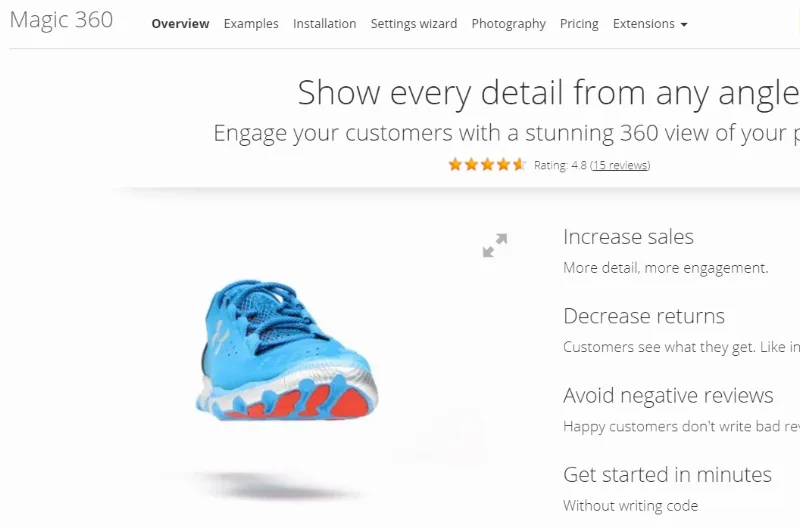
About Magic 360 for WooCommerce
When the customer can't turn the product around
A front photo and two close-ups leave questions unanswered: what the back looks like, how thick it is, whether the finish matches what they imagine. Someone shopping online who can't pick the item up fills those gaps with guesses, and wrong guesses end in returns and questions to your customer service team.
Magic 360 for WooCommerce is built for that buyer: it turns a series of photos of the same product into an interactive spin inside the product page. It pays off most with items where shape and detail weigh on the decision, such as footwear, jewellery, electronics, furniture or lighting.
Spin, zoom and full-screen view with Magic 360 for WooCommerce
Visitors drag left and right to rotate the product, zoom in to look at the details and can open it in full screen. It also displays and works on mobile, where a good part of purchases happen.
- Interactive spin: the images are merged into a single viewer that the customer moves with a finger or the mouse.
- Zoom and full screen: to check stitching, textures, ports or engravings without leaving the page.
- Settings from the dashboard: the plugin has its own settings page in WordPress, with general options and options for the product page.
- Watermark: you can enter the path of an image on your server to overlay it on the photos.
It is set up from the dashboard, with no coding. Even so, depending on the theme you use, a small tweak may be needed, so try the demo version on your own theme before taking anything for granted.
You supply the photos, and the result depends on them
The plugin doesn't invent a spin from a single image: it needs a set of photos taken around the product. Those images are uploaded from the Magic360 section of each product in WooCommerce. If the photos were taken in several rows of height, the visitor can also move it up and down, not just side to side.
This matters more than it seems when deciding: with a large catalogue, each item needs its own shoot, with the same light, the same background and the same framing in every shot. If a single shot comes out different, the spin jumps and the viewer conveys the opposite of what you want. Count the photography time before the installation time.
Is Magic 360 enough, or do you also need Magic Zoom Plus?
This is the practical decision. Regular static images are not displayed on the same product page as the 360 spin. If you want the page to combine zoomable photos, videos and the spin in one gallery, you need to install Magic Zoom Plus as well, which is a separate product. If the spin alone is enough as your only viewer, Magic 360 works on its own.
Can I show regular photos and the spin together?
Yes, but with Magic Zoom Plus installed alongside Magic 360. Zoom photos are uploaded in the images section and spin photos in the product's Magic360 section.
Does it work if my store doesn't use WooCommerce?
This module is for WooCommerce. For regular WordPress content there is a different standard version.
Can I try it before committing?
There is a fully functional trial version that shows the text 'Trial version' over the viewer. It lets you check how it fits your theme and your photos.
Can I add a watermark?
Yes, from the General tab of the settings, but only when the option to use WordPress images is disabled.
As limits, remember that it doesn't create the 360 photos for you, nor does it mix static photos with the spin without the additional plugin.
Topics
Version history
-
v
6.9.15 Current 4 Mar 2026
Customer reviews
Sign in to leave a review. Only people who have the product can review it.
No reviews for this product yet.
Frequently asked questions
-
GPL (General Public License) is the license under which WordPress and most premium plugins/themes are distributed. It grants you the right to use, modify and redistribute the software in as many projects as you want, with no domain restrictions.
-
Yes. With membership you get automatic updates via our GPLClub Updater plugin (installed on your WP, detects new versions and applies them). With individual purchase, you get one year of manual updates from your account.
-
Depends on the plan. Monthly: 3 domains. Semi-annual: 7. Annual and Lifetime: 15. Individual purchase: 1 domain.
-
GPLClub offers its own support for installation, configuration and compatibility. For direct support from the original author (feature requests, product-specific bugs), a license purchased from the author is required.