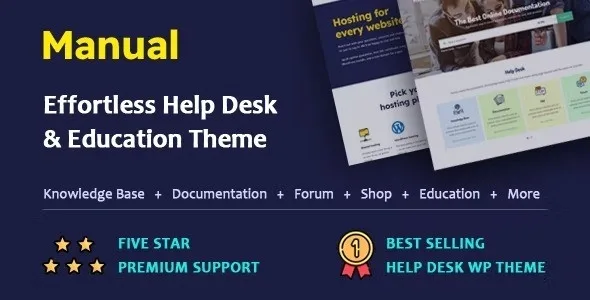
Manual – Documentation, Knowledge Base & Education WordPress Theme
Antivirus scan
Powered by ClamAV
✅ Verified clean
This product file has passed our security filters.
Want to run a fresh ClamAV scan right now? Takes a few seconds and shows scanner version, signature DB and live result.
This can take 5 to 30 seconds.
Clean file Threat detected
No threats detected in this file.
- File
- Size
- Scanned
- ClamAV
- Signature database
⚡ Powered by ClamAV
Scan could not be completed
Report product
If you detected an issue (broken file, malware, inappropriate content, etc.) let us know and we'll review it ASAP.
Sign in to reportNewer version out, or a problem?
About Manual – Documentation, Knowledge Base & Education WordPress Theme
A theme to show documentation, tutorials and FAQs on your website
Manual is built to display your documents, tutorials or any other content in an elegant, easy-to-use way for your visitors. It lets you create professional manuals, guides and tutorials without wasting time on formatting, and its intuitive navigation helps readers move through the topics with ease.
Live search that finds what the reader types
The search box can work with AJAX or with standard search, highlights the terms the reader typed in the results and shows the most popular searches below the box. You can limit the search to titles, content or excerpts, restrict it to a content type such as documentation or knowledge base, and choose whether matches must be exact or partial.
You also decide how words are combined (with AND or OR), you can exclude older results when searching articles, and you choose whether private articles appear in live search.
Access per article: public, registered users only or specific users
In the documentation you can decide whether each entry, or all entries in the same category, is public, visible only to logged-in users or limited to specific users with special permissions.
Attached files have their own control: you can make them public or limit them to logged-in users, and there is no limit on attachments per entry. Private articles can also be hidden from the tree menu.
One theme for your own documentation or for training, forum and shop
Manual can be used for many different things. These are two of them:
- Companies with a product or service to explain: documentation, knowledge base, FAQs, guides and tutorials, along with portfolio pages, case studies or client testimonials.
- Academies, communities and shops: a training system compatible with LearnPress, a forum compatible with bbPress and a shop compatible with WooCommerce.
Each of those integrations depends on its own plugin: LearnPress for training, bbPress for the forum and WooCommerce for the shop.
Tree menu and table of contents in Manual
The side menu in tree form expands automatically, can get a scrollbar once it reaches a set height, and lets you adjust the display order of documentation records. The documentation page can load articles with AJAX or in the standard way, and you choose where the menu appears.
Inside each article you can turn on a table of contents, article voting, previous and next links or related posts, and turn off whatever you do not need.
Your own brand, RTL and several languages without redoing the design
You can add your logo, colors, fonts and styles so the manual matches your brand, and customize the design of the title and the search box. The theme is responsive and adapts to phones and screens of any size.
For multilingual sites, Manual is compatible with WPML and fully supports RTL, with translation-ready .po files. It also includes a child theme. If you work with Elementor, WPBakery or Contact Form 7, the theme is compatible with them too.
Frequently asked questions about Manual
Do I need to install any plugin to use Manual?
The integrations with LearnPress, bbPress, WooCommerce, Elementor, WPBakery or Contact Form 7 need you to install the corresponding plugin.
Can I show part of a manual only to my customers?
Yes. Each documentation entry or category can be public, limited to registered users or restricted to specific users with special permissions.
Does it work for a site in several languages?
Yes, Manual is compatible with WPML and comes with translation-ready .po files.
Can I change the look to match my brand?
Yes. You can add your logo, colors, fonts and styles, and also customize the design of the title and the search box.
Topics
Version history
-
v
7.3 Current 15 Jun 2024
Customer reviews
Sign in to leave a review. Only people who have the product can review it.
No reviews for this product yet.
Frequently asked questions
-
GPL (General Public License) is the license under which WordPress and most premium plugins/themes are distributed. It grants you the right to use, modify and redistribute the software in as many projects as you want, with no domain restrictions.
-
Yes. With membership you get automatic updates via our GPLClub Updater plugin (installed on your WP, detects new versions and applies them). With individual purchase, you get one year of manual updates from your account.
-
Depends on the plan. Monthly: 3 domains. Semi-annual: 7. Annual and Lifetime: 15. Individual purchase: 1 domain.
-
GPLClub offers its own support for installation, configuration and compatibility. For direct support from the original author (feature requests, product-specific bugs), a license purchased from the author is required.