Maple | Clean Minimal Multi-Purpose WordPress Theme
Antivirus scan
Powered by ClamAV
✅ Verified clean
This product file has passed our security filters.
Want to run a fresh ClamAV scan right now? Takes a few seconds and shows scanner version, signature DB and live result.
This can take 5 to 30 seconds.
Clean file Threat detected
No threats detected in this file.
- File
- Size
- Scanned
- ClamAV
- Signature database
⚡ Powered by ClamAV
Scan could not be completed
Report product
If you detected an issue (broken file, malware, inappropriate content, etc.) let us know and we'll review it ASAP.
Sign in to report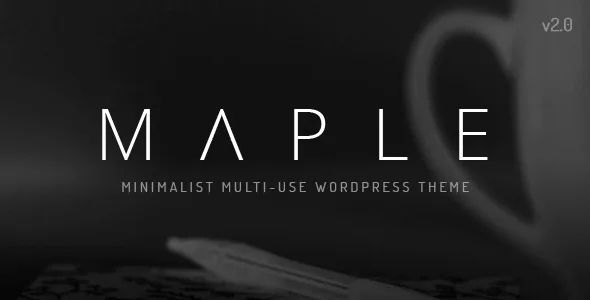
About Maple | Clean Minimal Multi-Purpose WordPress Theme
Building a company website with Maple without starting from scratch
When a client asks for a website for their office, studio or shop, the time usually goes to the same things: finding a design that does not look like every other site, rebuilding the service pages and making sure the menu works on mobile. Maple starts from there. It is a clean, minimal multi-purpose theme that lets you begin from pages already built instead of a blank home page.
Step 1: importing one of Maple's 12 demos
Maple includes 12 demos, and every page shown in its live preview comes with the theme, along with the preview images. You pick the demo closest to your client's sector and import it with one click. From there you can start your website from those pages.
Step 2: adjusting the menu and look with Maple's options
The mega menu is built in, the navigation bar can stay fixed when scrolling, and there are several header layouts. In the style options you can set unlimited colors and styles and choose from over 900 Google fonts. The admin panel has hundreds of options. The footer has its own options too.
Step 3: building pages with more than 60 visual elements
Maple includes more than 60 visual builder elements and shortcodes. WPBakery Page Builder comes bundled with the theme, as does Ultimate Addons. For sliders, Revolution Slider is also included.
Blog, portfolio and shop within the same design
Maple offers several blog designs with advanced options, several portfolio designs and a gallery with pop-up and full screen support. If the client also sells, the WooCommerce integration is complete and the shop design follows the rest of the site. Search has advanced options, with results loaded via AJAX. It also includes 7 custom widgets, and if you want video or audio you can embed content from major services such as YouTube, Vimeo or SoundCloud.
Languages, RTL and a child theme for your code changes
Maple is ready for multilingual websites and for languages written right to left (RTL). It is compatible with WPML and comes with po/mo translation files, so the theme text can be translated. For code changes it includes a basic child theme. The whole design is responsive and ready for Retina screens.
Frequently asked questions about Maple
Which plugins come included with Maple?
Revolution Slider, WPBakery Page Builder and Ultimate Addons come included. That gives you sliders and a visual builder from the start.
Do the demos include all their pages and images?
Yes. All the pages shown in the live preview come with the theme, and the preview images are included too.
Can I use Maple for a website in several languages?
Yes, it is ready for that. It is compatible with WPML and includes translation files, so you can build the site in several languages.
Can I make code changes without touching the main theme?
Yes, that is what the basic child theme included with Maple is for.
Topics
Version history
-
v
5.2 Current 12 Jun 2024
Customer reviews
Sign in to leave a review. Only people who have the product can review it.
No reviews for this product yet.
Frequently asked questions
-
GPL (General Public License) is the license under which WordPress and most premium plugins/themes are distributed. It grants you the right to use, modify and redistribute the software in as many projects as you want, with no domain restrictions.
-
Yes. With membership you get automatic updates via our GPLClub Updater plugin (installed on your WP, detects new versions and applies them). With individual purchase, you get one year of manual updates from your account.
-
Depends on the plan. Monthly: 3 domains. Semi-annual: 7. Annual and Lifetime: 15. Individual purchase: 1 domain.
-
GPLClub offers its own support for installation, configuration and compatibility. For direct support from the original author (feature requests, product-specific bugs), a license purchased from the author is required.