MemberPress Quaderno
Antivirus scan
Powered by ClamAV
✅ Verified clean
This product file has passed our security filters.
Want to run a fresh ClamAV scan right now? Takes a few seconds and shows scanner version, signature DB and live result.
This can take 5 to 30 seconds.
Clean file Threat detected
No threats detected in this file.
- File
- Size
- Scanned
- ClamAV
- Signature database
⚡ Powered by ClamAV
Scan could not be completed
Report product
If you detected an issue (broken file, malware, inappropriate content, etc.) let us know and we'll review it ASAP.
Sign in to reportNewer version out, or a problem?
About MemberPress Quaderno
If you sell memberships to customers in several countries, this is for you; if you collect payments with another gateway, it is not
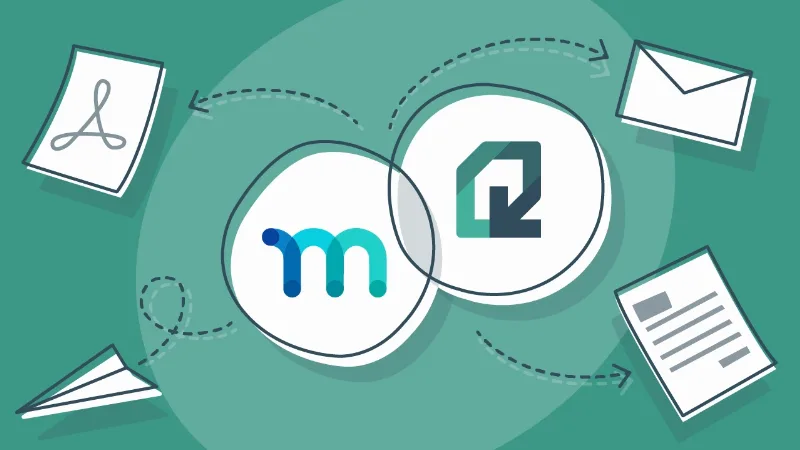
Selling a membership online seems simple until the first customer from another country asks for an invoice with the right VAT. MemberPress Quaderno is the add-on that connects MemberPress with Quaderno, a tax automation tool, so that calculation stops being manual work.
It suits you if you already use MemberPress, sell to customers in different jurisdictions and would rather not maintain a table of rates by hand. It does not suit you in these cases:
- If you collect payments with a gateway other than PayPal Standard or Stripe: the add-on only works with payments made through those two.
- If you do not want a Quaderno account: it is a separate service, and the add-on only acts as a bridge.
What happens when a customer signs up and pays
The customer types their address on the registration page. MemberPress then queries Quaderno, which calculates the tax from that address and from the jurisdictions you have defined. When registration completes successfully, MemberPress sends the data to Quaderno, which stores it in your account.
From the Quaderno dashboard you can review sales invoices and the contacts section. The taxes collected are recorded there, and it is the place from which you manage all your tax data.
Jurisdictions: the part the plugin does not do for you
The add-on calculates, but you decide where you have tax obligations. In Quaderno you add each jurisdiction (for example, the European Union one) and the tool automatically adds the corresponding taxes, which apply to all future payments. Knowing in which territories you must register is still up to you or your advisor.
If you sell from the EU, there is one more step: enable the Enable VAT checkbox in the MemberPress tax settings. That way your members can enter their VAT number when they register, which matters when you sell to businesses.
Prices with tax included or excluded
In the MemberPress tax settings you choose whether the prices you enter already include the tax or whether it is added on top. It is best to set it before publishing your plans.
A different tax treatment for each membership
By default the product type and tax code from your Quaderno preferences are used, but you can change them in the Advanced tab of each membership. The product type can be Service (the default) or Good. The tax code offers these options:
- Default, the one from Quaderno.
- Consulting: professional services such as lawyers, designers, engineers or tax advisors.
- eBook: an electronic book with unlimited use.
- Electronically supplied services: automated services delivered over the internet with little human input.
- Non-taxable.
- Reduced tax rates, for goods and services that qualify.
- Software as a service (SaaS): cloud software that is neither customized nor downloadable.
- Generally taxable, at the standard rate.
This is useful if one site sells a video course, an ebook and consulting, which are not taxed the same way everywhere.
Frequently asked questions
Does it work with any payment gateway?
No. Only with MemberPress payments through PayPal Standard and Stripe.
Do I need a Quaderno account?
Yes. You copy the private key and the API URL from Quaderno and paste them into the MemberPress tax settings.
Is it the only way to calculate taxes in MemberPress?
No. You can also use TaxJar or upload custom rates. This add-on adds the automated option with Quaderno.
Can I apply a different tax to each membership?
Yes, in the Advanced tab of each membership, with the product type and the tax code.
Topics
Version history
-
v
1.1.0 Current 9 Sep 2026
-
v
1.0.5 21 Jul 2026
-
v
1.0.4 9 Apr 2026
Customer reviews
Sign in to leave a review. Only people who have the product can review it.
No reviews for this product yet.
Frequently asked questions
-
GPL (General Public License) is the license under which WordPress and most premium plugins/themes are distributed. It grants you the right to use, modify and redistribute the software in as many projects as you want, with no domain restrictions.
-
Yes. With membership you get automatic updates via our GPLClub Updater plugin (installed on your WP, detects new versions and applies them). With individual purchase, you get one year of manual updates from your account.
-
Depends on the plan. Monthly: 3 domains. Semi-annual: 7. Annual and Lifetime: 15. Individual purchase: 1 domain.
-
GPLClub offers its own support for installation, configuration and compatibility. For direct support from the original author (feature requests, product-specific bugs), a license purchased from the author is required.