Mercify – Nonprofit, Charity, Donation and Fundraising WordPress Theme
Antivirus scan
Powered by ClamAV
✅ Verified clean
This product file has passed our security filters.
Want to run a fresh ClamAV scan right now? Takes a few seconds and shows scanner version, signature DB and live result.
This can take 5 to 30 seconds.
Clean file Threat detected
No threats detected in this file.
- File
- Size
- Scanned
- ClamAV
- Signature database
⚡ Powered by ClamAV
Scan could not be completed
Report product
If you detected an issue (broken file, malware, inappropriate content, etc.) let us know and we'll review it ASAP.
Sign in to reportNewer version out, or a problem?
About Mercify – Nonprofit, Charity, Donation and Fundraising WordPress Theme
Every cause with its goal and progress bar
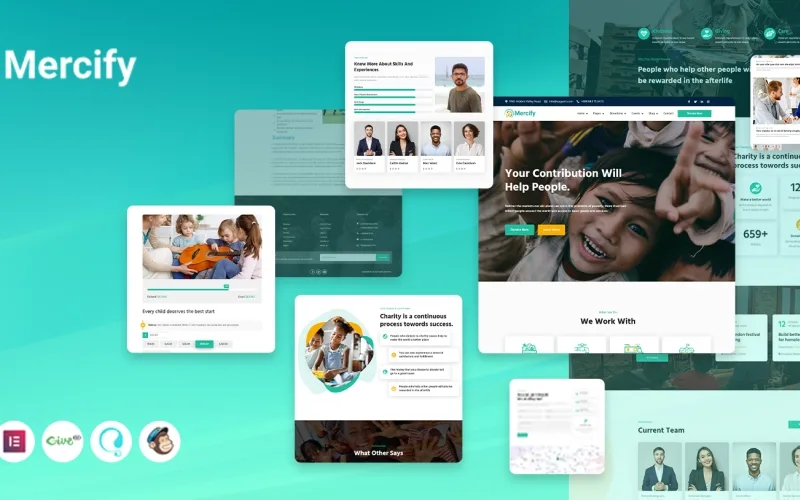
A nonprofit website usually fails in the same way: lots of emotional text, a hidden donate button and no hint of how much is left to reach the goal. Mercify puts each cause on a card showing the amount raised, the goal and the percentage reached, with a donate button next to it.
That bar can work for you or against you. A cause at 0% beside a high goal tells the visitor that nobody has trusted it yet, and people donate where others are already donating. Before publishing a campaign, secure a first contribution (from the board, members or a sponsor) so the bar doesn't start empty.
Three ways to ask for the donation inside the cause
The single page of each cause comes in three variants, and choosing well matters more than the color:
- Form on the page itself: the donor reads the story and donates without moving. It suits causes with a lot of storytelling.
- Form in a modal window: the form appears in a window. It suits cases where you don't want the person to lose context.
- Form that reveals itself: it opens on the same page, halfway between the other two.
If your audience donates from a phone and with little patience, try the modal or the reveal form first in the demo and count how many taps it takes.
Events, team and news so Mercify is more than a button
Someone donating for the first time to an organization they don't know looks for signs that it really exists. The theme includes pages for that: about us, a team page with volunteers and managers, frequently asked questions, an events list with a page for each event, and a blog with right sidebar, left sidebar or full width versions. The home page comes in two layouts, with a block for areas of work (the demo shows food, water, medical emergencies and education), testimonials, upcoming events, news and a newsletter signup.
All of that only helps if you fill it with real data: names, team photos, clear accounts and events with dates. The demo texts are filler and the testimonials are samples, so replace them all before publishing.
How to know if Mercify fits your campaign
It is a theme designed for organizations with several causes or campaigns that want to show them with their progress. If you only need a donate button on a simple page, it brings more structure than you need. And if you are looking for recurring donations, receipts or tax certificates, don't take them for granted: check in the demo before deciding.
Does it collect donations by itself?
Don't assume so. Check in the demo what the form does on submit and confirm whether you will need a separate donation plugin or payment gateway.
Is it suitable for a small association?
Yes, if you have few causes and look after them. With a single campaign, use a cause whose bar is already moving and remove the other cards from the home page.
Which cause form should I choose?
For long stories, the form on the page; for quick donations, the modal window. Try both from a phone.
Topics
Version history
-
v
1.0.0 Current 15 Jun 2024
Customer reviews
Sign in to leave a review. Only people who have the product can review it.
No reviews for this product yet.
Frequently asked questions
-
GPL (General Public License) is the license under which WordPress and most premium plugins/themes are distributed. It grants you the right to use, modify and redistribute the software in as many projects as you want, with no domain restrictions.
-
Yes. With membership you get automatic updates via our GPLClub Updater plugin (installed on your WP, detects new versions and applies them). With individual purchase, you get one year of manual updates from your account.
-
Depends on the plan. Monthly: 3 domains. Semi-annual: 7. Annual and Lifetime: 15. Individual purchase: 1 domain.
-
GPLClub offers its own support for installation, configuration and compatibility. For direct support from the original author (feature requests, product-specific bugs), a license purchased from the author is required.