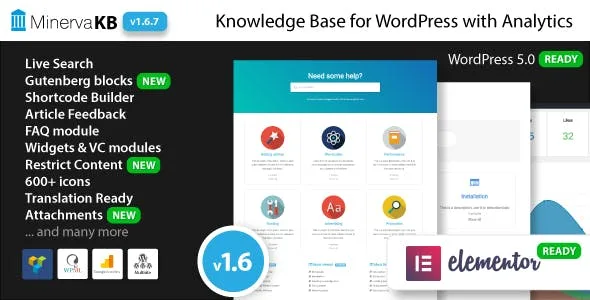
MinervaKB WordPress Knowledge Base
Antivirus scan
Powered by ClamAV
✅ Verified clean
This product file has passed our security filters.
Want to run a fresh ClamAV scan right now? Takes a few seconds and shows scanner version, signature DB and live result.
This can take 5 to 30 seconds.
Clean file Threat detected
No threats detected in this file.
- File
- Size
- Scanned
- ClamAV
- Signature database
⚡ Powered by ClamAV
Scan could not be completed
Report product
If you detected an issue (broken file, malware, inappropriate content, etc.) let us know and we'll review it ASAP.
Sign in to reportNewer version out, or a problem?
About MinervaKB WordPress Knowledge Base
A knowledge base so customers find the answer before they write
When a product's documentation is spread across PDFs, emails and old blog posts, customers can't find it and ask again. MinervaKB solves that by gathering the articles into a knowledge base inside your own website, with search and data on what people look up.
You start by creating the main topics. If your product has subtopics, nested categories hang each one under its parent topic, and the order of topics and articles is changed by dragging. Each topic or article can carry one of more than 600 icons, and the home page displays as a grid of 2, 3 or 4 columns or as a list.
Inside each article, the table of contents is generated dynamically and articles show their estimated reading time. For specific notices you get tip, info and warning shortcodes, with custom colors and icons. It works with Gutenberg, and the design is responsive and optimized for speed.
What users search for in MinervaKB and what they find
Ajax live search responds while the visitor types, and it comes with several themes. It can search article and topic pages, and also by tags. The most useful part comes next: search analytics show what users typed and which results they got.
Each article also has views, likes and dislikes, with a weekly or monthly graph in the analytics dashboard. If an article gets many dislikes, it deserves a review. You can hide those buttons and their counts if you don't want to show them.
Frequently asked questions about MinervaKB
Can I use my theme's templates?
Yes. You can use MinervaKB's templates or switch to your theme's default templates, and override the plugin templates from the theme.
Can I show page content in the knowledge base?
Yes, optionally you can display the content of a page on the knowledge base page.
Does it work for a website in several languages?
It is ready for translation and WPML, and it has RTL support for languages written from right to left.
Can visitors ask questions without an account?
Yes. Guest tickets let visitors open a request without registering, and user tickets are for people who have an account.
Restricting articles by role and showing a teaser to people who aren't registered
If part of the documentation is only for customers, content restriction limits access to articles based on the user's role. Someone who hasn't logged in sees the login form and a teaser of the article.
Users can also contribute content: MinervaKB includes guest posting and frontend submission, and articles support attachments.
When the article isn't enough: support tickets inside WordPress
If the answer isn't in the knowledge base, the visitor opens a ticket. They can do it as a guest, without an account, or as a registered user. Support agents and managers handle the requests.
For feedback that reaches the knowledge base without a ticket, articles can receive comments with optional email notifications, and there is a feature requests module that sends an email when a new one arrives.
Elementor, WPBakery and WooCommerce only if you use them
Elementor widgets need Elementor installed, and WPBakery Page Builder elements need WPBakery. The WooCommerce integration requires WooCommerce, and the Google Analytics integration needs your own Google Analytics account.
Version history
-
v
2.0.9 Current 8 May 2024
Customer reviews
Sign in to leave a review. Only people who have the product can review it.
No reviews for this product yet.
Frequently asked questions
-
GPL (General Public License) is the license under which WordPress and most premium plugins/themes are distributed. It grants you the right to use, modify and redistribute the software in as many projects as you want, with no domain restrictions.
-
Yes. With membership you get automatic updates via our GPLClub Updater plugin (installed on your WP, detects new versions and applies them). With individual purchase, you get one year of manual updates from your account.
-
Depends on the plan. Monthly: 3 domains. Semi-annual: 7. Annual and Lifetime: 15. Individual purchase: 1 domain.
-
GPLClub offers its own support for installation, configuration and compatibility. For direct support from the original author (feature requests, product-specific bugs), a license purchased from the author is required.