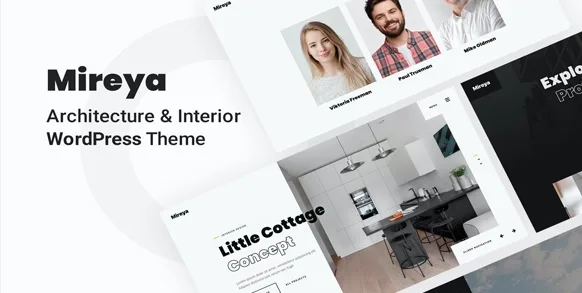
Mireya – Interior Design Theme
Antivirus scan
Powered by ClamAV
✅ Verified clean
This product file has passed our security filters.
Want to run a fresh ClamAV scan right now? Takes a few seconds and shows scanner version, signature DB and live result.
This can take 5 to 30 seconds.
Clean file Threat detected
No threats detected in this file.
- File
- Size
- Scanned
- ClamAV
- Signature database
⚡ Powered by ClamAV
Scan could not be completed
Report product
If you detected an issue (broken file, malware, inappropriate content, etc.) let us know and we'll review it ASAP.
Sign in to reportNewer version out, or a problem?
About Mireya – Interior Design Theme
Mireya for a studio that sells with its projects
An architecture or interior design studio usually wins or loses a client before the first meeting. The person looks at photos of finished projects and decides whether that studio fits what they have in mind, often without reading much text. Mireya starts from that reality: its job is to make the projects look good and help the visitor find the one they care about.
Let's follow the journey of a studio with residential, office and retail projects. The first thing the visitor does is enter the portfolio. Projects can be shown in listings and grids with several styles, and in project carousels. With filters, the visitor can narrow down the projects, and the lightbox gallery opens each image without leaving the page.
Once inside a project, the single project page is built with Elementor, so the studio can rearrange photos, texts and blocks without touching code. Page transitions happen without reloading the page, so browsing the projects feels continuous. It also includes parallax effects.
Setting up the studio website with the Mireya demo
The second step is building the structure. The one-click demo import installs pre-built pages in a few minutes, and you do not need to be a web developer to get a modern architecture or interior design site. There are more than 10 pages ready to adapt, and the theme includes more than 20 custom widgets for Elementor designed for this kind of website.
Mireya is built with Elementor, the page builder it runs on, so Elementor needs to be installed and active. The images shown in the demo are not included in the downloaded package: your own project photos will replace the sample ones, so it is worth having them ready before you start building the pages.
Questions a studio asks before choosing Mireya
Does it also work for photographers or artists?
Yes. It is also meant for agencies, photographers and artists who want to show their work, in addition to architecture and interior design studios.
Does it have a dark mode?
Yes, it comes with dark and light versions, so you can choose the look that best suits the photography of your projects.
Can the website be in several languages?
Yes. Mireya works with WPML, Polylang or TranslatePress and is ready for translation, with .pot files included.
Can I change colors and fonts?
Yes. You get unlimited color schemes, more than 1000 Google Fonts and options for header and footer. Settings are made from the theme panel, so you do not need to touch code to adapt the studio's identity.
Team, services and a blog to tell the process
An architecture website does not only show projects. Clients want to know who works in the studio and what services it offers, so the theme includes services and team member layouts, with several designs and widgets for Elementor made for architecture or construction companies.
The blog uses a grid layout with modern typography and interactive animations. For contact forms, the theme includes Contact Form 7 among its advanced options, and custom fields are managed with ACF Pro, which comes bundled.
A website that looks right on mobile and high-density screens
The last step is making sure the projects look right on any device. Mireya is fully responsive, retina ready and cross browser compatible, and it is optimized for SEO. These are some of its visual features:
- Animated sliders: included in the theme.
- Parallax: included in the theme.
- Transitions without reloading: move from one page to another without reloading.
If your identity has a specific palette, check in the demo how it looks with it before you decide.
Topics
Version history
-
v
1.4.0 Current 21 Oct 2026
-
v
1.3.1 5 Sep 2026
-
v
1.2.9 9 Sep 2025
Customer reviews
Sign in to leave a review. Only people who have the product can review it.
No reviews for this product yet.
Frequently asked questions
-
GPL (General Public License) is the license under which WordPress and most premium plugins/themes are distributed. It grants you the right to use, modify and redistribute the software in as many projects as you want, with no domain restrictions.
-
Yes. With membership you get automatic updates via our GPLClub Updater plugin (installed on your WP, detects new versions and applies them). With individual purchase, you get one year of manual updates from your account.
-
Depends on the plan. Monthly: 3 domains. Semi-annual: 7. Annual and Lifetime: 15. Individual purchase: 1 domain.
-
GPLClub offers its own support for installation, configuration and compatibility. For direct support from the original author (feature requests, product-specific bugs), a license purchased from the author is required.