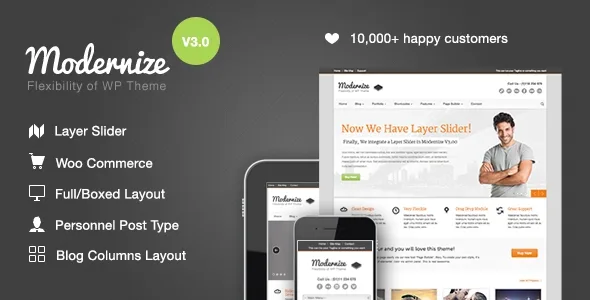
Modernize – Flexibility of WordPress
Antivirus scan
Powered by ClamAV
✅ Verified clean
This product file has passed our security filters.
Want to run a fresh ClamAV scan right now? Takes a few seconds and shows scanner version, signature DB and live result.
This can take 5 to 30 seconds.
Clean file Threat detected
No threats detected in this file.
- File
- Size
- Scanned
- ClamAV
- Signature database
⚡ Powered by ClamAV
Scan could not be completed
Report product
If you detected an issue (broken file, malware, inappropriate content, etc.) let us know and we'll review it ASAP.
Sign in to reportNewer version out, or a problem?
About Modernize – Flexibility of WordPress
Modernize for sites where every page needs a different design
A business with several sections, campaigns and offers often ends up with a website that changes look from one page to another and is hard to maintain. Every time a color needs changing, a sidebar has to be added or a homepage redone, someone has to touch code or wait for someone else to do it. Modernize is built so you can make those changes yourself from its admin panel.
How each type of site uses it
If your site is for services or campaigns
With the drag and drop Page Builder you create pages from modules. The sidebars you create have no limit.
If you publish content and need to be found
The theme uses H1, H2 and H3 heading tags for titles and places the main content above the sidebars, so search engines locate it sooner. It also supports the alt attribute on images, which helps search engines understand each picture.
If your website is in several languages
Each element of the theme can be translated from the admin panel. The theme ships with a .pot file ready, so you only need to translate it and convert it into .mo files. This way you don't start from scratch when preparing the translation.
Colors, fonts and backgrounds in Modernize
The admin panel lets you change almost all color elements. There are over 350 fonts, and if you prefer your own, it includes a font uploader. You can also upload your logo, choose one of the 15 predefined background patterns or upload your own background, and the footer comes with six different layouts.
Sliders, shortcodes and visual content
Besides the Page Builder, it includes a slider manager, built-in shortcodes and a built-in translator. Sliders can be built with Nivo Slider, Anything Slider or Flex Slider, and there is also a static image slider, a video lightbox option and a price table to show rates.
Posts, header and social sharing
For posts there are thumbnail options and a button to share on social networks. In the header you can add links to your social profiles.
Frequently asked questions about Modernize
Do I need to know how to code to change colors and fonts?
Colors, fonts, backgrounds and the logo are changed from the theme's admin panel.
Can I have several sidebars?
Yes, the sidebars you create have no limit.
Does it work for a website in several languages?
Yes. The theme's elements are translated from the admin panel, and the .pot file included with the theme serves as the basis for the translation.
Does it have a Page Builder to create pages?
Yes, it is drag and drop with modules and offers many options.
Demo images are not included
The theme does not include images, including those used in the demo, so your site will need its own.
Topics
Version history
-
v
3.4.0 Current 17 Jun 2024
Customer reviews
Sign in to leave a review. Only people who have the product can review it.
No reviews for this product yet.
Frequently asked questions
-
GPL (General Public License) is the license under which WordPress and most premium plugins/themes are distributed. It grants you the right to use, modify and redistribute the software in as many projects as you want, with no domain restrictions.
-
Yes. With membership you get automatic updates via our GPLClub Updater plugin (installed on your WP, detects new versions and applies them). With individual purchase, you get one year of manual updates from your account.
-
Depends on the plan. Monthly: 3 domains. Semi-annual: 7. Annual and Lifetime: 15. Individual purchase: 1 domain.
-
GPLClub offers its own support for installation, configuration and compatibility. For direct support from the original author (feature requests, product-specific bugs), a license purchased from the author is required.