Monni – A Creative Multi-Concept Theme for Agencies and Freelancers
Antivirus scan
Powered by ClamAV
✅ Verified clean
This product file has passed our security filters.
Want to run a fresh ClamAV scan right now? Takes a few seconds and shows scanner version, signature DB and live result.
This can take 5 to 30 seconds.
Clean file Threat detected
No threats detected in this file.
- File
- Size
- Scanned
- ClamAV
- Signature database
⚡ Powered by ClamAV
Scan could not be completed
Report product
If you detected an issue (broken file, malware, inappropriate content, etc.) let us know and we'll review it ASAP.
Sign in to report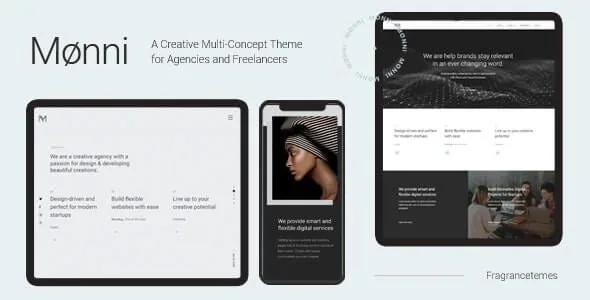
About Monni – A Creative Multi-Concept Theme for Agencies and Freelancers
A good-looking portfolio isn't enough if the client doesn't understand how you work
People who visit an agency or freelancer website usually do the same thing: they open three projects, look at the images and decide whether it fits. Building that with a generic theme ends up with identical galleries, project pages with no context and a team hidden on a page nobody reads.
Clients rarely know what to look for in a portfolio: they compare results without knowing which part was yours. That's why it helps to show each project with its own information and put faces behind it. Monni is a creative multi-concept theme for agencies and freelancers, with many pieces dedicated to portfolio, team and clients.
Monni step by step: from the imported demo to your first published project
1. Import the demo and start from something that already works
The demo content imports with one click and you don't need to know how to code. It lets you see how each page is built before replacing it with your own. Keep in mind that what you import is a mockup with sample content: you'll need to change texts and images and delete what you don't use.
2. Choose how the portfolio is listed
There are masonry, gallery and other list variants, plus shortcodes for the portfolio list, the category list and a project slider. It's useful if you show work in different formats (web, branding, photography) and want to group it by category.
3. Design each project page
The single project page supports several layouts: masonry, gallery, slider or small images. With the project info shortcode you add the details that explain the brief. The theme provides the format; the story of what you did and why is up to you.
4. Build the home page with Visual Composer
The Visual Composer page builder and Slider Revolution come included. With them you combine full screen sections, parallax, image or video backgrounds, a full screen image slider, a video button and anchor links for one-page sites. Keep in mind that the theme's own shortcodes depend on it: if you switch themes one day, those blocks will stop displaying as they do now.
5. Add team, clients and testimonials
There are shortcodes for a team list and carousel, a single team member, clients in a carousel or grid, testimonials and pricing tables. It's exactly what answers the client's doubt: who is behind the work and who has already trusted you.
Questions before choosing Monni
Does it work for a one-page website?
Yes: it includes anchor links and full screen sections, designed for that kind of site.
Does it adapt well to mobile?
It is responsive and ready for retina screens. You can also use a different logo in the mobile header and style it separately. Even so, check the demo on your phone before deciding.
Can I sell products with it?
It is compatible with WooCommerce and includes product list shortcodes, simple and carousel. WooCommerce is installed separately, and the theme is focused on showing creative work rather than building a complex store.
Does it come in Spanish?
It is translation ready, but don't assume it arrives already translated: plan to translate the theme's texts yourself.
Blog, menu and map: the Monni extras worth checking
Besides the portfolio, Monni offers masonry or standard blog lists, post formats (standard, gallery, link, quote, video and audio), optional social share buttons and a back to top button. In the header you get a mega menu, a side area and a customizable Google map; for social networks there are Instagram widgets and a social icons group.
- Many pieces, few decisions made: there is a lot to choose from, and a site with too many effects at once gets tiring. Pick two or three and use them with judgment.
- The demo as a guide: check in the demo how each layout looks with your own images before committing to one.
Topics
Version history
-
v
1 Current 21 Jun 2024
Customer reviews
Sign in to leave a review. Only people who have the product can review it.
No reviews for this product yet.
Frequently asked questions
-
GPL (General Public License) is the license under which WordPress and most premium plugins/themes are distributed. It grants you the right to use, modify and redistribute the software in as many projects as you want, with no domain restrictions.
-
Yes. With membership you get automatic updates via our GPLClub Updater plugin (installed on your WP, detects new versions and applies them). With individual purchase, you get one year of manual updates from your account.
-
Depends on the plan. Monthly: 3 domains. Semi-annual: 7. Annual and Lifetime: 15. Individual purchase: 1 domain.
-
GPLClub offers its own support for installation, configuration and compatibility. For direct support from the original author (feature requests, product-specific bugs), a license purchased from the author is required.