Mooseoom – Art Gallery, Museum & Exhibition WordPress
Antivirus scan
Powered by ClamAV
✅ Verified clean
This product file has passed our security filters.
Want to run a fresh ClamAV scan right now? Takes a few seconds and shows scanner version, signature DB and live result.
This can take 5 to 30 seconds.
Clean file Threat detected
No threats detected in this file.
- File
- Size
- Scanned
- ClamAV
- Signature database
⚡ Powered by ClamAV
Scan could not be completed
Report product
If you detected an issue (broken file, malware, inappropriate content, etc.) let us know and we'll review it ASAP.
Sign in to reportNewer version out, or a problem?
About Mooseoom – Art Gallery, Museum & Exhibition WordPress
Why a gallery needs more than a photo portfolio
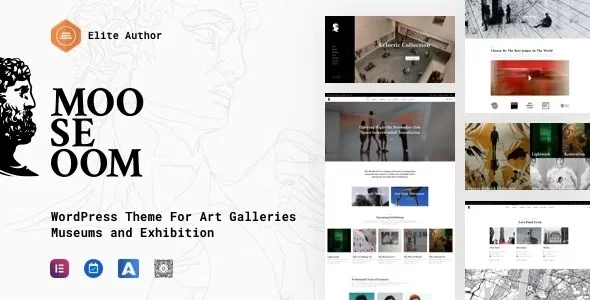
Many galleries and cultural centres end up with a website that shows beautiful artworks but doesn't solve what weighs most on them: announcing exhibitions with clear dates, selling tickets or pieces, and explaining who stands behind the institution. Mooseoom is a WordPress theme designed for museums, art galleries, exhibition organisers, cultural institutions, artist collectives and university art departments.
Beyond the exhibition side, it comes with ready-made institutional pages: About Us, mission and history, leadership with team profiles, locations with Google Maps, careers, awards, magazine and publications archive, membership information, press, partnerships, FAQ and contact. These are the pages a cultural institution needs to convey credibility, and you don't have to build them from scratch.
Mooseoom manages artworks, artists and exhibitions with filters for visitors
The exhibition management system lets you organise collections and catalogue each work with its metadata: artist, date, medium and price. Each artist can have their own profile page, and visitors use filters to find what they want.
There are four gallery formats to display the pieces: grid, masonry, slider and lightbox. High-resolution images can be zoomed and viewed in detail, and each work suggests related pieces. Lazy loading helps large collections load quickly.
Ticket and artwork sales on the same site, with WooCommerce and Scheduled
The events calendar handles exhibition scheduling, event categories, location and the archive of past events. To book guided tours, sessions or tickets, the theme includes the Scheduled plugin, so visitors reserve without leaving your website.
The WooCommerce integration lets you sell artworks, prints, merchandise and memberships, and collect donations from your own site, with payment gateway support. No third-party marketplace involved. Contact Form 7 for enquiries and Google Maps for your venues round out the contact side.
You can build pages with Elementor or Gutenberg, and Aheto's drag-and-drop page builder is included. You need WooCommerce for the sales part. Keep in mind the demo images are for demonstration only: they are not included with your purchase and cannot be used on your website, so replace them with your own content or licensed images.
Frequently asked questions about Mooseoom for cultural institutions
Is it only for art galleries?
No. It is built for museums, independent galleries, exhibition organisers, art festivals, artist collectives and universities with art programmes.
Can I sell tickets and artworks from my website?
Yes. Artworks, prints, merchandise and memberships are sold with WooCommerce, and bookings and tickets are handled by the Scheduled plugin included with the theme.
What about the demo images?
They are for demonstration and are not included with your purchase. You need to replace them with your own photos or licensed images before publishing.
Does it work with Elementor?
Yes. It supports Elementor and Gutenberg, and it also includes Aheto's drag-and-drop page builder.
Version history
-
v
1.2.1 Current 21 Nov 2026
-
v
1.1.2 14 Jun 2024
Customer reviews
Sign in to leave a review. Only people who have the product can review it.
No reviews for this product yet.
Frequently asked questions
-
GPL (General Public License) is the license under which WordPress and most premium plugins/themes are distributed. It grants you the right to use, modify and redistribute the software in as many projects as you want, with no domain restrictions.
-
Yes. With membership you get automatic updates via our GPLClub Updater plugin (installed on your WP, detects new versions and applies them). With individual purchase, you get one year of manual updates from your account.
-
Depends on the plan. Monthly: 3 domains. Semi-annual: 7. Annual and Lifetime: 15. Individual purchase: 1 domain.
-
GPLClub offers its own support for installation, configuration and compatibility. For direct support from the original author (feature requests, product-specific bugs), a license purchased from the author is required.