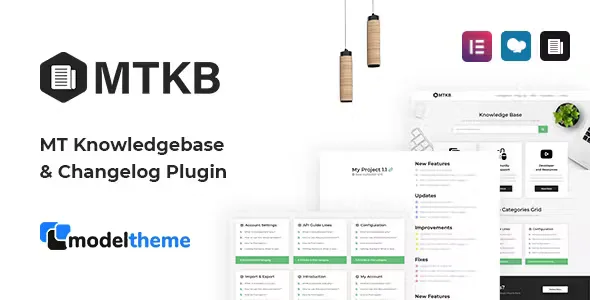
MT Knowledgebase and Changelog Plugin
Antivirus scan
Powered by ClamAV
✅ Verified clean
This product file has passed our security filters.
Want to run a fresh ClamAV scan right now? Takes a few seconds and shows scanner version, signature DB and live result.
This can take 5 to 30 seconds.
Clean file Threat detected
No threats detected in this file.
- File
- Size
- Scanned
- ClamAV
- Signature database
⚡ Powered by ClamAV
Scan could not be completed
Report product
If you detected an issue (broken file, malware, inappropriate content, etc.) let us know and we'll review it ASAP.
Sign in to reportNewer version out, or a problem?
About MT Knowledgebase and Changelog Plugin
When documentation and changes drift apart
When an online service relies on terms, changelogs and documentation, those texts drift apart as soon as someone forgets to update one: the customer reads an article that no longer matches what they see on screen. MT Knowledgebase and Changelog Plugin brings the knowledge base, the changelog and a portfolio together on one WordPress site.
A reader who searches live and browses by category and tag
Picture a customer who wants to know how to export their data. They type in the search form and see results as they type, because the AJAX search shows live matches. If the article helps, they open its single page; if not, they browse the categories, the tags or the A-Z index. The plugin also shows related posts, so the reader stays inside the knowledge base.
Votes and the articles people read most
Each article can receive likes, although voting is reserved for registered users: anyone who hasn't logged in can't vote. With the shortcodes for the most liked, most viewed and most recent articles, you place on a page a list sorted by those criteria.
Changelog with no single page, shown with shortcodes
The changelog has no single page: each entry is an article shown with shortcodes or the taxonomy with sticky headings. You can adjust the date format of the changelog articles.
Portfolio connected to the changelog and the knowledge base
The portfolio includes a template with filters by keyword, category or tags, and a single item template with sharing buttons and related listings. From each item you can link its changelog and its knowledge base, and add a custom external button with the text and link you choose. Listings in 2, 3 or 4 columns and the shortcodes for most viewed or most recent items complete the display.
Elementor, WPBakery and any WordPress theme
MT Knowledgebase and Changelog Plugin is compatible with any WordPress theme and with the Elementor and WPBakery page builders. The layout is responsive and comes in several styles, and the easy-to-use settings panel lets you adjust its behavior. To get started with an example structure, it includes demo data and a quick start XML for imports.
Frequently asked questions about MT Knowledgebase and Changelog Plugin
Does it work with any theme?
Yes. The plugin is compatible with any WordPress theme.
Can I build the pages with Elementor?
Yes. The plugin is compatible with Elementor and WPBakery.
Can any visitor vote on articles?
No. Article voting is reserved for registered users.
Is there a single page with the whole changelog?
No. Entries are articles shown with shortcodes or the taxonomy with sticky headings.
Version history
-
v
1.3 Current 8 May 2024
Customer reviews
Sign in to leave a review. Only people who have the product can review it.
No reviews for this product yet.
Frequently asked questions
-
GPL (General Public License) is the license under which WordPress and most premium plugins/themes are distributed. It grants you the right to use, modify and redistribute the software in as many projects as you want, with no domain restrictions.
-
Yes. With membership you get automatic updates via our GPLClub Updater plugin (installed on your WP, detects new versions and applies them). With individual purchase, you get one year of manual updates from your account.
-
Depends on the plan. Monthly: 3 domains. Semi-annual: 7. Annual and Lifetime: 15. Individual purchase: 1 domain.
-
GPLClub offers its own support for installation, configuration and compatibility. For direct support from the original author (feature requests, product-specific bugs), a license purchased from the author is required.