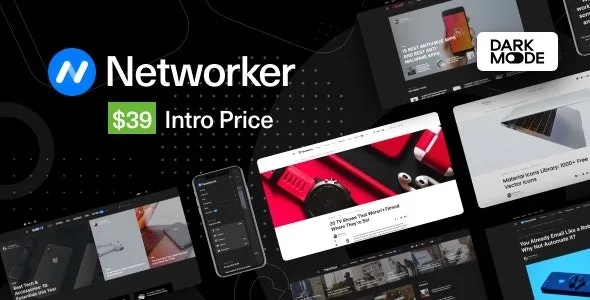
Networker – Tech News WordPress Theme with Dark Mode
Antivirus scan
Powered by ClamAV
✅ Verified clean
This product file has passed our security filters.
Want to run a fresh ClamAV scan right now? Takes a few seconds and shows scanner version, signature DB and live result.
This can take 5 to 30 seconds.
Clean file Threat detected
No threats detected in this file.
- File
- Size
- Scanned
- ClamAV
- Signature database
⚡ Powered by ClamAV
Scan could not be completed
Report product
If you detected an issue (broken file, malware, inappropriate content, etc.) let us know and we'll review it ASAP.
Sign in to reportNewer version out, or a problem?
About Networker – Tech News WordPress Theme with Dark Mode
Digital newsrooms that publish every day and need a front page with rhythm
A tech news outlet or a blog about current topics lives on publishing every day, and its front page has to change at the same pace as the news. Networker is a clean theme for modern content-based blogs and magazines, with several ways to display articles and comfortable reading, including in dark mode.
For AMP pages you need the official WordPress AMP plugin active. The theme applies styles to those pages that match your site, but it does not replace the plugin.
Six Networker demos to change the look without touching your articles
The Demo Switcher lets you apply another of the six demos at any time without affecting your content. If you get bored with a demo, you apply another one and the site takes on a completely different appearance, with the same articles.
Dark mode that turns on by itself or by hand, and colors that adjust
Dark mode switches to a palette of dark tones designed for reading in low light. It turns on automatically based on the browser's preference, or manually with a toggle.
Colors adjust too: if you choose a dark background for the header or footer, the text and links turn white automatically.
Headers, menus and sidebar
Posts and pages have three header types: a featured post image with an overlay or a smaller page header. The main navigation supports unlimited submenu levels, and if a dropdown doesn't fit on screen, it opens on the opposite side. The mega menu shows recent posts with thumbnails, and its content loads only when the user hovers over the parent item, so it doesn't slow down the site.
On mobile, the menu opens with the hamburger icon and can hold widgets such as social links or a subscription form. You can choose whether navigation appears only when scrolling up, stays fixed all the time, or is turned off. The sidebar can also be sticky: it stays in view while scrolling, pinned to the bottom edge of the column or to the top edge of the last widget, a useful option if you want to keep an ad visible.
Front pages, archives and extra content
Front pages and archives support grid, list or full-width layouts. You can place the sidebar on the left, on the right, or remove it on the front page, archives, posts and pages. To avoid repeating content on the front page, you exclude featured posts from the main archive with one click.
If you want an ad under the header, a short description before the featured posts or a subscription form below an article, extra content is inserted into template parts without touching files or using a child theme. Posts can be paginated, or loaded with a «Load More» button or infinite loading. And with more than 800 Google Fonts, you pick the typeface from a dropdown and see it applied instantly.
Guest authors, reading time and sharp images for media with several contributors
You can credit several authors on one article thanks to Co-Authors Plus support, or add guest contributors without creating user accounts. All authors, including contributors and guests, can have a bio and social accounts.
Reading time is calculated from the average reading speed of an adult, and you can show view counts alongside the other post details. The theme also supports right-to-left languages such as Arabic, Hebrew or Persian, and its vector elements and typography look sharp on Retina screens.
Frequently asked questions about Networker
What happens to the images I upload?
The theme generates few thumbnails, which saves disk space and speeds up regeneration. It does not shrink images: it serves them at their original size or very close to it, so readers don't download more than they need.
Can I switch demos without losing my articles?
Yes. The Demo Switcher applies another demo without affecting your content, so you can refresh the look of the site whenever you want.
Can I place an ad or a form in several spots?
Yes. Extra content is inserted into specific parts of the template, such as under the header or after the post text, without changing theme files or creating a child theme.
Topics
Version history
-
v
1.2.0 Current 8 Jan 2025
Customer reviews
Sign in to leave a review. Only people who have the product can review it.
No reviews for this product yet.
Frequently asked questions
-
GPL (General Public License) is the license under which WordPress and most premium plugins/themes are distributed. It grants you the right to use, modify and redistribute the software in as many projects as you want, with no domain restrictions.
-
Yes. With membership you get automatic updates via our GPLClub Updater plugin (installed on your WP, detects new versions and applies them). With individual purchase, you get one year of manual updates from your account.
-
Depends on the plan. Monthly: 3 domains. Semi-annual: 7. Annual and Lifetime: 15. Individual purchase: 1 domain.
-
GPLClub offers its own support for installation, configuration and compatibility. For direct support from the original author (feature requests, product-specific bugs), a license purchased from the author is required.