Notification : Conditionals
Antivirus scan
Powered by ClamAV
✅ Verified clean
This product file has passed our security filters.
Want to run a fresh ClamAV scan right now? Takes a few seconds and shows scanner version, signature DB and live result.
This can take 5 to 30 seconds.
Clean file Threat detected
No threats detected in this file.
- File
- Size
- Scanned
- ClamAV
- Signature database
⚡ Powered by ClamAV
Scan could not be completed
Report product
If you detected an issue (broken file, malware, inappropriate content, etc.) let us know and we'll review it ASAP.
Sign in to reportNewer version out, or a problem?
About Notification : Conditionals
Notifications that reach everyone when only a few matter
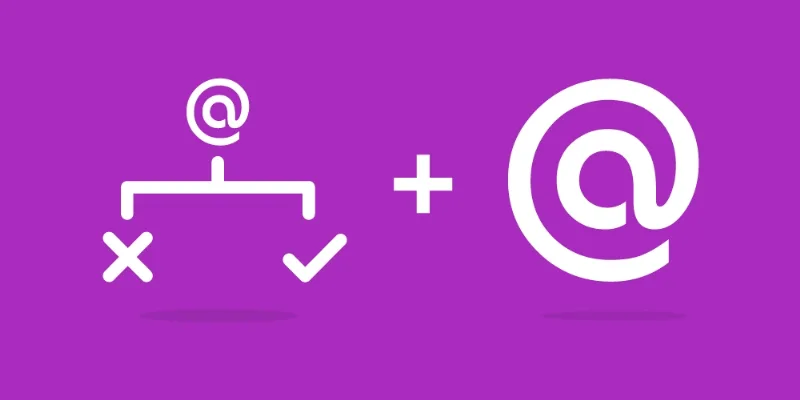
Notification : Conditionals is conditional logic that helps you send only the notifications that really matter. You define the cases in which the trigger is processed or not, so you decide whether each notification goes out or not, and to whom it is sent.
Authors, administrators and stores: each profile with its notifications
Authors who want to know when someone else publishes
You can notify the author of a post as soon as someone other than them publishes it. It is a simple case, but it shows the idea: the condition compares who publishes with who the author is, and only then does the notification go out.
Administrators who only want what matters
Instead of receiving a notice for every update of every plugin, you can limit sending to significant updates, so you can focus only on what matters.
Notifications to all users by categories and tags
You can send a notification to all users when a post is published with a specific combination of categories or tags.
Operators to compare text, numbers and dates
Conditions are built with operators of four kinds:
- General: is equal to, is not equal to, is empty and is not empty.
- Text: contains, doesn't contain and matches regular expressions.
- Numeric: is less than, is less or equal to, is greater than and is greater or equal to.
- Dates: is before, is after, is before a specific hour, is after a specific hour, falls on a specific day of the week and falls in a specific month.
Works with the rest of Notification's extensions
It works with all types of triggers and notifications, and it integrates automatically with the other extensions. This lets you build more advanced scenarios in your notification system. A condition decides whether the notification goes out or not.
Needs the Notification plugin active
Notification : Conditionals is an extension, so Notification must be installed and active for the conditions to work. Without it, there is no notification system to apply the logic to.
Common questions when building conditions in Notification : Conditionals
What happens to a notification whose condition is not met?
It is not sent. The condition determines whether the trigger is processed in that specific case, so the notification only goes out when the condition is met.
Does it work with any type of trigger?
Yes, it works with all types of triggers and notifications.
Can I compare dates, not only text or numbers?
Yes. There are date operators, such as checking whether something happens before or after a certain hour, or on a certain day of the week or month.
Can I combine it with other extensions?
Yes, it integrates automatically with the rest of the Notification extensions, for example with the WooCommerce one.
A notification for the customer who places order number one thousand
With the WooCommerce extension for Notification, you can send a special email only to the customer who places order number one thousand in your store. There are many possibilities with this extension, and this is just one of the examples.
Version history
-
v
2.0.2 Current 19 May 2024
Customer reviews
Sign in to leave a review. Only people who have the product can review it.
No reviews for this product yet.
Frequently asked questions
-
GPL (General Public License) is the license under which WordPress and most premium plugins/themes are distributed. It grants you the right to use, modify and redistribute the software in as many projects as you want, with no domain restrictions.
-
Yes. With membership you get automatic updates via our GPLClub Updater plugin (installed on your WP, detects new versions and applies them). With individual purchase, you get one year of manual updates from your account.
-
Depends on the plan. Monthly: 3 domains. Semi-annual: 7. Annual and Lifetime: 15. Individual purchase: 1 domain.
-
GPLClub offers its own support for installation, configuration and compatibility. For direct support from the original author (feature requests, product-specific bugs), a license purchased from the author is required.