OLX WooCommerce
Antivirus scan
Powered by ClamAV
✅ Verified clean
This product file has passed our security filters.
Want to run a fresh ClamAV scan right now? Takes a few seconds and shows scanner version, signature DB and live result.
This can take 5 to 30 seconds.
Clean file Threat detected
No threats detected in this file.
- File
- Size
- Scanned
- ClamAV
- Signature database
⚡ Powered by ClamAV
Scan could not be completed
Report product
If you detected an issue (broken file, malware, inappropriate content, etc.) let us know and we'll review it ASAP.
Sign in to report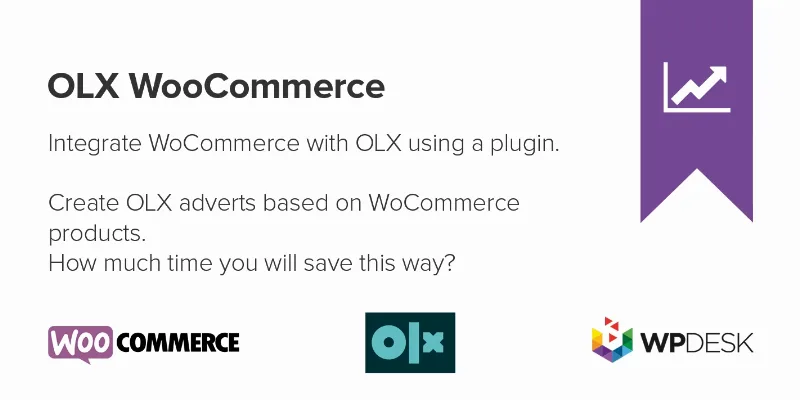
About OLX WooCommerce
The same product written twice, and an ad that stays live when the stock is gone
Selling in your WooCommerce store and on OLX usually means copying photos, titles, descriptions and prices by hand, product by product. The bigger problem comes later: you sell the last unit on one side and the ad stays published on the other, with people asking about something you no longer have.
On a classifieds portal, publishing is easy; what is costly is keeping every ad true to your inventory. OLX WooCommerce creates ads from your store products and lets you manage them from WooCommerce. It works with OLX in countries such as Bulgaria, Kazakhstan, Poland, Portugal, Romania and Ukraine.
From API authorization to a published ad, step by step with OLX WooCommerce
1. Authorize the connection
You enter your contact details, authorize access to the OLX API and complete the seller details. Those fields are required: without them the connection is not authorized and nothing can be published. So you need an OLX account of your own.
2. Build the ad template
This is where the real work is. You fill in the required fields, map WooCommerce categories to OLX categories and set predefined values. All OLX attributes are available in the template, and you can use shortcodes that read WooCommerce product fields.
3. Publish with photos, stock and variations
- It works with the product photos and checks the inventory.
- It shows a preview of the ad's term on OLX.
- For variable products, each variation can be published as a separate ad, choosing which ones and with their own price.
- Ad placement can be automated.
4. Track and close
The plugin synchronizes ad statuses and you can close ads from WooCommerce without logging in to OLX. Check in the demo whether an ad closes by itself when the product sells out or whether you have to close it yourself.
Common questions before connecting OLX WooCommerce
Do I have to create each ad by hand?
No. You create a template and the plugin generates the ads from your products. Even so, you set up the template and the category mapping yourself.
Does it work for products with variations?
Yes. You can publish variations as separate ads and choose which ones, with their own prices.
Can I close an ad without going into OLX?
Yes, it is closed directly from WooCommerce.
Do OLX buyers go through my store's checkout?
The plugin handles publishing and managing ads. If you need the sale to be recorded as an order in WooCommerce, check in the demo how that step works.
If your audience does not buy on OLX, this channel is no use to you
It is an integration with a single portal: it does not publish on other marketplaces or replace your store. It makes sense if you already sell, or want to sell, in one of the countries where OLX operates and your catalog is well organized in WooCommerce, because the quality of the ads depends on the quality of your products.
Topics
Version history
-
v
2.1.37 Current 7 Oct 2026
-
v
2.1.36 15 Sep 2026
-
v
2.1.35 5 Sep 2026
-
v
2.1.34 22 Jul 2026
-
v
2.1.30 30 Apr 2026
Customer reviews
Sign in to leave a review. Only people who have the product can review it.
No reviews for this product yet.
Frequently asked questions
-
GPL (General Public License) is the license under which WordPress and most premium plugins/themes are distributed. It grants you the right to use, modify and redistribute the software in as many projects as you want, with no domain restrictions.
-
Yes. With membership you get automatic updates via our GPLClub Updater plugin (installed on your WP, detects new versions and applies them). With individual purchase, you get one year of manual updates from your account.
-
Depends on the plan. Monthly: 3 domains. Semi-annual: 7. Annual and Lifetime: 15. Individual purchase: 1 domain.
-
GPLClub offers its own support for installation, configuration and compatibility. For direct support from the original author (feature requests, product-specific bugs), a license purchased from the author is required.