Onair2: Radio Station WordPress Theme With Non-Stop Music Player
Antivirus scan
Powered by ClamAV
✅ Verified clean
This product file has passed our security filters.
Want to run a fresh ClamAV scan right now? Takes a few seconds and shows scanner version, signature DB and live result.
This can take 5 to 30 seconds.
Clean file Threat detected
No threats detected in this file.
- File
- Size
- Scanned
- ClamAV
- Signature database
⚡ Powered by ClamAV
Scan could not be completed
Report product
If you detected an issue (broken file, malware, inappropriate content, etc.) let us know and we'll review it ASAP.
Sign in to report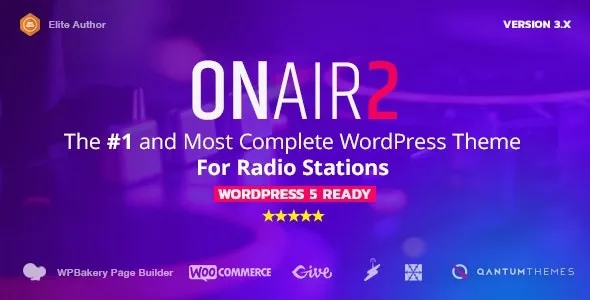
About Onair2: Radio Station WordPress Theme With Non-Stop Music Player
The station keeps playing even when the listener changes page
Anyone can embed a radio player in WordPress. The problem shows up on the second click: the listener goes to read the schedule, the page reloads, and the music stops. It lasted twenty seconds.
OnAir2 was built around that detail. Its player loads page content without reloading the browser, and it can also detach into a separate window, so the broadcast is not interrupted while the person moves around the site. For a radio station that is not a flourish: it is the difference between somebody listening for a while and somebody leaving.
Which streams it works with
It connects to ShoutCast, IceCast, Radio.co, Radionomy, Airtime and Live365, and accepts any MP3 stream. From the supported providers it reads the song title and artist live, so the site shows what is on air without anybody updating it by hand.
If you broadcast several channels, there are playable channel cards to offer them all from one place.
What a station needs to publish
- A programme schedule that detects the day and time by itself, so visitors see what is on air right now.
- Show pages with parallax backgrounds to introduce presenters and their slots.
- Podcasts from SoundCloud, YouTube, MixCloud, or by uploading the MP3 directly.
- Events with countdown timers, which hide themselves once they have passed.
- Charts sorted automatically according to listener votes.
That last one earns its keep: it turns the audience into participants without anybody having to reorder anything.
How it is built
It ships 11 custom post types, 7 widgets and 14 shortcodes, plus full Elementor integration with 24 radio-specific widgets. That means the schedule, the player or the chart get placed by dragging, not by editing templates.
It includes 4 complete templates imported with one click, unlimited colours and fonts, and a child theme for customisations that should survive updates.
Making money and staying compliant
It is WooCommerce compatible for selling merchandise or subscriptions, and works with GiveWP if the station runs on donations, which is the case for many community radios. It also ships GDPR compliance features and its own caching system.
Frequently asked questions
Do I need a separate streaming service?
Yes. OnAir2 is the station website and the player, but the broadcast itself comes from your provider: ShoutCast, IceCast, Radio.co or another supported one.
Does it show which song is playing?
With supported providers, yes: the theme reads the title and artist from the stream and displays them live.
Does the music stop when browsing?
No, and that is its main purpose. The player loads pages without reloading the browser, and it can also open in a pop-up window.
Do I need to know how to code?
No. It integrates with Elementor and ships four templates you can import with one click to start from something already built.
Version history
-
v
5.4.3 Current 8 Jan 2025
Customer reviews
Sign in to leave a review. Only people who have the product can review it.
No reviews for this product yet.
Frequently asked questions
-
GPL (General Public License) is the license under which WordPress and most premium plugins/themes are distributed. It grants you the right to use, modify and redistribute the software in as many projects as you want, with no domain restrictions.
-
Yes. With membership you get automatic updates via our GPLClub Updater plugin (installed on your WP, detects new versions and applies them). With individual purchase, you get one year of manual updates from your account.
-
Depends on the plan. Monthly: 3 domains. Semi-annual: 7. Annual and Lifetime: 15. Individual purchase: 1 domain.
-
GPLClub offers its own support for installation, configuration and compatibility. For direct support from the original author (feature requests, product-specific bugs), a license purchased from the author is required.
Related products

Iconique - Fashion Model Agency WordPress Theme
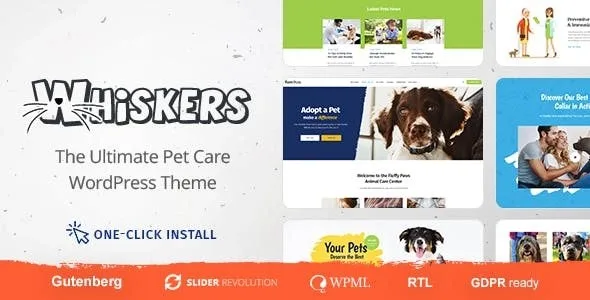
Whiskers – Pets Store | Vet Clinic | Animal Adoption

GoSolar – Eco Environmental & Nature WordPress Theme