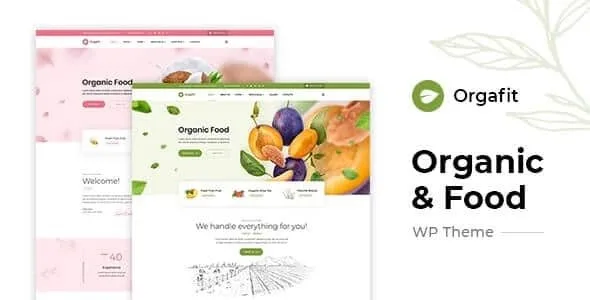
OrgaFit – Organic and Health WordPress Theme
Antivirus scan
Powered by ClamAV
✅ Verified clean
This product file has passed our security filters.
Want to run a fresh ClamAV scan right now? Takes a few seconds and shows scanner version, signature DB and live result.
This can take 5 to 30 seconds.
Clean file Threat detected
No threats detected in this file.
- File
- Size
- Scanned
- ClamAV
- Signature database
⚡ Powered by ClamAV
Scan could not be completed
Report product
If you detected an issue (broken file, malware, inappropriate content, etc.) let us know and we'll review it ASAP.
Sign in to reportNewer version out, or a problem?
About OrgaFit – Organic and Health WordPress Theme
In organic, the photo is the proof, and the demo's photos are not yours
Someone buying honey from a small producer, cold-pressed oil or seasonal vegetables cannot verify anything from a screen. All they have is what you show on the site: the hands, the field, the jar with its label. That is why a natural products store with generic photos looks like any other, however polished the design.
And here is what is worth knowing before falling for a demonstration: the images on the OrgaFit demo are not there to publish: they must be bought separately. Most of them came from a paid stock image library.
So the real cost of this theme lies not in installing it but in the photo shoot. If you can photograph your product and its origin, OrgaFit gives you a place to put them. If you cannot, budget for that cost before choosing.
What OrgaFit puts on the table
- Built for health websites, by CreativeWS.
- A vintage look with unlimited color variations.
- Wide or boxed design, responsive on any screen and retina ready.
- Options panel for header, colors, footer, layouts, typography and social networks.
- Layouts for home, pages, blog, portfolio and staff.
- Visual Composer and Revolution Slider included, along with FontAwesome and Google Fonts.
- Contact Form 7 ready, with a sidebar generator and custom widgets.
- Demonstration import with its own importer.
Shop or showcase: one plugin decides
OrgaFit works with or without online sales. WooCommerce is only needed if you want a shop, and activating it adds its own settings section to the panel. It is compatible with WPML.
The staff layout serves a nutritionist, a herbalist offering advice or a brand that wants to put a face to the people behind the product.
The vintage look is a decision too: look at the tone before the feature list.
Gutenberg, recipes and labels: outside OrgaFit
It is not optimized for Gutenberg. You work with WPBakery Page Builder, and the theme's own modules sit in their tab in that builder. If your team edits with the block editor, keep that in mind.
Its features do not include a recipe section or events. If your plan includes publishing recipes with their own format or announcing workshops and markets, you will have to add that with plugins.
The origin and ingredient information of each product is yours to write: its features do not include dedicated fields for it.
How to import the demonstration without getting stuck
The theme asks for its required plugins, because it does not work properly without them. Revolution Slider, Visual Composer, CWS FlatIcon and Contact Form 7 are part of its setup. Raise your server's maximum execution time to 120 seconds before importing. Then follow these steps:
- Install the theme and activate the plugins it asks for, plus WooCommerce if you will run a shop.
- Go to Tools, Import, and open CWS Demo Importer.
- Choose what to import: all, content, widgets or options.
- Decide whether to import media files as well.
- Import the demo sliders from Slider Revolution.
- Replace every image with your own before publishing.
If the core is the shop or supplements
If you want an organic food shop at the center of the project, the catalog has GreenMart, Organium and Organia.
If yours is supplements, look at Suxnix and PureFit.
Photos, shop and editing in OrgaFit
Can I publish the demonstration photos?
Not without purchasing them. You must buy separately the ones you want to use.
Do I need WooCommerce?
Only if you are going to sell online. The theme works as an information site without it.
Which builder is it edited with?
With WPBakery Page Builder, included as Visual Composer.
Is it optimized for Gutenberg?
No. Pages are built with WPBakery Page Builder and its custom modules.
Does it work for a multilingual site?
It is compatible with WPML, and the theme's labels can be translated with LocoTranslate.
Why does the demonstration import fail?
If it stops, check your server's maximum execution time. It should be at 120 seconds.
Topics
Version history
-
v
1.0.3 Current 24 Jan 2025
Customer reviews
Sign in to leave a review. Only people who have the product can review it.
No reviews for this product yet.
Frequently asked questions
-
GPL (General Public License) is the license under which WordPress and most premium plugins/themes are distributed. It grants you the right to use, modify and redistribute the software in as many projects as you want, with no domain restrictions.
-
Yes. With membership you get automatic updates via our GPLClub Updater plugin (installed on your WP, detects new versions and applies them). With individual purchase, you get one year of manual updates from your account.
-
Depends on the plan. Monthly: 3 domains. Semi-annual: 7. Annual and Lifetime: 15. Individual purchase: 1 domain.
-
GPLClub offers its own support for installation, configuration and compatibility. For direct support from the original author (feature requests, product-specific bugs), a license purchased from the author is required.