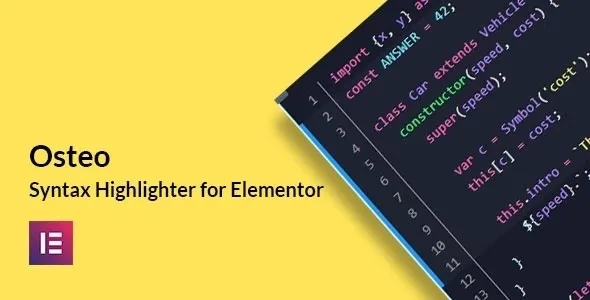
Osteo Syntax Highlighter for Elementor
Antivirus scan
Powered by ClamAV
✅ Verified clean
This product file has passed our security filters.
Want to run a fresh ClamAV scan right now? Takes a few seconds and shows scanner version, signature DB and live result.
This can take 5 to 30 seconds.
Clean file Threat detected
No threats detected in this file.
- File
- Size
- Scanned
- ClamAV
- Signature database
⚡ Powered by ClamAV
Scan could not be completed
Report product
If you detected an issue (broken file, malware, inappropriate content, etc.) let us know and we'll review it ASAP.
Sign in to reportNewer version out, or a problem?
About Osteo Syntax Highlighter for Elementor
Showing code on an Elementor website without fighting the formatting
Pasting a code snippet into a page usually ends with lost indentation, lines that break on mobile, and a reader who cannot tell a variable from a keyword. Osteo turns that block into code with editor-style colors.
Blogs, documentation and courses with code to read
Programming tutorial blog
If code is the main content of your articles, Osteo shows it with editor-style colors and line numbers.
Osteo Syntax Highlighter for Elementor includes over 210 languages and 70 themes
The library supports more than 210 languages. The ready-to-use themes exceed 70 and include many of the common VS Code themes, such as Dracula, Monokai Pro, Nord, Night Owl or One Dark Pro. Highlighting relies on PrismJS.
Line numbers, a copy button and colors you can adjust
Turn on line numbers, and the copy-to-clipboard button lets readers copy the code. Beyond the themes, you can change the block's colors and background.
The design is responsive, so the block adapts to mobile, and it works in the usual browsers: Chrome, Firefox, Safari, Opera and Edge. It is lightweight, SEO friendly, and ready for translation, with its .pot file included.
Frequently asked questions about Osteo Syntax Highlighter for Elementor
How many languages does it support?
It supports more than 210 languages.
Can I change the colors of the block?
Yes. You can customize any color and the background of the block.
Can readers copy the code?
Yes, it includes a copy-to-clipboard button.
Can the interface be translated?
Yes, it is ready for translation, with its .pot file included.
Requires Elementor to display the code
Osteo is an add-on for Elementor, so the page builder must be installed and active for the highlighter to work on your pages.
Version history
-
v
1.0.0 Current 13 May 2024
Customer reviews
Sign in to leave a review. Only people who have the product can review it.
No reviews for this product yet.
Frequently asked questions
-
GPL (General Public License) is the license under which WordPress and most premium plugins/themes are distributed. It grants you the right to use, modify and redistribute the software in as many projects as you want, with no domain restrictions.
-
Yes. With membership you get automatic updates via our GPLClub Updater plugin (installed on your WP, detects new versions and applies them). With individual purchase, you get one year of manual updates from your account.
-
Depends on the plan. Monthly: 3 domains. Semi-annual: 7. Annual and Lifetime: 15. Individual purchase: 1 domain.
-
GPLClub offers its own support for installation, configuration and compatibility. For direct support from the original author (feature requests, product-specific bugs), a license purchased from the author is required.