Otter Blocks Pro
Antivirus scan
Powered by ClamAV
✅ Verified clean
This product file has passed our security filters.
Want to run a fresh ClamAV scan right now? Takes a few seconds and shows scanner version, signature DB and live result.
This can take 5 to 30 seconds.
Clean file Threat detected
No threats detected in this file.
- File
- Size
- Scanned
- ClamAV
- Signature database
⚡ Powered by ClamAV
Scan could not be completed
Report product
If you detected an issue (broken file, malware, inappropriate content, etc.) let us know and we'll review it ASAP.
Sign in to report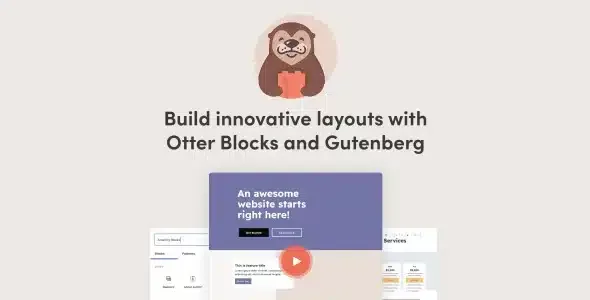
About Otter Blocks Pro
Building a landing page in Gutenberg with the default blocks often ends with five different plugins: one for the form, another for the popup, another for the slider, another for reviews. Each has its own style, its own script loading and its own way of breaking. Otter Blocks Pro tries to bring all of that together as blocks inside the editor you already use, and adds the paid part: premium blocks, a WooCommerce builder and dynamic content.
A seasonal offer, step by step with Otter Blocks Pro
Imagine you run a small shop and want to launch an end-of-month promotion. Here is how you would go through it with the plugin:
- Structure: with the section block you build responsive columns (up to 6) and with the advanced heading you highlight part of the title, for example the discount.
- Urgency: the countdown block shows the upcoming event.
- Buy button: the Add to Cart block (Pro version) places an add-to-cart button for any WooCommerce product in the middle of the page. You need WooCommerce active, of course.
- Who sees it: with visibility conditions you can show the block only to logged-in users, to certain roles, within a date range or depending on the products in the cart.
- Capturing contacts: the contact form can be integrated with Sendinblue or Mailchimp.
- Motion: animations (more than 55 effects) bring blocks to life, and are best used in moderation.
Content that stays Gutenberg
Otter blocks are saved as native editor content. Switching themes or removing the plugin does not break the site. In addition, each block loads only the CSS and JS it uses, which matters if you have spent years piling up plugins that load on every page.
Your own CSS on every block, and templates so you don't start from scratch
If you know some CSS, the custom CSS editor lets you adjust any block: media queries, colors, borders. If not, the patterns (headers, pricing tables, testimonials and full pages) work as a starting point: you insert one and change the text.
There is also an AI block to generate sections or pages from a description. It works with OpenAI, Claude and Gemini through the WordPress AI connector, so you need that connector set up. What it generates stays as editable blocks.
What the Pro part adds
- Modal to display forms or notices inside the page.
- Extended live search, with real-time results and tailored content types.
- Business hours table.
- Review comparison for products or services.
- WooCommerce builder blocks to create individual product pages.
If you are looking for a page builder with free visual editing where you drag elements around the page, this is not it: Otter extends the block editor, it does not replace it. The Pro demo lets you try it first.
Frequently asked questions about Otter Blocks Pro
Do I need to know how to code?
Custom CSS is optional.
Does it slow down the site?
It is designed to be lightweight: each block loads only what it uses, and the ones you don't use add no weight.
Does it work for a store?
Yes, if you use WooCommerce: it adds the add-to-cart button, conditions based on products in the cart or purchase history, and the product page builder. To sell without a full store there is the Stripe Checkout block.
Does it work with any theme?
It is designed to work with standard WordPress themes, including full site editing themes.
Are all blocks Pro?
No: some blocks, such as the form, the popup or the slider, already come in the free version. Anything marked as Pro, such as the modal or business hours, requires the paid version.
Version history
-
v
3.2.8 Current 21 Oct 2026
-
v
3.2.7 30 Sep 2026
-
v
3.2.3 5 Sep 2026
-
v
3.2.1 28 Jul 2026
-
v
3.1.9 2 May 2026
Customer reviews
Sign in to leave a review. Only people who have the product can review it.
No reviews for this product yet.
Frequently asked questions
-
GPL (General Public License) is the license under which WordPress and most premium plugins/themes are distributed. It grants you the right to use, modify and redistribute the software in as many projects as you want, with no domain restrictions.
-
Yes. With membership you get automatic updates via our GPLClub Updater plugin (installed on your WP, detects new versions and applies them). With individual purchase, you get one year of manual updates from your account.
-
Depends on the plan. Monthly: 3 domains. Semi-annual: 7. Annual and Lifetime: 15. Individual purchase: 1 domain.
-
GPLClub offers its own support for installation, configuration and compatibility. For direct support from the original author (feature requests, product-specific bugs), a license purchased from the author is required.