Oxary – News & Magazine Elementor Template
Antivirus scan
Powered by ClamAV
✅ Verified clean
This product file has passed our security filters.
Want to run a fresh ClamAV scan right now? Takes a few seconds and shows scanner version, signature DB and live result.
This can take 5 to 30 seconds.
Clean file Threat detected
No threats detected in this file.
- File
- Size
- Scanned
- ClamAV
- Signature database
⚡ Powered by ClamAV
Scan could not be completed
Report product
If you detected an issue (broken file, malware, inappropriate content, etc.) let us know and we'll review it ASAP.
Sign in to report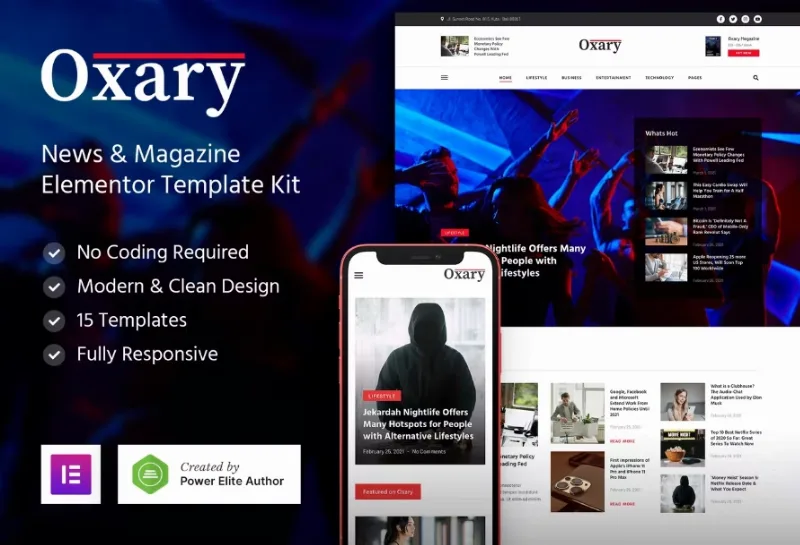
About Oxary – News & Magazine Elementor Template
For people who publish news daily, not for a four-post website
A digital publication gets messy quickly for the same reasons: headlines of different lengths, categories that keep growing and a home page that has to be rearranged every day without touching code. Oxary is an Elementor template kit built for that pace: news portals, magazines and editorial blogs.
It may not suit you if you want a complete theme that installs and works on its own. This is a set of templates that you import into Elementor and build page by page. It is not for an online store or a service company website either: everything revolves around posts, categories and authors. And the headlines, dates and texts in the demo are filler (plenty of Lorem ipsum) that you will have to replace with your own.
One practical warning: the article, category and author templates have to be applied to your blog from Elementor. Check in your own installation whether that part requires the paid edition before you plan the design.
Oxary and its two home pages for deciding what gets read first
The kit includes two home page versions, Home and Home 2. The demo combines several blocks with different jobs:
- A featured headline with its summary, for the story that leads.
- A latest posts block with pagination, so recent content does not get lost.
- A popular posts list, which gives a second life to what already worked.
- Blocks split by category, so each section has its own space.
The advantage of this mix is that one strong headline does not bury the rest: the featured block sets the hierarchy and the others keep order. If you publish only a few pieces a week, you will probably have too many blocks; remove them instead of leaving gaps full of filler.
The article page does the most work
Many people arrive straight at a story from a search engine or a social network and never see your home page. That is why it matters that the kit includes two article layouts (Single Post 1 and Single Post 2), plus templates for category archives, author archives and an additional archive for any other listing.
The set is completed by the About Us, Contact and 404 pages. That is the minimum for a publication to look finished, but the text about who writes and how to contact the newsroom is something you will have to write yourself.
Lifestyle, Business, Entertainment and Technology: sample sections you should rename
The demo menu splits the content into those four categories, each with its own page. They are a starting point, not a mandatory structure. If your publication is local, sports-focused or about a specific niche, change the names and shorten the menu before publishing: four empty categories look worse than two that are well fed.
The header includes a search box and links to social networks, repeated in the footer. On a site with a large archive, search is the first thing used by readers who want to find something they already read.
The subscription form is design: connecting it is up to you
The demo shows email subscription blocks in the sidebar area and in the footer, with an email field and a button. That is the design of the form. Check how you connect it to your email sending tool before considering it done, and do not promise a weekly newsletter if you are not going to send one.
Questions before building a portal with Oxary
Does it work without Elementor?
No. It is a template kit made for Elementor and it is edited there.
Is it suitable for a personal blog?
Yes, by removing blocks. With few posts it is best to keep a simple home page and the article template.
Does it include real news?
No. All the demo content is sample text and must be replaced with your own.
Topics
Version history
-
v
1.0.0 Current 22 Jun 2024
Customer reviews
Sign in to leave a review. Only people who have the product can review it.
No reviews for this product yet.
Frequently asked questions
-
GPL (General Public License) is the license under which WordPress and most premium plugins/themes are distributed. It grants you the right to use, modify and redistribute the software in as many projects as you want, with no domain restrictions.
-
Yes. With membership you get automatic updates via our GPLClub Updater plugin (installed on your WP, detects new versions and applies them). With individual purchase, you get one year of manual updates from your account.
-
Depends on the plan. Monthly: 3 domains. Semi-annual: 7. Annual and Lifetime: 15. Individual purchase: 1 domain.
-
GPLClub offers its own support for installation, configuration and compatibility. For direct support from the original author (feature requests, product-specific bugs), a license purchased from the author is required.