Password Protected Categories
Antivirus scan
Powered by ClamAV
✅ Verified clean
This product file has passed our security filters.
Want to run a fresh ClamAV scan right now? Takes a few seconds and shows scanner version, signature DB and live result.
This can take 5 to 30 seconds.
Clean file Threat detected
No threats detected in this file.
- File
- Size
- Scanned
- ClamAV
- Signature database
⚡ Powered by ClamAV
Scan could not be completed
Report product
If you detected an issue (broken file, malware, inappropriate content, etc.) let us know and we'll review it ASAP.
Sign in to report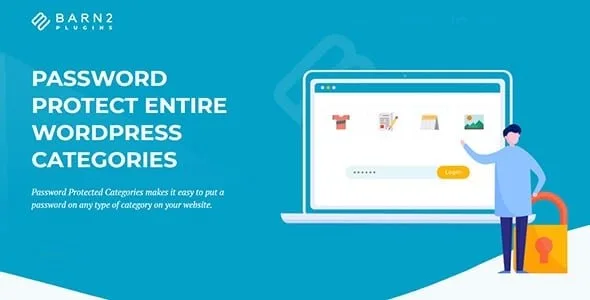
About Password Protected Categories
One password per post doesn't scale, one per category does
Protecting content in WordPress post by post works until you publish the next one and forget to mark it. People who share work with clients, material with members or invite-only events rarely fear someone forcing the door: what happens is that a new piece ends up exposed by oversight. Password Protected Categories moves the rule to the category: everything that goes into it inherits the protection.
Three ways to unlock a category with Password Protected Categories
- Password: one or several per category. With several you can give each client a different one, and any of them works. Nobody needs a user account.
- User role: the category is only visible to logged-in users with that role, for example administrators or a staff role.
- Specific account: designed for a hidden client portal. Anyone already logged in sees their categories without typing anything.
If you protect a parent category, its subcategories and their content inherit the protection, although you can give a subcategory different visibility. It works with posts, with pages (if your site has page categories) and with any custom content type that uses hierarchical taxonomies: portfolios, events, products.
What search engines see and what visitors see
Protected categories and their content are marked noindex,nofollow and removed from XML sitemaps; it is compatible with the sitemaps of WordPress SEO and All in One SEO Pack. You also decide whether they show or stay hidden on the blog page, menus and widgets. If you hide them, only people with the direct link get there.
What to keep in mind
- It only protects content organized in categories (hierarchical taxonomies). If your content doesn't use them, there is nowhere to apply the rule.
- Access by role or account uses the standard WordPress login. If you want a more polished front-end form, you need a separate login plugin, such as ThemeMyLogin or Profile Builder.
- It is not a private store. For WooCommerce, the developer has dedicated plugins: WooCommerce Protected Categories and WooCommerce Private Store (a completely hidden store).
Common questions about Password Protected Categories
Do my clients need to register? Not if you use passwords: anyone with a correct one gets in. They only need an account if you restrict by role or by user.
Can I give each person a different password? Yes, by adding several passwords to the same category. Any of them unlocks it.
Does it work on a multilingual site? It is compatible with most multilingual plugins, including WeGlot, TranslatePress and WPML, to translate the login and the protected categories.
And with my theme? It has been tested with many themes and plugins, and there is a theme compatibility guide. Even so, test it on your own site before opening it to clients.
Decide which categories to hide and which to just lock
Before configuring anything, separate two cases. Some categories are better visible in the menu (a portfolio you want to show but not give away) and others shouldn't exist for the public (a client's area). For the latter, hide the category from menus, widgets and the blog, and share the direct link.
The password form can be shown anywhere on the site, on a page or in a sidebar, and it also appears when someone goes straight to protected content. With several passwords, visitors type theirs in that single form and the plugin takes them to their category.
Topics
Version history
-
v
2.1.30 Current 9 Oct 2026
-
v
2.1.28 25 Mar 2026
Customer reviews
Sign in to leave a review. Only people who have the product can review it.
No reviews for this product yet.
Frequently asked questions
-
GPL (General Public License) is the license under which WordPress and most premium plugins/themes are distributed. It grants you the right to use, modify and redistribute the software in as many projects as you want, with no domain restrictions.
-
Yes. With membership you get automatic updates via our GPLClub Updater plugin (installed on your WP, detects new versions and applies them). With individual purchase, you get one year of manual updates from your account.
-
Depends on the plan. Monthly: 3 domains. Semi-annual: 7. Annual and Lifetime: 15. Individual purchase: 1 domain.
-
GPLClub offers its own support for installation, configuration and compatibility. For direct support from the original author (feature requests, product-specific bugs), a license purchased from the author is required.