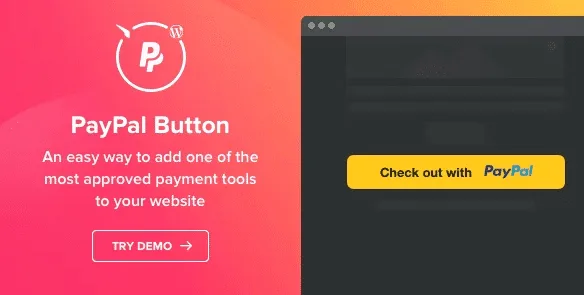
PayPal Button – WordPress PayPal Plugin
Antivirus scan
Powered by ClamAV
✅ Verified clean
This product file has passed our security filters.
Want to run a fresh ClamAV scan right now? Takes a few seconds and shows scanner version, signature DB and live result.
This can take 5 to 30 seconds.
Clean file Threat detected
No threats detected in this file.
- File
- Size
- Scanned
- ClamAV
- Signature database
⚡ Powered by ClamAV
Scan could not be completed
Report product
If you detected an issue (broken file, malware, inappropriate content, etc.) let us know and we'll review it ASAP.
Sign in to reportNewer version out, or a problem?
About PayPal Button – WordPress PayPal Plugin
Sellers and donation recipients who charge with PayPal from their own website
Many small websites charge through a loose PayPal link or an improvised form, and the customer reaches the payment without knowing exactly what they are buying or how much taxes and shipping will add. This plugin fits if you want the payment button inside your page.
It fits if you sell products or services, if you offer a recurring fee or if you want to receive donations of any amount. If what you need is to charge through a payment gateway other than PayPal, this plugin is not for you.
What PayPal Button does with one-time payments, subscriptions and donations
For a one-off sale, you enter the item name and its price, and the button is ready. You can add taxes, set the shipping cost and choose which page the customer goes to after each successful payment.
For recurring fees, you choose the subscription type and adjust the period and other parameters. With the recurring option, payment repeats automatically at the frequency you have chosen. For donations, you can set a fixed amount or let each donor decide how much to give.
Taxes, shipping and currency applied to every payment
The currency you choose from the list also applies to the shipping price and taxes, so everything goes in the same currency. The PayPal window appears in the language of the country you select, which makes it easier to pay from anywhere in the world.
Button shape, color and text, set by you
A slider lets you set the size and shape of the button. You choose which elements appear, such as the PayPal text, the logo or an editable label, and customize the color of the button and its elements. You can also show or hide the icons of popular payment systems underneath.
The button adapts to any device, including tablets and smartphones, and to any screen resolution.
Where to place PayPal Button on your WordPress site
When you create a widget, you receive a shortcode that you can use like any other WordPress shortcode, for example on a page. These are the other ways to place it:
- Gutenberg block: to add it while you build the page.
- WPBakery Page Builder: if you work with this page builder, there is a dedicated element.
- Native widget: for the sidebar or footer of your site.
Questions about PayPal Button before you create your first button
Can I charge recurring fees?
Yes. You choose the subscription button, adjust the period and turn on recurring billing so that the payment repeats at the chosen frequency.
Can I let the customer decide how much to pay?
Yes. In the donation button you can set a fixed amount or let the donor enter their own.
What does the customer see when paying?
The PayPal window appears in the language of the country you have chosen and in the configured currency, with shipping and taxes included if you have added them.
What happens after a successful payment?
You can set a page to which the customer is taken after each successful transaction.
Topics
Version history
-
v
1.2.0 Current 8 Jan 2025
Customer reviews
Sign in to leave a review. Only people who have the product can review it.
No reviews for this product yet.
Frequently asked questions
-
GPL (General Public License) is the license under which WordPress and most premium plugins/themes are distributed. It grants you the right to use, modify and redistribute the software in as many projects as you want, with no domain restrictions.
-
Yes. With membership you get automatic updates via our GPLClub Updater plugin (installed on your WP, detects new versions and applies them). With individual purchase, you get one year of manual updates from your account.
-
Depends on the plan. Monthly: 3 domains. Semi-annual: 7. Annual and Lifetime: 15. Individual purchase: 1 domain.
-
GPLClub offers its own support for installation, configuration and compatibility. For direct support from the original author (feature requests, product-specific bugs), a license purchased from the author is required.