PDF Embed - WordPress PDF Viewer plugin
Antivirus scan
Powered by ClamAV
✅ Verified clean
This product file has passed our security filters.
Want to run a fresh ClamAV scan right now? Takes a few seconds and shows scanner version, signature DB and live result.
This can take 5 to 30 seconds.
Clean file Threat detected
No threats detected in this file.
- File
- Size
- Scanned
- ClamAV
- Signature database
⚡ Powered by ClamAV
Scan could not be completed
Report product
If you detected an issue (broken file, malware, inappropriate content, etc.) let us know and we'll review it ASAP.
Sign in to report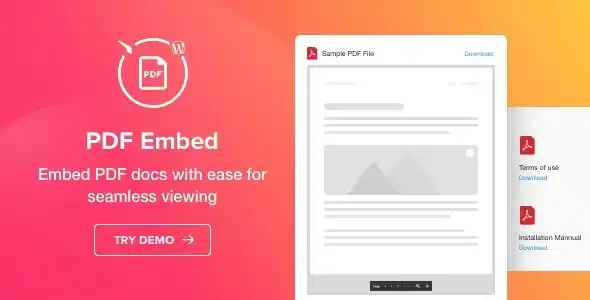
About PDF Embed - WordPress PDF Viewer plugin
A linked PDF gets downloaded and forgotten; an embedded one gets read
Uploading a certificate, a guide or a spec sheet to the media library and adding a link has a problem: visitors have to leave the page, wait for the browser viewer to open and, very often, never get past the second page. If the document is part of what you want to show, it should be readable right where the person already is. Elfsight's PDF Embed is about exactly that: putting the document inside the page, without touching code.
Three ways to upload the file and three ways to display it
When you create the widget you choose how to load the PDF: from your computer, by pasting a URL, or by picking it from the list of recently uploaded files. Then you decide the layout:
- File Viewer: the document is read on the page itself, with scroll, pagination and zoom. There is an option to view it full-screen and to download it.
- Grid: file icons with each file's name in a grid, designed to show several documents.
- List: the same in list format.
In Grid and List, each file opens in a new tab, from where it can be downloaded. You can show or hide the download text next to the icon.
Colors, sizes and widget width
The visual editor lets you show or hide the file icon, choose the font size, color six interface components and give the widget its own title. The width is set in pixels or percentage. The result adapts to phones and tablets.
Be clear about its boundaries: it is a viewer and a file list, not a document manager. Don't expect internal search, document categories or control over who downloads what. Nothing protects the content either: if the PDF can be viewed, it can be downloaded.
Questions from people about to embed PDFs
Does it work with my theme?
It is compatible with any WordPress theme, and Avada, BeTheme, The7, Flatsome, Enfold, Jupiter, Bridge and Newspaper are among the examples.
How do I place it on the page?
With a shortcode you receive when you create the widget, with a dedicated Gutenberg editor block, with an element for WPBakery Page Builder, or as a native WordPress widget in the sidebar or footer.
Can visitors download the file?
Yes. The viewer has a download button, and in the grid and list views the file opens in a new tab from which it can be downloaded.
Can I show several PDFs at once?
Yes, with the Grid or List layouts. The full viewer is designed for reading one document on the page.
You upload the WordPress zip, not the full package
When you buy it, the downloaded package contains more than the plugin. What you must upload to WordPress is only the installable zip. Once activated, you go to the plugin's settings page from the main menu, create the widget with the visual editor and copy its shortcode into the chosen page.
Before publishing, open the page on your phone and check that the viewer reads well at the width you set. A PDF designed for A4 in a narrow column can force a lot of zooming.
Version history
-
v
1.1.1 Current 8 Jan 2025
Customer reviews
Sign in to leave a review. Only people who have the product can review it.
No reviews for this product yet.
Frequently asked questions
-
GPL (General Public License) is the license under which WordPress and most premium plugins/themes are distributed. It grants you the right to use, modify and redistribute the software in as many projects as you want, with no domain restrictions.
-
Yes. With membership you get automatic updates via our GPLClub Updater plugin (installed on your WP, detects new versions and applies them). With individual purchase, you get one year of manual updates from your account.
-
Depends on the plan. Monthly: 3 domains. Semi-annual: 7. Annual and Lifetime: 15. Individual purchase: 1 domain.
-
GPLClub offers its own support for installation, configuration and compatibility. For direct support from the original author (feature requests, product-specific bugs), a license purchased from the author is required.