PeepSo Tutor LMS Integration Addon
Antivirus scan
Powered by ClamAV
✅ Verified clean
This product file has passed our security filters.
Want to run a fresh ClamAV scan right now? Takes a few seconds and shows scanner version, signature DB and live result.
This can take 5 to 30 seconds.
Clean file Threat detected
No threats detected in this file.
- File
- Size
- Scanned
- ClamAV
- Signature database
⚡ Powered by ClamAV
Scan could not be completed
Report product
If you detected an issue (broken file, malware, inappropriate content, etc.) let us know and we'll review it ASAP.
Sign in to report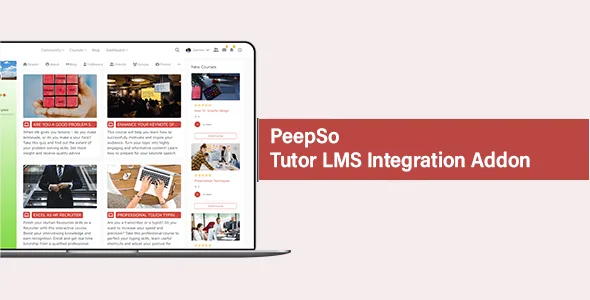
About PeepSo Tutor LMS Integration Addon
Your students share a course without knowing who sits next to them
In Tutor LMS, each person sees their own lessons, quizzes and progress. Many people can be enrolled in the same course without knowing one another. Enrollment already says who shares an interest, but that information stays inside the LMS.
This integration carries it into your PeepSo community. Courses appear on each member's profile, enrollment and completion can be posted to the stream, and a course can place its students in a group as they enroll. That way, whoever joins a course finds people to talk to.
Profile, stream, groups and badges per course
- Courses on the profile: a tab shows the courses each person is enrolled in.
- Navigation: adds links to the profile, the PeepSo toolbar and the profile widget.
- Automatic posts: on enrolling in or completing a course, with a separate toggle, action text and default privacy for each event.
- Groups per course: you choose in each course which groups new enrollees join.
- VIP badges: you assign icons to people who complete specific courses.
- Chat with the instructor: a chat button can appear in instructor widgets.
- Courses and groups widget: PeepSo TutorLMS: Courses & Groups integration goes in any widget area.
How courses look on each profile
The courses block takes plenty of adjustment from the configuration. You can switch to two columns and set the height of each box, show or hide titles and limit the description to a number of words.
Featured images can sit on top, left or right, with their height in pixels and a placeholder image for courses without one. There is also a forced shortcode removal, meant for those that resist native WordPress methods, such as Divi Builder's.
You can also list by ID the courses that should not show on profiles, and change the tab's label, URL and icon. An optional link leads to the Tutor LMS dashboard, with the text you choose.
Tutor LMS keeps teaching and PeepSo brings the company
This integration does not replace your LMS. Lessons, quizzes and grading stay in Tutor LMS, and there is nothing to migrate. Nor does it create a community by itself: profiles, the stream, groups and chat come from PeepSo.
Two functions depend on what you have active. Group assignment uses PeepSo groups and badges need the VIP feature switched on. Also, each icon is set course by course, so a course with no selection awards none.
First steps with both plugins
You need Tutor LMS and PeepSo installed on the same WordPress site. Setup follows this order:
- Go to PeepSo, Configuration, TutorLms and enable the courses tab on profiles.
- Decide what is posted to the stream and with what privacy.
- Open a course and, at the end of its settings, find PeepSo Groups automation to choose its groups.
- In the same place, use PeepSo VIP automation if you want to reward completion.
- Enroll a test account and review its profile and the stream.
Pieces that combine with this integration
Everything starts from PeepSo Core. To limit participation by role, profile completion or membership there is PeepSo User Limits, and PeepSo Core Chat covers private conversation.
Those building their community on the BuddyBoss platform can look at BuddyBoss Theme, which includes course screens.
Visibility, groups and instructors at the academy
Can students see each other's courses?
Courses show on the profile. You can hide specific courses by ID, and each stream post uses the default privacy you set.
Can I turn those posts off?
Enrollment and completion posts each have their own toggle, so you can keep just one or neither.
Can one course lead to several groups?
Yes. In its settings you can select the groups you want to associate with it.
Does the group stay active after the course ends?
Groups can serve as a classroom, with chat among the same people after the last lesson.
Can students write to the instructor?
Yes. Instructors have their own profile and can exchange direct messages with their students.
Topics
Version history
-
v
9.0.2.0 Current 2 Jun 2026
-
v
8.0.0.0 16 Dec 2025
Customer reviews
Sign in to leave a review. Only people who have the product can review it.
No reviews for this product yet.
Frequently asked questions
-
GPL (General Public License) is the license under which WordPress and most premium plugins/themes are distributed. It grants you the right to use, modify and redistribute the software in as many projects as you want, with no domain restrictions.
-
Yes. With membership you get automatic updates via our GPLClub Updater plugin (installed on your WP, detects new versions and applies them). With individual purchase, you get one year of manual updates from your account.
-
Depends on the plan. Monthly: 3 domains. Semi-annual: 7. Annual and Lifetime: 15. Individual purchase: 1 domain.
-
GPLClub offers its own support for installation, configuration and compatibility. For direct support from the original author (feature requests, product-specific bugs), a license purchased from the author is required.