PlayGrow – Baby Shop and Kids Store Theme
Antivirus scan
Powered by ClamAV
✅ Verified clean
This product file has passed our security filters.
Want to run a fresh ClamAV scan right now? Takes a few seconds and shows scanner version, signature DB and live result.
This can take 5 to 30 seconds.
Clean file Threat detected
No threats detected in this file.
- File
- Size
- Scanned
- ClamAV
- Signature database
⚡ Powered by ClamAV
Scan could not be completed
Report product
If you detected an issue (broken file, malware, inappropriate content, etc.) let us know and we'll review it ASAP.
Sign in to report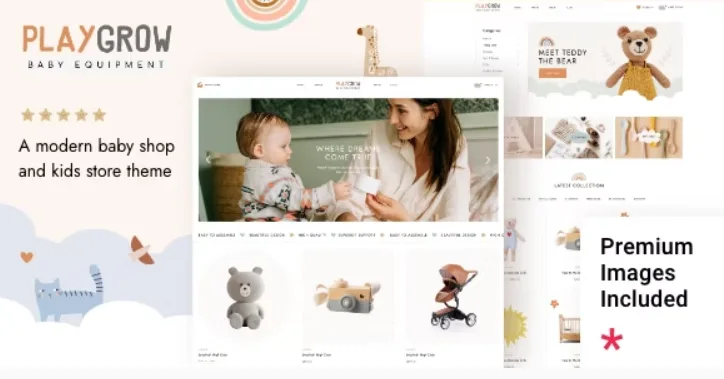
About PlayGrow – Baby Shop and Kids Store Theme
Built for the kids' shop that already knows what it sells
The person who visits a baby or toy shop is almost never the child: it is a parent, or a grandparent, short on time and looking for a specific gift for a specific age. If the site looks like a nursery but makes the product hard to find, that sale is lost. PlayGrow supplies the cheerful look and leaves the catalog in the hands of WooCommerce.
It suits you if you sell children's clothing, toys, baby items or kids' fashion and want to build the pages with Elementor (it is also compatible with WPBakery Page Builder). It is not for you in these cases:
- You will not use WooCommerce: without it you have a theme with a childlike look, but no shop.
- You expect age or size filters ready-made: check in the demo whether what it offers is enough for you; if not, you will have to build them with product attributes and a filter plugin.
- You want a multi-vendor marketplace: the theme is designed for a single shop.
Four homepages and an importable demo to get started
PlayGrow lets you import the demo with one click and comes with four predesigned homepages, plus practical inner pages. If you are building your first shop, it is the quickest way to see how each block looks with real products before you change anything. The sensible approach is to import, replace the texts and images and remove what you do not use, rather than build from scratch.
The four homepages are a starting point, not four different shops: it is best to pick the one closest to your catalog and adapt it.
PlayGrow's header, search and side cart
In a shop, the header is where the buyer decides whether to stay. The theme offers four types (centered, standard, divided and standard enlarged) and several behaviors when scrolling. It also includes:
- Side cart with its own WooCommerce widget, so the order can be reviewed without leaving the page.
- Integrated search and a side area that opens from the header.
- Customizable mega menu, useful if you organize the catalog by age, category or brand.
- Separate logos for mobile, for the light and dark header, and for the sticky header.
Footer
The footer supports one to four columns in the top part and two in the bottom part, with their own widget areas.
Shortcodes for storefronts with movement
The theme includes a wide collection of shortcodes that can be used from Elementor: product list, countdown, counters, pricing tables, testimonials, tabs, progress bar, Google Map, moving text and image banners, image hotspots and order tracking. For a children's shop, the countdown makes sense for campaigns (back to school, Christmas), hotspots to show an outfit or a room, and order tracking to avoid repeated inquiries.
It also includes Slider Revolution for sliders and animated homepage blocks. Many of these shortcodes come from a common base the developer uses across several sectors, so you will see portfolio elements that a shop will not need.
Languages, forms and typography
PlayGrow is translation ready and compatible with WPML, which matters if you sell in more than one language. It is compatible with Contact Form 7 for contact forms and comes with a child theme, which protects your code changes. It offers very detailed typography settings, with separate settings for mobile and over a thousand Google Fonts, plus Font Awesome and a retina-ready design.
Frequently asked questions about PlayGrow
Does it work without WooCommerce?
It installs, but you will not have a shop. To sell you need WooCommerce.
Can I use it with Elementor?
Yes, it is compatible with Elementor and also with WPBakery Page Builder.
Is it suitable for a shop that only sells clothes or only toys?
Yes. It is designed for baby, toy, fashion and children's shops in general, and the colors and sections adapt to your catalog.
Can I run the shop in several languages?
It is compatible with WPML, the plugin that manages translations.
Version history
-
v
1.1 Current 8 Jan 2025
Customer reviews
Sign in to leave a review. Only people who have the product can review it.
No reviews for this product yet.
Frequently asked questions
-
GPL (General Public License) is the license under which WordPress and most premium plugins/themes are distributed. It grants you the right to use, modify and redistribute the software in as many projects as you want, with no domain restrictions.
-
Yes. With membership you get automatic updates via our GPLClub Updater plugin (installed on your WP, detects new versions and applies them). With individual purchase, you get one year of manual updates from your account.
-
Depends on the plan. Monthly: 3 domains. Semi-annual: 7. Annual and Lifetime: 15. Individual purchase: 1 domain.
-
GPLClub offers its own support for installation, configuration and compatibility. For direct support from the original author (feature requests, product-specific bugs), a license purchased from the author is required.