Popping Content
Antivirus scan
Powered by ClamAV
✅ Verified clean
This product file has passed our security filters.
Want to run a fresh ClamAV scan right now? Takes a few seconds and shows scanner version, signature DB and live result.
This can take 5 to 30 seconds.
Clean file Threat detected
No threats detected in this file.
- File
- Size
- Scanned
- ClamAV
- Signature database
⚡ Powered by ClamAV
Scan could not be completed
Report product
If you detected an issue (broken file, malware, inappropriate content, etc.) let us know and we'll review it ASAP.
Sign in to reportNewer version out, or a problem?
About Popping Content
An offer that appears when the visitor is already reading
A shop or a blog often loses visitors who had already reached the middle of an article. The problem is rarely traffic: the offer, the notice or the subscription form shows up where nobody looks, or so early that the person has not decided anything yet.
Popping Content lets you build these overlays with your own rules: a bar that slides up from the footer, a box that slides in from a side or a popup window. What follows is the typical route, from start to finish, so you can see what each step decides.
Sidebars first: create as many as you need
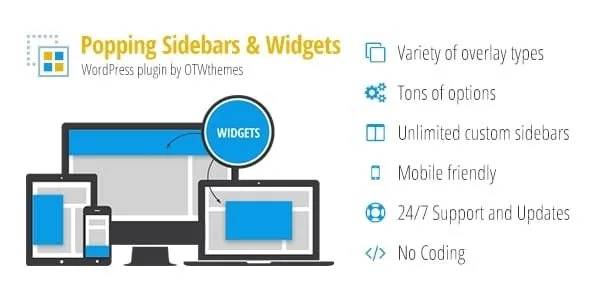
Before designing the overlay, you create the sidebars you want to show, with no limit on how many. Each one then appears under Appearance > Widgets like any other sidebar, so you manage it the same way as the rest. You can align widgets in a column, one below the other as WordPress does by default, or in a row, where they share the bar's width equally.
Frequently asked questions about Popping Content
How many sidebars can I create?
As many as you need. The plugin allows unlimited custom sidebars, and you can place them in your overlays afterwards.
Can I show a widget I already have in an overlay?
Yes. Any sidebar or widget can be placed inside an overlay, so you do not have to rebuild content that already works on your site.
Can it help shops recover abandoned carts?
Yes, with WooCommerce. The overlay can be triggered when the visitor tries to leave the page, as long as the cart has products in it.
Do I need to know how to code to change the design?
No. Each overlay is laid out with a drag-and-drop editor, and if you want finer adjustments you can add your own CSS.
Bar, side box or window: how each overlay is placed
There are three types of overlay.
- Full bars: they sit at the header, footer, left or right. They can push the page content or sit over it, stay fixed on screen or scroll with the page, and enter with a slide or fade.
- Side boxes: with the same positions and animations as the bars, in a box.
- Popups: lightbox-style windows, with seven animations and their own styling for the background and the box.
When the overlay appears and on which pages: events, periods and visibility
The overlay opens with an event you choose: on page load, with a delay, after a number of page views, after a certain time on the site, when the visitor tries to leave, when they scroll to an id, a class or a percentage of the page, or from a link, a button or a WordPress menu. You can also choose how it closes: until the next page load, with a button with custom text, HTML or icons, for a number of page loads or days, with no close button, or when they scroll to an id or class.
Activation periods have no limit: you set start and end dates, days of the week and time slots. Visibility can be limited to a set of pages, posts, categories, tags, custom post types and taxonomies, templates, user roles or WPML languages. To target WooCommerce, bbPress or BuddyPress pages, those plugins must be active on your site.
Shaping the overlay in Popping Content without touching code
Styling is adjusted from the plugin's own interface: shadows, borders, rounded corners, background color or pattern image, show and hide buttons, animations and inner padding. If the theme already defines the style of the main HTML tags, the overlay follows it, and the unique classes assigned to each overlay let you fine-tune the style with CSS.
Block-based layout uses OTW Grid Manager: you drag and drop elements, resize, clone or delete them, insert the sidebars into the grid and save the layout as a template to reuse. Operations use Ajax, so you do not wait for pages to reload. The plugin is also ready for translation with .po and .mo files, following WordPress internationalization standards.
Version history
-
v
1.22 Current 8 Jun 2026
-
v
1.21 30 May 2024
Customer reviews
Sign in to leave a review. Only people who have the product can review it.
No reviews for this product yet.
Frequently asked questions
-
GPL (General Public License) is the license under which WordPress and most premium plugins/themes are distributed. It grants you the right to use, modify and redistribute the software in as many projects as you want, with no domain restrictions.
-
Yes. With membership you get automatic updates via our GPLClub Updater plugin (installed on your WP, detects new versions and applies them). With individual purchase, you get one year of manual updates from your account.
-
Depends on the plan. Monthly: 3 domains. Semi-annual: 7. Annual and Lifetime: 15. Individual purchase: 1 domain.
-
GPLClub offers its own support for installation, configuration and compatibility. For direct support from the original author (feature requests, product-specific bugs), a license purchased from the author is required.