Popup Maker - Leaving Notices
Antivirus scan
Powered by ClamAV
✅ Verified clean
This product file has passed our security filters.
Want to run a fresh ClamAV scan right now? Takes a few seconds and shows scanner version, signature DB and live result.
This can take 5 to 30 seconds.
Clean file Threat detected
No threats detected in this file.
- File
- Size
- Scanned
- ClamAV
- Signature database
⚡ Powered by ClamAV
Scan could not be completed
Report product
If you detected an issue (broken file, malware, inappropriate content, etc.) let us know and we'll review it ASAP.
Sign in to report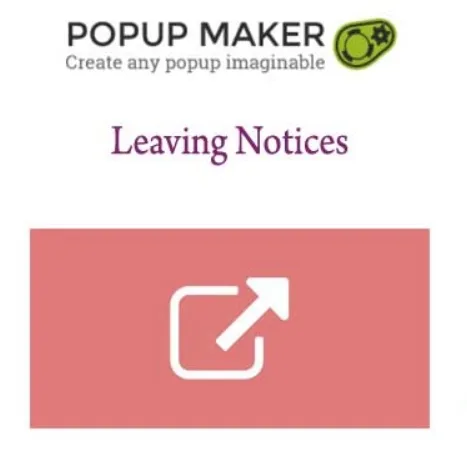
About Popup Maker - Leaving Notices
If your banking, investment or online store site links to third parties and someone asks you to warn the visitor
A link to someone else's website looks harmless until someone in management, in advisory or in compliance asks: "does the visitor know they are no longer with us?". This plugin answers that question with a popup that warns that the link leads to an external site.
It fits sectors where that notice is common or required: investment firms, banks, online stores. Before buying it, be clear about its limits:
- It needs Popup Maker installed. It is an extension of that plugin and does not work on its own.
- It is not a lead-capture popup. It is no use for exit intent, newsletters or offers: its only job is to warn about an exit.
- It does not write your legal text. You define the message, and what it must say is for someone who knows your sector's regulations to decide.
Visitors don't tell your site apart from the one you link to
For the person browsing, a click from your page is an implicit recommendation. If the destination site looks different, has other conditions or asks for data, it feels as if you vouch for it. Businesses that handle money notice this first: doubts arrive when something goes wrong on a site that isn't even theirs.
The exit notice puts a visible border at the right moment, just before it is crossed. It doesn't protect by magic, but it makes clear that the next destination is another one and that the visitor decides whether to continue.
A shortcode instead of a settings screen
The notices are activated by adding a shortcode, not by ticking options in a panel. It is edited with Popup Maker's shortcode interface and with a preview in the editor, so you see the result while you build it, without saving and reloading to check.
What to look at in the Popup Maker - Leaving Notices demo
Since it depends on your specific links, it is worth testing three things before deciding:
- How the notice looks with your site's design and with the text you plan to use.
- How it behaves on mobile, where links are most often tapped without reading.
- How it applies to your real external links: ask whether you need to warn on all of them or only some.
Frequently asked questions about Popup Maker - Leaving Notices
Does it work without the Popup Maker plugin?
No. It is an extension and needs Popup Maker active on the same site.
Does it make me legally compliant?
No. It gives you the mechanism to show the notice. If your sector requires something specific, the text and timing must be validated with someone who knows those regulations.
Does it also work as an exit popup to capture emails?
No. Its function is to warn that someone is leaving your site through a link. To capture visitors who are leaving, you need another type of popup.
Can I see how it looks before publishing it?
Yes. The shortcode is edited with a preview in the editor, so you review the notice before any visitor sees it.
Topics
Version history
-
v
1.1.2 Current 16 May 2024
Customer reviews
Sign in to leave a review. Only people who have the product can review it.
No reviews for this product yet.
Frequently asked questions
-
GPL (General Public License) is the license under which WordPress and most premium plugins/themes are distributed. It grants you the right to use, modify and redistribute the software in as many projects as you want, with no domain restrictions.
-
Yes. With membership you get automatic updates via our GPLClub Updater plugin (installed on your WP, detects new versions and applies them). With individual purchase, you get one year of manual updates from your account.
-
Depends on the plan. Monthly: 3 domains. Semi-annual: 7. Annual and Lifetime: 15. Individual purchase: 1 domain.
-
GPLClub offers its own support for installation, configuration and compatibility. For direct support from the original author (feature requests, product-specific bugs), a license purchased from the author is required.