Post Custom Templates
Antivirus scan
Powered by ClamAV
✅ Verified clean
This product file has passed our security filters.
Want to run a fresh ClamAV scan right now? Takes a few seconds and shows scanner version, signature DB and live result.
This can take 5 to 30 seconds.
Clean file Threat detected
No threats detected in this file.
- File
- Size
- Scanned
- ClamAV
- Signature database
⚡ Powered by ClamAV
Scan could not be completed
Report product
If you detected an issue (broken file, malware, inappropriate content, etc.) let us know and we'll review it ASAP.
Sign in to reportNewer version out, or a problem?
About Post Custom Templates
A recipe blog with Post Custom Templates and one layout per category
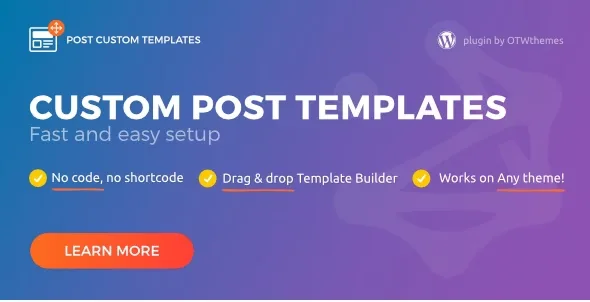
Many content sites show all their posts with the same structure, even though a recipe, a restaurant review and a tutorial need to show different things. Changing that look usually means editing theme files or paying for custom development, which is exactly what a blog owner wants to avoid. Post Custom Templates is built for that: you design the single post layout with a visual builder and apply it wherever it is needed.
The process starts in the drag and drop builder, where every layout is responsive by default. Then you add the elements that make up the post:
- Title, media, description and metadata
- WordPress and Facebook comments
- Previous and next navigation, tabs, reviews and related posts
- Social icons, author info, breadcrumbs, ads, sidebars and shortcodes
You can rearrange them by dragging and change the position of any of them whenever you want. Whatever you do not want to see can be disabled.
Common questions before building a layout with Post Custom Templates
Do I need to know how to code?
No. Everything is done with the drag and drop builder, without touching code or theme files.
Can I have a layout for each category?
Yes. Each layout can be applied to all posts, to one category or to a single post, and switched with one click.
Does it come with ready-made layouts?
Yes, it includes 18 ready to use templates, which you can see in the plugin's live demo.
What types of media can I show?
Besides the WordPress featured image, you can use a slider, YouTube or Vimeo videos, or a SoundCloud track.
Does it work with any theme?
Yes. The plugin works with any WordPress theme.
Applying the recipe layout only to the cooking category
Once the layout is ready, one click is enough to use it in place of the theme's template. You can apply it to all posts, to all posts in a category or to a single post. You can edit it any time.
Each row of the layout has its own settings: background color, image, pattern or video as background, gradients, background filters and parallax effects. You can also set animation, make the row full width and give it its full height.
Media, metadata and tabs that change how the post is read
Post metadata (categories, tags, author, date, comments and visits) can be rearranged, shown vertically instead of horizontally and displayed with icons instead of labels. For the main media, besides the WordPress featured image you can use a slider, a YouTube or Vimeo video or a SoundCloud track. From the plugin options you set the width, height and formats, and you can add alt and title tags automatically to improve image SEO. If you enable the lightbox, a click on the media opens it enlarged.
Tabs and reviews have no limit: add as many as you need, each with a title and content, and tabs accept HTML and shortcodes. Post fields work the same way, with no limit on how many you add, to attach extra data to each post.
Social buttons, Facebook comments and related posts
Like and share buttons come in a variety of styles, or you can use your own. Facebook comments are added to single posts with a simple setup.
Related posts are chosen by category, by tag or by hand, post by post, to increase traffic to other posts too.
Version history
-
v
1.17 Current 8 Jan 2025
Customer reviews
Sign in to leave a review. Only people who have the product can review it.
No reviews for this product yet.
Frequently asked questions
-
GPL (General Public License) is the license under which WordPress and most premium plugins/themes are distributed. It grants you the right to use, modify and redistribute the software in as many projects as you want, with no domain restrictions.
-
Yes. With membership you get automatic updates via our GPLClub Updater plugin (installed on your WP, detects new versions and applies them). With individual purchase, you get one year of manual updates from your account.
-
Depends on the plan. Monthly: 3 domains. Semi-annual: 7. Annual and Lifetime: 15. Individual purchase: 1 domain.
-
GPLClub offers its own support for installation, configuration and compatibility. For direct support from the original author (feature requests, product-specific bugs), a license purchased from the author is required.