Post Layouts Pro for Gutenberg
Antivirus scan
Powered by ClamAV
✅ Verified clean
This product file has passed our security filters.
Want to run a fresh ClamAV scan right now? Takes a few seconds and shows scanner version, signature DB and live result.
This can take 5 to 30 seconds.
Clean file Threat detected
No threats detected in this file.
- File
- Size
- Scanned
- ClamAV
- Signature database
⚡ Powered by ClamAV
Scan could not be completed
Report product
If you detected an issue (broken file, malware, inappropriate content, etc.) let us know and we'll review it ASAP.
Sign in to reportNewer version out, or a problem?
About Post Layouts Pro for Gutenberg
A blog listing with the same grid starts to look like an archive
When you publish every day, the posts page and the blog section of the homepage keep showing the same cards, and readers stop paying attention to them. Post Layouts Pro for Gutenberg lets you change that look without coding, choosing the layout of each listing from the block editor itself, where you see the result before checking it on the public web.
Three situations where the post listing changes
The personal blog that wants a different look
If you write the posts yourself and don't want the posts page to look the same every time, you can alternate between grids and lists. This is the case that best fits the idea of showing a different style each day. You can see each layout in the editor before checking it on the public web.
The homepage with a block of recent posts
If you want to show the latest posts on the home page, that block's design has to catch the eye without taking over the whole page. With up to four columns in the grid, you can give that section more weight.
Blogs with posts filtered by category or author
When each section of the site groups posts by category or by author, every listing needs its own design to stand out from the rest. Think about which categories deserve a grid with images and which work better as a simple list.
Ten grid layouts and five list layouts in Post Layouts Pro for Gutenberg
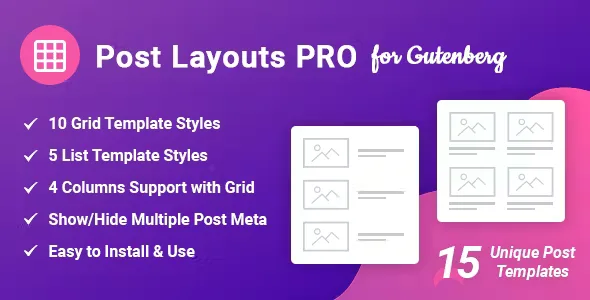
The plugin adds 10 grid templates and 5 list templates, and in the grid you can display up to 4 columns. These are the options you can adjust in each listing:
- Show or hide several data fields of each post.
- Choose and change the text of the 'Read more' link.
- Sort by date, from newest to oldest or the reverse, or by title, from A to Z or Z to A.
Each template has a clean design and adapts to any device.
The featured image and the share buttons
You can choose whether the featured image shows in landscape or square format. There are also styles of social media share buttons.
Frequently asked questions about Post Layouts Pro for Gutenberg
Do I need anything else to use it?
You need WordPress with the block editor active, because the plugin is designed for Gutenberg. You don't need to know how to code.
Can I display posts in four columns?
Yes. The grid supports up to four columns.
Can I change the text of the 'Read more' link?
Yes, that text can be chosen and changed from the plugin's options.
Can I sort the listing alphabetically?
Yes, you can sort from A to Z or Z to A, as well as by date, from newest to oldest or the reverse.
Only with the block editor, not the classic editor
Post Layouts Pro for Gutenberg is designed for the WordPress block editor and not for sites that still use the classic editor. If your site still uses the classic one, this plugin won't work for you as it is.
Topics
Version history
-
v
1.0.4 Current 8 May 2024
Customer reviews
Sign in to leave a review. Only people who have the product can review it.
No reviews for this product yet.
Frequently asked questions
-
GPL (General Public License) is the license under which WordPress and most premium plugins/themes are distributed. It grants you the right to use, modify and redistribute the software in as many projects as you want, with no domain restrictions.
-
Yes. With membership you get automatic updates via our GPLClub Updater plugin (installed on your WP, detects new versions and applies them). With individual purchase, you get one year of manual updates from your account.
-
Depends on the plan. Monthly: 3 domains. Semi-annual: 7. Annual and Lifetime: 15. Individual purchase: 1 domain.
-
GPLClub offers its own support for installation, configuration and compatibility. For direct support from the original author (feature requests, product-specific bugs), a license purchased from the author is required.