Presto Player WordPress Plugin
Antivirus scan
Powered by ClamAV
✅ Verified clean
This product file has passed our security filters.
Want to run a fresh ClamAV scan right now? Takes a few seconds and shows scanner version, signature DB and live result.
This can take 5 to 30 seconds.
Clean file Threat detected
No threats detected in this file.
- File
- Size
- Scanned
- ClamAV
- Signature database
⚡ Powered by ClamAV
Scan could not be completed
Report product
If you detected an issue (broken file, malware, inappropriate content, etc.) let us know and we'll review it ASAP.
Sign in to report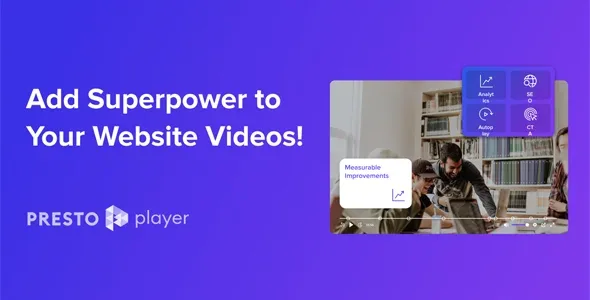
About Presto Player WordPress Plugin
If your video's URL can be found, your course is already free
Putting video on WordPress often ends badly: a YouTube embed with ads and suggestions from your competitors, a heavy file that slows the page down, or a link that someone copies and shares. For anyone selling courses or paid content, the video is the product and the address that serves it is the key. Presto Player is a WordPress video player built to control where the video comes from, who watches it and what the viewer does afterwards.
A walkthrough with Presto Player: from a loose video to a protected lesson
Imagine you are preparing the first lesson of a paid course. This would be the path.
1. Decide where the video lives
You can upload it to the plugin's Media Hub or add it from YouTube, Vimeo or Bunny.net; any service that gives you a public link works. Self-hosting or Bunny Stream are also options. Note: Presto Player plays and protects the video, but storage and bandwidth depend on the option you choose.
2. Shape the player
Add an overlay image, enable muted autoplay, pick a preset and mark chapters so students can jump to the part they want. For courses there is adjustable playback speed, picture in picture and a 10-second skip.
3. Close the door
Mark the video as private and only a logged-in user will see it. Links are dynamic and expire, so digging through the page's HTML will not reveal the URL. Optionally, a watermark with the logged-in user's details discourages screen recording. It discourages it, it does not prevent it. And since privacy relies on login, your site needs a user or membership system that decides who gets in.
4. Place it in the lesson
There are Gutenberg blocks, Elementor widgets and modules for Beaver Builder and Divi. With any other builder, the shortcode from the Media Hub does the job. If you use LearnDash, it works with its video progression.
Questions before setting up your videos
Does Presto Player host my files?
It supports several sources: the Media Hub, self-hosting, Bunny Stream or external services. You choose where each video is stored.
Can I use YouTube and Vimeo videos?
Yes, and also any host that gives you a public link to the video.
Does it play audio?
Yes. It includes an audio block with the same tools as the video one: email gates, action bar and calls to action.
Can I ask for an email before letting people watch the video?
Yes, with mandatory or optional forms that appear at the moment you choose.
For marketing and podcasts: the action happens inside the player
Beyond courses, the plugin serves anyone who wants video or audio to lead to something more:
- Calls to action over the video, even several, to take the viewer to the next step.
- Lead capture with forms and connections to email marketing and LMS platforms to automate follow-up.
- Tracking of view time and retention through Google Analytics, which you need to have already set up on your site.
If you run a podcast, you can put an audio player on pages and posts, present episodes and reserve audio for selected members.
Topics
Version history
-
v
3.3.1 Current 16 Sep 2026
-
v
3.3.0 5 Sep 2026
-
v
3.2.3 5 Aug 2026
-
v
3.1.4 14 Apr 2026
Customer reviews
Sign in to leave a review. Only people who have the product can review it.
No reviews for this product yet.
Frequently asked questions
-
GPL (General Public License) is the license under which WordPress and most premium plugins/themes are distributed. It grants you the right to use, modify and redistribute the software in as many projects as you want, with no domain restrictions.
-
Yes. With membership you get automatic updates via our GPLClub Updater plugin (installed on your WP, detects new versions and applies them). With individual purchase, you get one year of manual updates from your account.
-
Depends on the plan. Monthly: 3 domains. Semi-annual: 7. Annual and Lifetime: 15. Individual purchase: 1 domain.
-
GPLClub offers its own support for installation, configuration and compatibility. For direct support from the original author (feature requests, product-specific bugs), a license purchased from the author is required.