QuoteMate – WooCommerce Get A Quote By WhatsApp
Antivirus scan
Powered by ClamAV
✅ Verified clean
This product file has passed our security filters.
Want to run a fresh ClamAV scan right now? Takes a few seconds and shows scanner version, signature DB and live result.
This can take 5 to 30 seconds.
Clean file Threat detected
No threats detected in this file.
- File
- Size
- Scanned
- ClamAV
- Signature database
⚡ Powered by ClamAV
Scan could not be completed
Report product
If you detected an issue (broken file, malware, inappropriate content, etc.) let us know and we'll review it ASAP.
Sign in to reportNewer version out, or a problem?
About QuoteMate – WooCommerce Get A Quote By WhatsApp
Orders that stall before checkout
QuoteMate can increase your sales volume by giving your possible customers the opportunity to interact with you before buying.
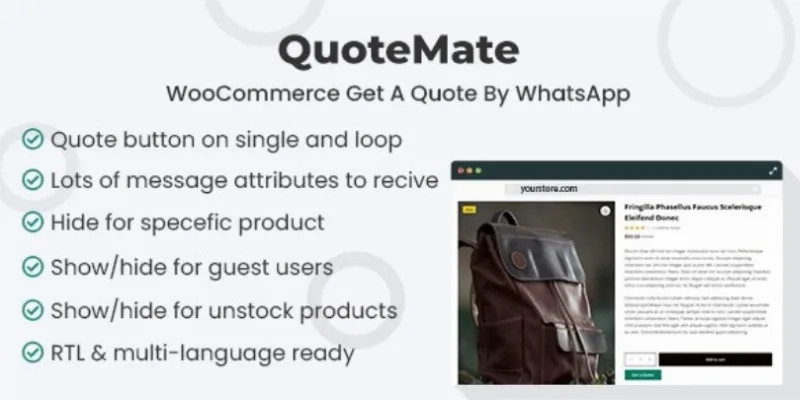
QuoteMate adds a button to request a quote on the product listing or on each product's single page. When clicked, a popup form opens where the customer writes to you, and the inquiry is sent through WhatsApp. It is a way to talk with the buyer before they buy.
Three store situations that need a different button
Not every catalog needs the button everywhere. Depending on how you sell, QuoteMate lets you choose who sees it and on which products it appears.
Stores that sell by quote
If every order is calculated to measure, the button can appear across the whole catalog. The WhatsApp message can include many product attributes dynamically.
Catalogs with products in stock and others sold out
You can show the button only on featured products, only on out-of-stock products or only on those on backorder.
Audiences that must register
The button can be enabled only for logged-in users, only for visitors without an account or for everyone. This way you can reserve quotes for registered customers or let anyone request a quote without creating an account.
What the store can adjust in the QuoteMate button
Much of the content and appearance can be adjusted from the plugin's options.
- The fields of the popup form, which you can change from the options.
- The WhatsApp message template, with many attributes available.
- The look of the popup window.
- Custom CSS option.
- Ready for RTL and multi-language sites.
Requires WooCommerce installed and active to show the button
QuoteMate is an add-on for WooCommerce and requires WooCommerce to be installed and active, because the button is placed on the listings and product pages of that store.
Frequently asked questions about QuoteMate
Can I show the button only on some products?
Yes. You can show it on all products or only on featured, out-of-stock or backorder products.
Does the customer need an account?
Not necessarily. You can limit the button to logged-in users, to visitors without an account, or leave it for everyone.
Can I change the data that goes into the message?
Yes. The message template is edited from the plugin options and accepts many product attributes.
Does it work if my site has several languages?
Yes, the plugin is ready for several languages and for sites written right to left.
Copying settings and a button on any product
If you manage several stores, the backup option lets you reuse the same settings on another website.
The shortcode [qutemate-button id="PRODUCT_ID"] also displays the quote button for any product, replacing PRODUCT_ID with the product's ID.
Topics
Version history
-
v
1.0.4 Current 13 Jan 2026
Customer reviews
Sign in to leave a review. Only people who have the product can review it.
No reviews for this product yet.
Frequently asked questions
-
GPL (General Public License) is the license under which WordPress and most premium plugins/themes are distributed. It grants you the right to use, modify and redistribute the software in as many projects as you want, with no domain restrictions.
-
Yes. With membership you get automatic updates via our GPLClub Updater plugin (installed on your WP, detects new versions and applies them). With individual purchase, you get one year of manual updates from your account.
-
Depends on the plan. Monthly: 3 domains. Semi-annual: 7. Annual and Lifetime: 15. Individual purchase: 1 domain.
-
GPLClub offers its own support for installation, configuration and compatibility. For direct support from the original author (feature requests, product-specific bugs), a license purchased from the author is required.