reCAPTCHA Plugin for WooCommerce
Antivirus scan
Powered by ClamAV
✅ Verified clean
This product file has passed our security filters.
Want to run a fresh ClamAV scan right now? Takes a few seconds and shows scanner version, signature DB and live result.
This can take 5 to 30 seconds.
Clean file Threat detected
No threats detected in this file.
- File
- Size
- Scanned
- ClamAV
- Signature database
⚡ Powered by ClamAV
Scan could not be completed
Report product
If you detected an issue (broken file, malware, inappropriate content, etc.) let us know and we'll review it ASAP.
Sign in to report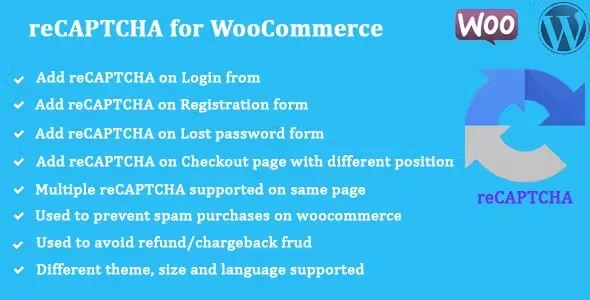
About reCAPTCHA Plugin for WooCommerce
Fake accounts and spam comments: the noise that never shows up in your sales
Signing up, logging in or commenting are open doors that bots walk through every day. The result is a customer base full of fake accounts, repeated login attempts and spam comments. That traffic does not show up in your sales figures, but it pollutes your customer lists and your emails. reCAPTCHA Plugin for WooCommerce puts Google's challenge on those doors, one by one, so you decide where you want the barrier.
A walkthrough with reCAPTCHA Plugin for WooCommerce, from account to checkout
Picture a store with customer accounts and a checkout. This is how you set it up:
- First, the Google keys. You get them from Google reCAPTCHA and paste them into the settings.
- Then, WooCommerce login and registration. You enable the captcha on both forms. If they share a page, it works on both at once.
- Lost password. It is a form that is often forgotten and that bots hit too; it has its own switch.
- WordPress login, registration and comments. If your site also uses the native forms, you can protect them the same way.
- Checkout. You choose whether the captcha appears at checkout and at exactly which point.
To make it fit your design you can change the reCAPTCHA theme and size, write your own error message and choose the language it is displayed in. If you use WPML, the captcha language can follow the language of the page being viewed.
Where to place reCAPTCHA at checkout without getting in the way of the purchase
Checkout is where you want the least friction, so position matters. The plugin offers several:
- Before the checkout form.
- After the checkout form.
- Inside the order review (before or after it).
- Right before the place order button.
There is also an option to show the captcha after a few failed attempts at checkout, instead of asking for it every time, and it can be added to the payment page of a pending order. Test each position in your own theme: a badly placed captcha on mobile is an excuse to abandon the cart.
Questions before installing reCAPTCHA Plugin for WooCommerce
Do I need a Google account?
Yes. You need the reCAPTCHA keys generated by Google.
Does it protect my contact forms or those of other plugins?
What it offers are the WooCommerce forms (login, registration, lost password and checkout) and the WordPress login, registration and comment forms. Do not count on it covering third-party forms.
Can I have two captchas on the same page?
Yes, for example when login and registration share a single page: the captcha works on both.
Can I change the look and the language?
Yes: theme, size, language and the text of the error message are all configurable.
A captcha stops bots, it does not replace the rest of your security
Think of this plugin as a barrier on specific forms, not as a firewall or an antivirus: it does not protect what does not carry a captcha. Also, reCAPTCHA loads Google resources on your site, so check how you reflect that in your cookie and privacy policies. And check in the demo how it looks on mobile before putting it on your checkout.
Topics
Version history
-
v
1.2.2 Current 8 Jan 2025
Customer reviews
Sign in to leave a review. Only people who have the product can review it.
No reviews for this product yet.
Frequently asked questions
-
GPL (General Public License) is the license under which WordPress and most premium plugins/themes are distributed. It grants you the right to use, modify and redistribute the software in as many projects as you want, with no domain restrictions.
-
Yes. With membership you get automatic updates via our GPLClub Updater plugin (installed on your WP, detects new versions and applies them). With individual purchase, you get one year of manual updates from your account.
-
Depends on the plan. Monthly: 3 domains. Semi-annual: 7. Annual and Lifetime: 15. Individual purchase: 1 domain.
-
GPLClub offers its own support for installation, configuration and compatibility. For direct support from the original author (feature requests, product-specific bugs), a license purchased from the author is required.