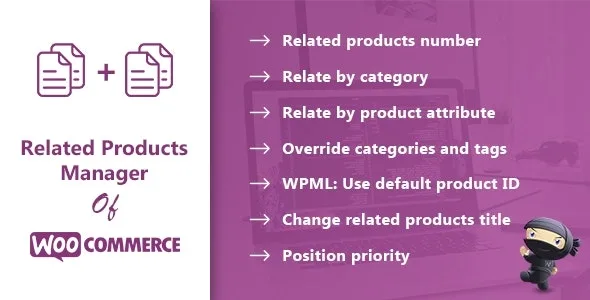
Related Products Manager Pro for WooCommerce
Antivirus scan
Powered by ClamAV
✅ Verified clean
This product file has passed our security filters.
Want to run a fresh ClamAV scan right now? Takes a few seconds and shows scanner version, signature DB and live result.
This can take 5 to 30 seconds.
Clean file Threat detected
No threats detected in this file.
- File
- Size
- Scanned
- ClamAV
- Signature database
⚡ Powered by ClamAV
Scan could not be completed
Report product
If you detected an issue (broken file, malware, inappropriate content, etc.) let us know and we'll review it ASAP.
Sign in to reportNewer version out, or a problem?
About Related Products Manager Pro for WooCommerce
Making the related block suggest what the customer wants to buy
In a shop, the related products block is one of the few areas the customer reads before deciding whether to add anything else to the cart. If items unrelated to what they are looking at appear, they skip that step and the block stops helping. Related Products Manager Pro for WooCommerce lets you decide what appears in that area yourself.
The plugin customizes the associated products in WooCommerce and is fully compatible with popular page builders like Elementor and WPBakery.
How you choose which products appear below each product page
You can relate products in four ways:
- By category: products from the same category as the open one appear.
- By tag: products that share a tag with it appear.
- By attribute: products are related according to their attributes. If you use a global attribute, you write its slug in the attribute name field, and the plugin offers both global and local attributes.
- Manually: each product page has its own box where you choose related products, categories and tags. It works for linking products that do not share a category or tag, and for removing relations product by product.
Category and tag rules can also be combined with manual or attribute relations: you can choose whether they replace that relation or are added together with AND or with OR.
How many products Related Products Manager Pro shows and in what order
You decide how many related products appear and in how many columns. The order can be random, by date, title, ID, modified date, menu order or price, in ascending or descending direction. With random order, the direction does not apply.
You can also exclude specific categories or tags so they do not appear as related, and hide related products globally if you do not want that block in the shop.
Position is configurable: before the single product, before the summary, inside the summary, after the summary or after the title. The section title can also be changed, and it accepts shortcodes. Both position and title can be enabled or disabled.
Relating by category or by hand: which suits your shop
Automatic relations by category, tag or attribute depend on how you have classified your catalog.
- Requires WooCommerce to be active, because it modifies WooCommerce's related products.
- It is compatible with popular page builders like Elementor and WPBakery.
- With global attributes, you write the attribute slug in the attribute name field.
If a change does not show up in the shop right away, the plugin indicates that you may need to clear the product transients. Another option is to update each product separately, which also removes its transients.
Frequently asked questions about Related Products Manager Pro for WooCommerce
Do I need WooCommerce to use it?
Yes. Related Products Manager Pro for WooCommerce modifies WooCommerce's related products, so WooCommerce must be active.
Does it work with Elementor?
Yes, the plugin is compatible with popular page builders like Elementor and WPBakery.
Can I hide related products across the whole shop?
Yes, there is an option to hide them globally.
Why don't I see the changes in the shop?
The plugin indicates that you may need to clear the product transients for changes to show right away. You can also update each product separately, which removes its transients.
What do I enter in the attribute field if I use a global one?
The slug of the global attribute, written in the attribute name field.
Topics
Version history
-
v
1.18 Current 4 May 2026
Customer reviews
Sign in to leave a review. Only people who have the product can review it.
No reviews for this product yet.
Frequently asked questions
-
GPL (General Public License) is the license under which WordPress and most premium plugins/themes are distributed. It grants you the right to use, modify and redistribute the software in as many projects as you want, with no domain restrictions.
-
Yes. With membership you get automatic updates via our GPLClub Updater plugin (installed on your WP, detects new versions and applies them). With individual purchase, you get one year of manual updates from your account.
-
Depends on the plan. Monthly: 3 domains. Semi-annual: 7. Annual and Lifetime: 15. Individual purchase: 1 domain.
-
GPLClub offers its own support for installation, configuration and compatibility. For direct support from the original author (feature requests, product-specific bugs), a license purchased from the author is required.