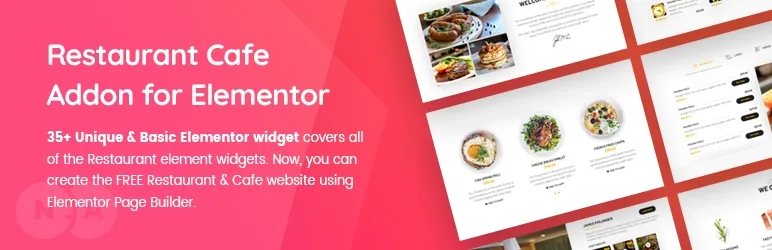
Restaurant & Cafe Addon for Elementor
Antivirus scan
Powered by ClamAV
✅ Verified clean
This product file has passed our security filters.
Want to run a fresh ClamAV scan right now? Takes a few seconds and shows scanner version, signature DB and live result.
This can take 5 to 30 seconds.
Clean file Threat detected
No threats detected in this file.
- File
- Size
- Scanned
- ClamAV
- Signature database
⚡ Powered by ClamAV
Scan could not be completed
Report product
If you detected an issue (broken file, malware, inappropriate content, etc.) let us know and we'll review it ASAP.
Sign in to reportNewer version out, or a problem?
About Restaurant & Cafe Addon for Elementor
A restaurant website that shows the menu, not a brochure
Many restaurants and cafés have a website that only takes up space: the menu is a PDF nobody can find on a phone, the photos of the venue have stayed the same for years, and the opening hours don't match the ones on the door. The problem is usually that building each block by hand takes time and something always ends up unresolved.
Restaurant & Cafe Addon for Elementor brings those blocks together in one add-on: galleries, menu, team, hours, offers and other elements designed for a food or coffee venue. It lets you build a restaurant website without technical knowledge.
Basic and unique elements: what the add-on includes
The add-on is split into two groups. The basic elements number more than 20 and suit almost any website: gallery, blog, services, contact, app download section, about us, slider, history, charts, team, testimonials, tables, video or separators.
The unique elements number more than 30 and are designed for a food business. Among them are these:
- Addon Menu, Food Menu, Food Item and Food Tab.
- Food Banner, Gift Card and Offers.
- Chefs Recipe, Specialties and Ingredients.
- Working Hours, Branches and Restaurants.
There are also other blocks such as Open Table, Rooms or Particular Recipe. Each element is adjusted through its own fields, and the add-on includes shortcodes to build more complex designs without writing code.
Menu connected to WooCommerce
Four elements are integrated with WooCommerce: Product Addon Menu, Product Filter, Product Food Item and Product Food Menu. These elements require WooCommerce to be active.
Several WooCommerce elements are marked as pro
The four WooCommerce elements carry the pro label, and so do Addon Menu, Gift Card, Open Table or Food Banner. Before building your menu, check which of these blocks fall within what you plan to use.
Frequently asked questions about Restaurant & Cafe Addon
Will more widgets be added?
Yes. The add-on is expected to keep gaining widgets and layouts over time, and to add more customization options.
Is there a demo to start with?
Yes. There is a full demo that imports with one click, plus demos of the basic and unique elements so you can see how they look before building anything.
Can I change the design of each element?
Yes. Each element has its own fields to adjust its look, and the shortcodes let you create complex designs without code.
Elementor as the base of Restaurant & Cafe Addon
It needs Elementor installed and active, because it is an add-on that extends its widgets. It works with any WordPress theme that Elementor works with.
If your website revolves around the menu, the menu elements are the starting point. If you also sell through WooCommerce, check that integration's elements and their pro label first. The full demo lets you see the whole set before you decide.
Topics
Version history
-
v
1.6.4 Current 18 Mar 2025
Customer reviews
Sign in to leave a review. Only people who have the product can review it.
No reviews for this product yet.
Frequently asked questions
-
GPL (General Public License) is the license under which WordPress and most premium plugins/themes are distributed. It grants you the right to use, modify and redistribute the software in as many projects as you want, with no domain restrictions.
-
Yes. With membership you get automatic updates via our GPLClub Updater plugin (installed on your WP, detects new versions and applies them). With individual purchase, you get one year of manual updates from your account.
-
Depends on the plan. Monthly: 3 domains. Semi-annual: 7. Annual and Lifetime: 15. Individual purchase: 1 domain.
-
GPLClub offers its own support for installation, configuration and compatibility. For direct support from the original author (feature requests, product-specific bugs), a license purchased from the author is required.