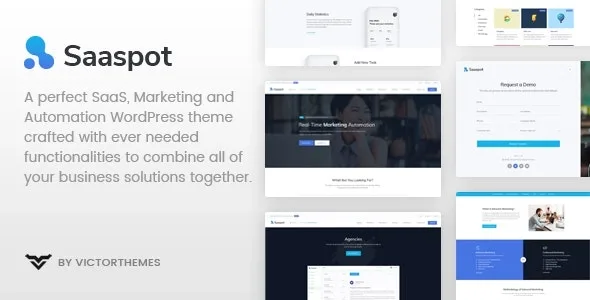
SaaSpot – SaaS Marketing Automation WordPress Theme
Antivirus scan
Powered by ClamAV
✅ Verified clean
This product file has passed our security filters.
Want to run a fresh ClamAV scan right now? Takes a few seconds and shows scanner version, signature DB and live result.
This can take 5 to 30 seconds.
Clean file Threat detected
No threats detected in this file.
- File
- Size
- Scanned
- ClamAV
- Signature database
⚡ Powered by ClamAV
Scan could not be completed
Report product
If you detected an issue (broken file, malware, inappropriate content, etc.) let us know and we'll review it ASAP.
Sign in to reportNewer version out, or a problem?
About SaaSpot – SaaS Marketing Automation WordPress Theme
A SaaS website has to explain a product nobody can touch
People who buy software aren't buying an object: they're buying a promise they need to understand before paying. That's why many SaaS company websites fall short, with a homepage that says a lot, prices that are hard to compare and demos the visitor can't find. SaaSpot is a WordPress theme built for that sales stage, with conversion pages, plans and comparisons designed to explain the product.
Conversion pages, demos and pricing plans
The homepage and conversion pages are built with Elementor, the page builder the theme integrates. Among its pieces is a section for requesting a demo, where you show how the service works before the customer pays, and a pricing plans section where you can add extra features to each tier to justify the price.
- Competitor comparisons, to show how your product differs.
- Personal plans comparison.
- App landing page meant to show your product works on Mac OS, Windows and Android, with browser extensions.
Languages, forms and connected mailing lists
If your SaaS sells in several languages, the theme is compatible with WPML to translate the site into whatever languages you need. Forms are built with Contact Form 7, the industry standard, and the theme integrates with it without losing functionality.
To connect MailChimp, activate its plugin and enter your account details. From there, the theme handles the visual side of the integration, so lead capture, the landing page and the mailing list work as one package.
Design and customization without coding, with Google Fonts and maps
Colors for each part of the site change live in the Customizer, and typography, headings, footers and spacing are controlled from an options panel. There are more than 790 Google Fonts available, you can upload your own and adjust weights and line heights. For maps, the integration with the Google Maps API lets you combine several visual styles in one area.
It includes FontAwesome and Line Icons libraries, and a layout that adapts to mobile devices and retina screens.
Demo images are not included
The photos in the demos come from Unsplash and Shutterstock and are only there to show the design. They are not part of the template, so you will need to add your own images.
Frequently asked questions about SaaSpot
Do I need Elementor to build the pages?
In practice, yes: the theme is integrated with Elementor, and its homepage and conversion page sections are built with that page builder.
Can I have the website in several languages?
Yes, the theme is compatible with WPML, the plugin you use to translate the site.
Can I change colors and typography without coding?
Yes. Colors are previewed live in the Customizer, and typography is adjusted from the theme options panel.
Can I make CSS changes and keep them?
Yes. With a child theme, your CSS changes stay separate from the main theme.
What suits SaaSpot best: a SaaS product website with several sales pages
SaaSpot suits a software company that needs a homepage explaining the product, plan pages with features per tier, comparisons against competitors and a page for each platform where it's used. The broader the site, the more you get from those pieces. If you only need a single lead capture page, part of what it includes will go unused.
Before deciding, check what you need to set up yourself: Elementor to build the pages, WPML if you'll have several languages, Contact Form 7 for forms, and the MailChimp plugin with your account if you want that connection. These are the pieces that need to be installed and configured.
Version history
-
v
1.9.0 Current 18 Jun 2024
Customer reviews
Sign in to leave a review. Only people who have the product can review it.
No reviews for this product yet.
Frequently asked questions
-
GPL (General Public License) is the license under which WordPress and most premium plugins/themes are distributed. It grants you the right to use, modify and redistribute the software in as many projects as you want, with no domain restrictions.
-
Yes. With membership you get automatic updates via our GPLClub Updater plugin (installed on your WP, detects new versions and applies them). With individual purchase, you get one year of manual updates from your account.
-
Depends on the plan. Monthly: 3 domains. Semi-annual: 7. Annual and Lifetime: 15. Individual purchase: 1 domain.
-
GPLClub offers its own support for installation, configuration and compatibility. For direct support from the original author (feature requests, product-specific bugs), a license purchased from the author is required.