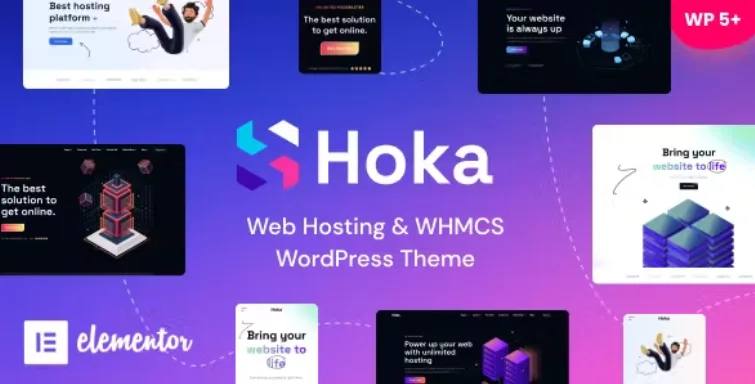
Sandbox Modern and Multipurpose Theme
Antivirus scan
Powered by ClamAV
✅ Verified clean
This product file has passed our security filters.
Want to run a fresh ClamAV scan right now? Takes a few seconds and shows scanner version, signature DB and live result.
This can take 5 to 30 seconds.
Clean file Threat detected
No threats detected in this file.
- File
- Size
- Scanned
- ClamAV
- Signature database
⚡ Powered by ClamAV
Scan could not be completed
Report product
If you detected an issue (broken file, malware, inappropriate content, etc.) let us know and we'll review it ASAP.
Sign in to report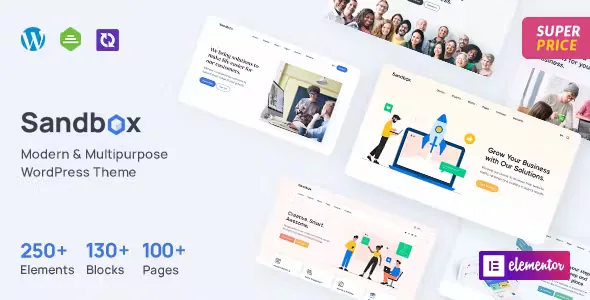
About Sandbox Modern and Multipurpose Theme
The home page gets built once; the new page, every month
You launched the site with a beautiful home page. Three months later you need a page for the new service. You duplicate another one, change the text, add a pricing section that did not exist and a list of questions copied from somewhere else. With each addition, margins and headings drift a little further from the original design, until the site looks as if several people made it.
A site wears out through the pages added without a designer, which is why the set of pieces matters more than the home page. Sandbox, the OceanThemes multipurpose theme, comes with 33+ home pages, but its demo shows something more useful for the real life of a site: 17 block families sorted by function, from pricing and team to FAQs, processes and calls to action.
If your company publishes pages steadily, that catalog is the part most worth assessing.
The Sandbox assortment
- 33+ home pages meant for software companies, agencies, shops, blogs, photography, weddings, travel and other uses.
- 10+ headers and 8+ footers, with a builder for both.
- Blocks by function in the demo: Hero, Features, Process, Team, Pricing, FAQ, Testimonials, Clients, Facts and Contact, among others.
- Inner pages: services, about, contact in three versions, careers, pricing and a one-page layout.
- Projects with four listings and four single views.
- WooCommerce with design integration, plus WPML and Polylang compatibility.
- Bootstrap 5 base, and child theme compatible.
How to stop the tenth page looking different
Before choosing a home page, open the demo's Blocks section and compare. The home pages are called Home 1, Home 2 and so on up to 33, with no sector name.
- Choose by the sections, and leave colors and photos for last, since they change quickly.
- Set your variants: one pricing section, one FAQ, one call to action. Save them as templates in Elementor.
- Always start from them when creating a page, instead of duplicating the last one published.
- Centralize header and footer in their builder, so a change reaches the whole site.
Also check how the blocks reach your installation, because the demo shows them as a catalog.
The pieces outside the main package
Sandbox relies on several plugins: it needs Meta Box and Kirki as well as Elementor, and recommends six others.
It is also meant for weddings and travel, but there is no booking or guest management among its features. The shop needs WooCommerce.
Sandbox plugins and setup
Elementor, Meta Box and Kirki Customizer Framework are needed. The free version of Elementor is enough, because the theme does not require Elementor Pro. Revolution Slider, Contact Form 7, MailChimp for WordPress, WooCommerce, OT Portfolios and OT One Click Demo Content are recommended.
- Install the theme and the required plugins.
- Activate OT One Click Demo Content and go to Appearance, Theme Demo Data.
- Choose the demo and data, and wait for the success message: it can take a few minutes.
- Save the form in MC4WP and save the permalinks again to avoid 404 errors.
- Open the header and footer in their builder with Elementor and create your section templates.
Three multipurpose themes with a different logic
Amazia is a more contained multipurpose theme, with more than ten home pages and more than thirty inner pages. Front takes another path: Gutenberg blocks and no page builder, something to weigh if you prefer not to depend on Elementor.
Salient leans toward studios and portfolios, with its own version of WPBakery and seven portfolio styles.
Sandbox, point by point
Do I need Elementor Pro?
No. The theme requires the free version of Elementor.
Which plugins are essential?
Elementor, Meta Box and Kirki Customizer Framework.
Does it work for a shop?
Yes, it is compatible with WooCommerce and includes design integration, with shop, product, cart and checkout in the demo.
What does the demo import bring?
Pages, posts, widgets, theme options and more, through OT One Click Demo Content.
Can I bring in just one home page?
Yes. Home page templates are downloaded and imported into the Elementor library to insert them on a page.
Topics
Version history
-
v
1.1.21 Current 11 Apr 2026
Customer reviews
Sign in to leave a review. Only people who have the product can review it.
No reviews for this product yet.
Frequently asked questions
-
GPL (General Public License) is the license under which WordPress and most premium plugins/themes are distributed. It grants you the right to use, modify and redistribute the software in as many projects as you want, with no domain restrictions.
-
Yes. With membership you get automatic updates via our GPLClub Updater plugin (installed on your WP, detects new versions and applies them). With individual purchase, you get one year of manual updates from your account.
-
Depends on the plan. Monthly: 3 domains. Semi-annual: 7. Annual and Lifetime: 15. Individual purchase: 1 domain.
-
GPLClub offers its own support for installation, configuration and compatibility. For direct support from the original author (feature requests, product-specific bugs), a license purchased from the author is required.
Related products
Candar – Freelancers & Agencies Responsive WordPress Theme | Creative
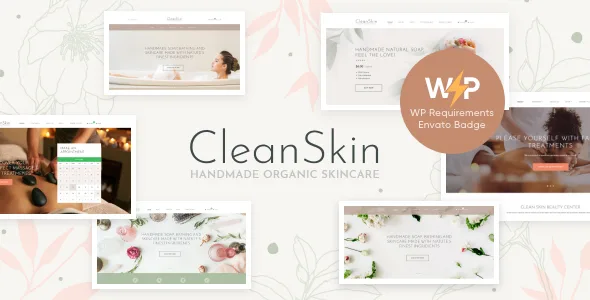
CleanSkin | Handmade Organic Soap & Natural Cosmetics Shop WordPress Theme + Elementor
LuxMed | Medicine & Healthcare Doctor WordPress Theme