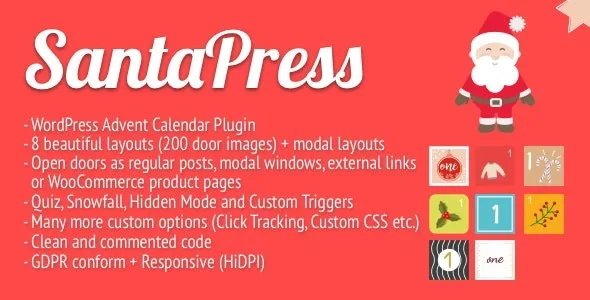
SantaPress
Antivirus scan
Powered by ClamAV
✅ Verified clean
This product file has passed our security filters.
Want to run a fresh ClamAV scan right now? Takes a few seconds and shows scanner version, signature DB and live result.
This can take 5 to 30 seconds.
Clean file Threat detected
No threats detected in this file.
- File
- Size
- Scanned
- ClamAV
- Signature database
⚡ Powered by ClamAV
Scan could not be completed
Report product
If you detected an issue (broken file, malware, inappropriate content, etc.) let us know and we'll review it ASAP.
Sign in to reportNewer version out, or a problem?
About SantaPress
A reason to come back every day until Christmas
Many websites only get visitors in December and lose them as soon as they read the homepage. An advent calendar that opens one door a day gives a concrete reason to return, and SantaPress builds it on WordPress.
Behind each door you can place text, images, videos, forms or shortcodes, with either the classic or the block editor. When a door opens, its content appears in a popup or on a separate page, or the door can link to an external website or send visitors straight to a WooCommerce product. To add play to the wait, include trivia questions: after a correct answer, a Contact Form 7 form is revealed, which is useful for prize draws. You can limit answers to one attempt per day.
The calendar adapts to what you need: 24, 25 or any number of doors, customizable columns, and several calendars on one website using door categories. Hidden mode makes the calendar slide into view after a delay or with a custom trigger, and snow can fall on the calendar page or only when a door opens.
To see which doors attract the most interest, the plugin counts how often each one is opened without collecting personal data.
Designing the calendar with AI or your own images
If you do not want to start from scratch, SantaPress includes 6 ready-made layouts, each with 25 door images, and a blank calendar to create your own. Each layout comes with matching popups, down to the quiz buttons, and you can adjust widths, colors, gradients and snowflake patterns.
The newest feature is AI design: you describe a scene, such as a snowy village or a winter landscape, and the AI creates the artwork for a 24- or 25-door calendar. Then the Slicer cuts that image (or yours) into individual door images using an adjustable grid and can assign them to the doors automatically, with no image editor needed.
- 10 AI generations are included.
- After that, you can keep generating with your own Google Gemini API key, subject to Google's limits and charges.
- Without AI, you can still use the included layouts or upload your own artwork.
Is SantaPress worth it if you already use WooCommerce, Elementor or forms?
SantaPress is compatible with WooCommerce, Contact Form 7, WPML and Elementor, and includes English, German and Swiss German translations. If your site already sells with WooCommerce, doors can send visitors straight to a product; if you use Contact Form 7, you can show one of your forms after a correct quiz answer.
For the quiz forms, Contact Form 7 must be installed. To generate AI designs beyond the 10 included, you need your own Google Gemini key. AI design only connects to that external service after you explicitly agree, and any third-party content or integrations you add may have their own privacy requirements.
Frequently asked questions about SantaPress
Can I use SantaPress without generating anything with AI?
Yes. The 6 layouts and the blank calendar work without AI, and you can upload your own artwork.
How many AI images can I generate?
10 generations come included. To keep going, use your own Google Gemini API key, subject to the limits and charges Google applies to that key.
Can I run more than one calendar on the same website?
Yes. Using door categories, you can set up several calendars on one site.
Can I see which doors get opened the most?
Yes. The plugin records how many times each door is opened through click tracking, without collecting personal data.
Does the calendar work well on phones?
Yes. The layouts are responsive, with Retina/HiDPI support, and look sharp on desktop, tablet and mobile.
Topics
Version history
-
v
2.0.0 Current 31 Oct 2026
-
v
1.8.0 7 Nov 2025
Customer reviews
Sign in to leave a review. Only people who have the product can review it.
No reviews for this product yet.
Frequently asked questions
-
GPL (General Public License) is the license under which WordPress and most premium plugins/themes are distributed. It grants you the right to use, modify and redistribute the software in as many projects as you want, with no domain restrictions.
-
Yes. With membership you get automatic updates via our GPLClub Updater plugin (installed on your WP, detects new versions and applies them). With individual purchase, you get one year of manual updates from your account.
-
Depends on the plan. Monthly: 3 domains. Semi-annual: 7. Annual and Lifetime: 15. Individual purchase: 1 domain.
-
GPLClub offers its own support for installation, configuration and compatibility. For direct support from the original author (feature requests, product-specific bugs), a license purchased from the author is required.