Saved Addresses For WooCommerce
Antivirus scan
Powered by ClamAV
✅ Verified clean
This product file has passed our security filters.
Want to run a fresh ClamAV scan right now? Takes a few seconds and shows scanner version, signature DB and live result.
This can take 5 to 30 seconds.
Clean file Threat detected
No threats detected in this file.
- File
- Size
- Scanned
- ClamAV
- Signature database
⚡ Powered by ClamAV
Scan could not be completed
Report product
If you detected an issue (broken file, malware, inappropriate content, etc.) let us know and we'll review it ASAP.
Sign in to reportNewer version out, or a problem?
About Saved Addresses For WooCommerce
Stores where the customer buys to several addresses
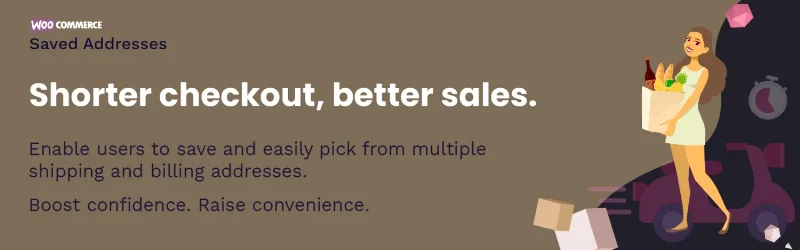
When customers have to retype their address on every order, they are likely to abandon at the last step. In stores where people ship to home, to the office or to relatives far away, each shipment may need a different address. Saved Addresses for WooCommerce is made for the customer who comes back to your store and wants to choose between several addresses already saved.
Here the customer saves and chooses the address. The plugin requires WooCommerce to be active, since it extends its checkout.
It also does not yet include labels for each address (home, work) or the ability for the admin to view or change a customer's saved addresses on a pending order. These are planned improvements, so if you need them now, keep that in mind.
How customers choose their addresses with Saved Addresses for WooCommerce
The customer switches between saved addresses without leaving the payment page, and can also add, edit or delete any of them from there. Browser autofill helps, but with several different addresses it falls short: here each one is saved and ready to choose, for both shipping and billing.
A default address for everyday use
Since most people use the same address most of the time, the customer can mark one as default and it fills in automatically at payment. The rest stay saved for when they need them, with no cap on how many.
Address book inside My Account
Besides checkout, each customer has an addresses section inside their My Account area, where they can view, manage or delete saved addresses whenever they like. This way the address book does not depend on them buying at that moment.
Managing addresses works well on mobile, with no distorted fields, so the customer changes or adds an address just as comfortably from the phone as from the computer.
Situations where an address book makes a difference
For someone shopping from a phone, choosing a saved address is much faster than typing on a small screen. These are the cases where it shows most:
- Food orders delivered to wherever the customer is at that moment.
- Travelers who get what they need at a hotel, a client's office or a coworking space.
- Students who save home, the residence and the campus.
- Suppliers with several warehouses, who change the destination depending on the day.
- Gifts for family and friends who live far away.
- A relative who manages the addresses of an elderly person or someone not used to technology.
Frequently asked questions about Saved Addresses for WooCommerce
Can the customer save shipping and billing addresses separately?
Yes. They can save several shipping and billing addresses and choose the one they want for each at checkout.
Is there a limit on the number of addresses?
No. The customer can save as many as they need, from home to a temporary address.
Can the customer edit an address already saved?
Yes, they can edit or delete it both at checkout and in their My Account area.
Do you need to set anything up to get started?
No. It works from installation, with no code or manual settings.
Topics
Version history
-
v
2.7.0 Current 16 May 2024
Customer reviews
Sign in to leave a review. Only people who have the product can review it.
No reviews for this product yet.
Frequently asked questions
-
GPL (General Public License) is the license under which WordPress and most premium plugins/themes are distributed. It grants you the right to use, modify and redistribute the software in as many projects as you want, with no domain restrictions.
-
Yes. With membership you get automatic updates via our GPLClub Updater plugin (installed on your WP, detects new versions and applies them). With individual purchase, you get one year of manual updates from your account.
-
Depends on the plan. Monthly: 3 domains. Semi-annual: 7. Annual and Lifetime: 15. Individual purchase: 1 domain.
-
GPLClub offers its own support for installation, configuration and compatibility. For direct support from the original author (feature requests, product-specific bugs), a license purchased from the author is required.