Scripts Dequeuer
Antivirus scan
Powered by ClamAV
✅ Verified clean
This product file has passed our security filters.
Want to run a fresh ClamAV scan right now? Takes a few seconds and shows scanner version, signature DB and live result.
This can take 5 to 30 seconds.
Clean file Threat detected
No threats detected in this file.
- File
- Size
- Scanned
- ClamAV
- Signature database
⚡ Powered by ClamAV
Scan could not be completed
Report product
If you detected an issue (broken file, malware, inappropriate content, etc.) let us know and we'll review it ASAP.
Sign in to reportNewer version out, or a problem?
About Scripts Dequeuer
When two plugins load the same file twice
On a site with real traffic, two different plugins can load the same file under different internal names, so WordPress does not detect the repetition and the page downloads jQuery, Font Awesome or a layout library more than once. Scripts Dequeuer turns off those extra copies without touching code.
If your plugins repeat libraries such as jQuery or Font Awesome
You mark the redundant script in the list and it is turned off when you save the changes. The plugin respects dependencies: it will not remove jQuery while another file still needs it.
If a script only makes sense on some pages
For each item you can specify pages or posts where the dequeue is not applied. That way, a form or gallery file can stay active there and be turned off on the rest of the site.
How Scripts Dequeuer finds the files and where it looks
Home page, posts and archives by default
By default, the plugin scans three types of page: the home page, a single post and an archive page. Most of the site's CSS and JS files appear there.
Custom URLs for conditional scripts
If a theme or plugin loads files only on certain pages, such as a contact-form.js on the contact page or a masonry.js on a portfolio template, you add the URL of those pages with the Add URL option. The plugin scans them and lists everything enqueued there.
Turning off scripts from the panel instead of functions.php
Doing it with code in functions.php works, but it is lost when you change theme unless you have a backup. With the Scripts Dequeuer panel, the plugin also shows the total number of front end files, their sources and their dependencies.
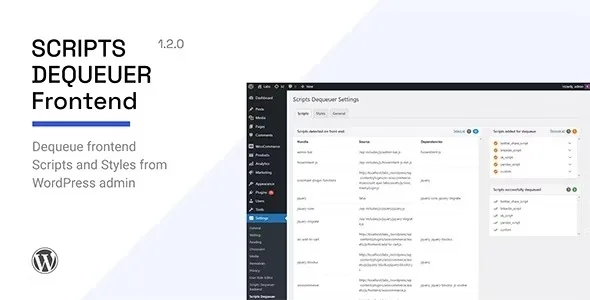
- List of all scripts and styles detected on the front end
- Separate portlets for the dequeue list, what was dequeued and what was not, each with its file count
- Dequeue all at once or only a selection
- Force dequeue to ignore dependencies
- Settings panel with JavaScript tab navigation, ready for translation, with a sample .pot file included
Frequently asked questions about Scripts Dequeuer
Do I need to touch code to turn off a script?
No. You select the scripts and styles from the backend and they are turned off when you save the changes.
What happens if I turn off jQuery and another plugin needs it?
The plugin does not turn it off while another file requires it. Only the force dequeue option ignores dependencies, and in that case the file is removed even if another file needs it.
Are my settings lost if I change theme?
No, because the rules live in the plugin panel and not in the functions.php file of the theme.
Can I limit the dequeue to some pages?
Yes. Each item accepts a list of pages or posts where the dequeue is skipped, and you can add your own URLs where files are searched.
It only turns off what WordPress enqueues through its native hooks
The plugin detects scripts and styles loaded through WordPress native hooks, such as wp_enqueue_scripts, wp_print_scripts or wp_print_styles. Files injected without going through those hooks do not appear in the list and cannot be turned off from here.
Topics
Version history
-
v
1.2.0 Current 13 May 2024
Customer reviews
Sign in to leave a review. Only people who have the product can review it.
No reviews for this product yet.
Frequently asked questions
-
GPL (General Public License) is the license under which WordPress and most premium plugins/themes are distributed. It grants you the right to use, modify and redistribute the software in as many projects as you want, with no domain restrictions.
-
Yes. With membership you get automatic updates via our GPLClub Updater plugin (installed on your WP, detects new versions and applies them). With individual purchase, you get one year of manual updates from your account.
-
Depends on the plan. Monthly: 3 domains. Semi-annual: 7. Annual and Lifetime: 15. Individual purchase: 1 domain.
-
GPLClub offers its own support for installation, configuration and compatibility. For direct support from the original author (feature requests, product-specific bugs), a license purchased from the author is required.